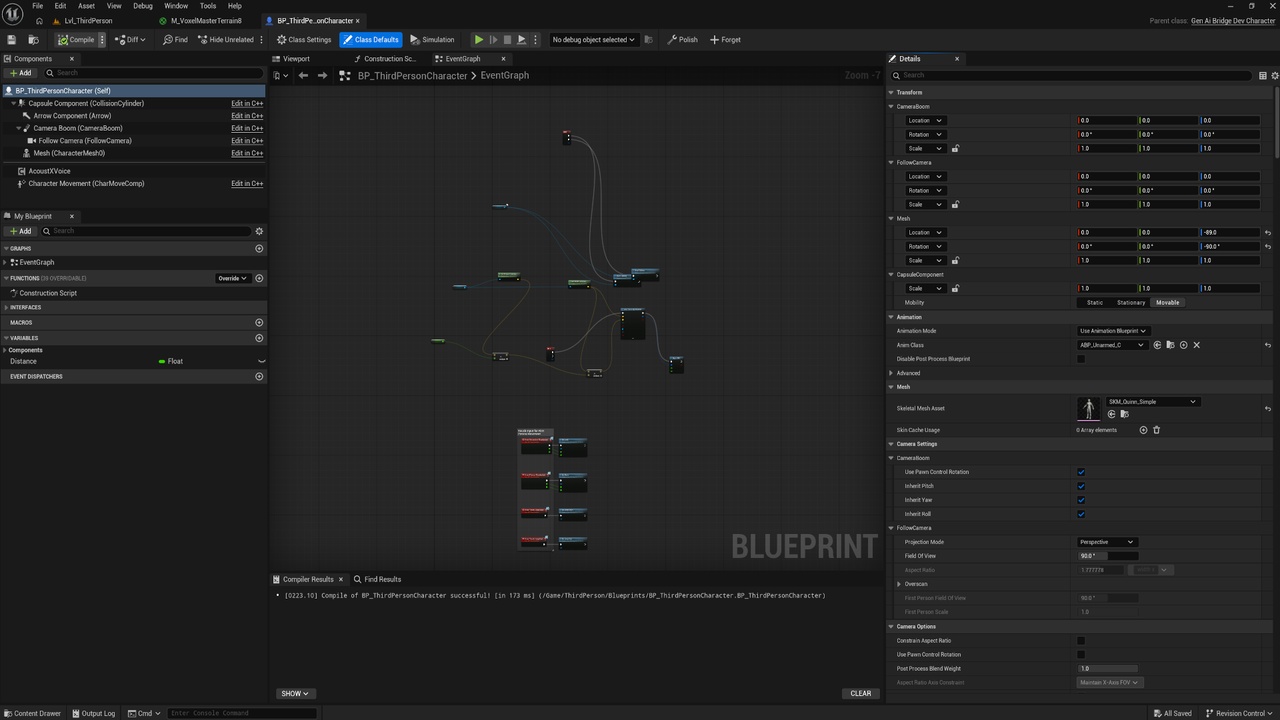
Descrição
Press one button and your Blueprint lays itself out.
GraphTidy arranges your graph along its execution flow, straightens every exec
wire so it runs horizontally instead of sagging, drops variable getters and
maths nodes into neat columns beside whatever uses them, and groups each chain
under a named comment.
Then it does the thing nothing else does: it remembers.
WHY THIS IS DIFFERENT
Every other graph formatter re-derives your entire layout from scratch on every
press. That is fine the first time and destructive every time after, because it
flattens the section you carefully arranged by hand along with everything else.
So you use it once, on a graph you do not care about, and never again.
GraphTidy records where it placed each node, inside the Blueprint asset itself.
The next time you press Polish it can tell three things apart: nodes that are
new, nodes still exactly where it left them, and nodes YOU have moved since.
That last category is never touched again. Drag a node where you want it and it
stays there permanently — layout flows around it from then on.
BUILT FOR HOW YOU ACTUALLY WORK
Wire up Event BeginPlay. Press Polish. Write three functions. Press Polish
again. Only the new work is arranged; the rest of the graph does not shift by a
pixel. Press it a hundred times on a settled graph and nothing moves at all.
That is the whole workflow. There is no configuration step, no always-on mode
reformatting your graph as you type, and no separate window to manage. Two
buttons appear on the Blueprint editor toolbar and that is the entire interface.
IT RESPECTS YOUR COMMENTS
A comment you drew keeps exactly the nodes it had. GraphTidy resizes it to
follow them and never changes its title, its colour, or which nodes belong to
it. If layout would drop an unrelated node inside your comment's box, that node
is pushed back out instead.
Chains that already sit inside one of your comments get no second comment
stacked on top. And if you rename a comment GraphTidy created, those words are
yours from then on — it will keep resizing the box and never touch the text
again.
ONE UNDO, ALWAYS
The entire operation is a single transaction. Moved nodes, resized comments,
created comments — one Ctrl+Z puts the graph back exactly as it was. You can
try it on anything without committing to it.
IT WILL NOT GUESS
Node sizes and pin positions come from Slate, and only exist for nodes actually
drawn on screen. GraphTidy handles that for you: if part of the graph is
off-screen it fits the view, measures, lays out and puts your view back. If it
still cannot measure everything, it refuses to move anything and tells you why,
rather than producing a confidently wrong layout.
Documentations