

Descripción
Stop explaining your project to AI every session.
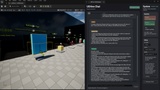
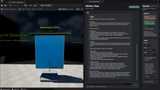
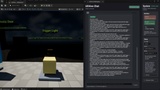
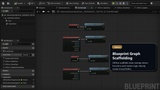
UEHive is an in-editor AI Blueprint Assistant for Unreal Engine that can inspect existing Blueprints, create new Blueprint Actors and Widget Blueprints, scaffold gameplay systems, and execute approved workflows directly inside your live project.
What UEHive Does
Creates Blueprint Actors
UEHive authors Blueprint assets directly in your Unreal project, not just text suggestions.Generates Widget Blueprints (UMG)
Create menus, HUDs, interaction panels, showcase widgets, and text-based layouts directly inside the editor.Understands your current editor context
UEHive can use the open Blueprint, selected asset, selected mesh, selected folder, or selected level actor automatically.Remembers successful project workflows
UEHive stores reusable local patterns in Saved/Skills, reducing repeated setup across sessions.Scaffolds gameplay systems
Build overlap triggers, automatic doors, light triggers, pickups, patrol actors, and procedural scatter systems.Executes with live feedback
Action plans run step by step inside Unreal, with visible execution progress and immediately inspectable results.Compiles and validates
Generated Blueprints are compiled and can be inspected directly in the live project.
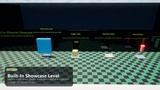
Included Showcase Examples
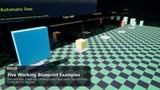
Open the showcase map on first launch to inspect working examples and fork them into your own project.
Automatic Door
Overlap-driven sliding door with native Blueprint graph scaffoldingTrigger Light
Box trigger that toggles a PointLight through Blueprint logicRotating Pickup
Pickup actor with rotation, overlap detection, and destroy-on-collect behaviorPatrol Enemy
Blueprint actor with simple patrol movement and reusable graph logicProcedural Scatter
Blueprint-driven procedural scatter pattern using native component workflows
AI Workspace Highlights
Inspect existing Blueprints and summarize their structure
Create new Blueprint systems from natural language
Ask follow-up questions when your request is incomplete
Apply follow-up changes to the active Blueprint
Use selected meshes and folders automatically
Preview action plans before execution
Execute approved Blueprint workflows step by step inside Unreal
Video
Community
Full Documentation
Technical Specs
Modules:
UEHiveCore — Runtime
UEHiveWorker — Runtime
UEHiveEditor — Editor
Includes:
Native C++ plugin modules
Blueprint inspection + authoring workflows
5 included showcase systems
Local project memory via Saved/Skills
Windows / Editor-focused workflow
Get Started
Install through Epic Games Launcher
Enable UEHive in your project plugins
Open the AI Workspace inside Unreal Editor
Connect your provider API key
Start inspecting, creating, and modifying Blueprint systems directly in your project