
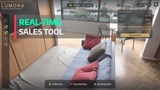
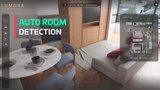
설명
Turn any 3D scene into a complete sales experience — without writing a single line of code.
A full Unreal Engine 5 project template: your client walks through a space, configures every detail in real time, reviews a live price summary, and confirms their order — all from a packaged executable you deliver in hours, not months.
Built for archviz studios, real estate developers, furniture manufacturers, automotive showrooms, and freelancers on a tight timeline.
▶ Watch it in action: Showcase
▶ Full EUW setup tutorial: Tutorial
▶ Full template documentation: Documentation
What your client sees
The end user gets a packaged executable. No UE knowledge required.
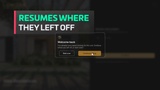
Login screen — secured session, resumes where they left off
Product selection — choose among available units, models or variants
Immersive walkthrough — first-person or orbital camera, fully configured per product
Real-time configuration — enter a room, relevant options appear, the scene updates the instant you choose
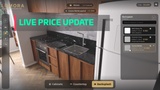
Live budget — price updates per selection; quantity-aware (per unit, per m², per linear meter)
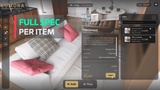
Detail panel — enlarged image, brand, specs, price × quantity = subtotal
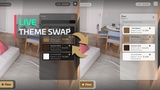
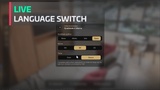
Live theme & language switch — from the pause menu, swap the whole UI between Light/Dark (or your own custom theme) and change the interface language, instantly
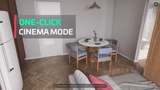
Cinema mode — hide all UI; day/night toggle
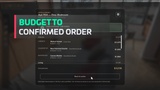
Order summary & confirmation — full breakdown with totals, saved and locked in, ready to hand off to your sales process
Two operating modes baked in at package time:
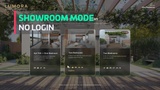
Exploration — walkthrough + real-time material swap. No pricing, no login. Showrooms, trade shows, open houses.
Configuration — everything above, plus client login, live pricing, quote, and order confirmation.
Order data: confirming an order saves the full selection and total inside the app — nothing is lost if the client steps away. Sending that data onward (email, PDF, CRM) isn't built in — every field you'd need is already assembled at confirmation, so wiring your own notification is a small addition on top.
What you see as the buyer (the EUW setup assistant)
Open the project and play the included demo apartment immediately — fully finished, wired to the EUW, not a grey-box placeholder.
Then open EUW_ConfiguratorSetup, a dockable panel inside the editor. For the whole day-to-day catalog and setup workflow, you never open a Blueprint graph. Three narrow cases still need a direct edit in the Content Browser — an item's custom spec fields, creating dependent sub-groups, and removing a single item from a group — everything else (projects, products, zones, item rows, variant linking, multipliers, validation, save) is covered by the tool. The documentation walks through all three, and updates will fold them in over time.
Project — name, company, logo, background image, operating mode, and sales agent email.
Products — apartment unit, car model, furniture piece: name, thumbnail, camera type, and the level to open.
Zones — the EUW scans your level for BP_ZoneTrigger actors and lists them automatically; name each one, pick an icon, set detection type.
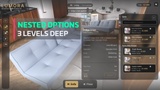
Catalog & Bindings — fill in options in a spreadsheet-like table (or import a CSV), then link each one to a material swap, a model swap, or both — previewed live in the editor viewport. Sub-options go up to 3 levels deep. The EUW builds and maintains the Level Variant Sets; you never open the Variant Manager by hand.
Validation — the built-in validator checks every binding, trigger, and required field, with each error linking straight to the problem. Zero errors, ready to package.
Match your client's brand, live
Every runtime screen reads its colors, fonts, and spacing from one swappable theme asset (~40 tokens). Ships with Light and Dark; add a third with your client's own palette and logo, no widget editing required — the whole interface updates from that one asset, and your client can switch between them live, from the in-app pause menu. Language works the same way: add it to the project's list, compile it in Unreal's Localization Dashboard, and it appears in that same pause menu.
Works for more than apartments
The same template handles any product that needs real-time customization before purchase:
Real estate / construction — flooring, walls, fixtures, kitchen, and bathroom options
Furniture & fitted interiors — wardrobe, cabinet, sofa material and finish; orbital camera, zoom, rotate
Automotive — paint, wheels, interior; orbital camera with door animation
Product design — industrial equipment, consumer electronics, any mesh-based product
The terminology is generic by design — Project, Product, Zone, Group, Option — nothing assumes an apartment.
Technical highlights
UE 5.6+ — Enhanced Input, Lumen-ready, CineCamera on both pawns
Two camera modes — first-person (WASD + mouse) and orbital (drag, scroll)
Data-driven — day-to-day content (products, zones, catalog, options) lives in Data Assets and Data Tables written by the EUW; swapping content never touches the logic
Token-driven UI theme — one asset (~40 tokens) drives every runtime screen; ships with Light/Dark, add your client's brand as a third theme, switchable live by the end user
Multi-language, runtime-selectable — add a language and compile it in Unreal's Localization Dashboard; catalog text you type is not auto-translated, only the template's UI strings are
Level Variant Sets — material and visibility bindings managed automatically; supports an existing hand-crafted LVS
One Game Instance, one source of truth — BPS_ConfiguratorGameInstance holds all shared runtime state (selections, budget, order); every panel reads from it and reacts to its events, so the rail, cards, and detail panel stay in sync the instant an option is applied
CSV import — for large catalogs, import options instead of filling them one by one
Auto-save — user session persists between runs
What's included
Full UE5 project template
Runtime configurator (Exploration and Configuration modes)
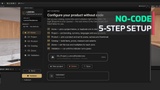
EUW Setup Assistant (guided, 5-step configuration)
A finished, fully furnished demo apartment with a real catalog of finishes — plays immediately on open
BP_ZoneTrigger, BPS_ConfiguratorGameInstance, BP_SetupValidator with actionable error messages
Data Asset / Data Table structure, plus CSV import templates
Documentation in English and Portuguese (PT-BR)
What this template is not
This is a project template, not a plugin — you open it as a new UE5 project for each configurator you build. That's intentional: the EUW needs full project access to create and manage assets. Bringing it into a project you already have is possible but not a drop-in: it means adopting the template's Game Instance class as your own — the documentation walks through exactly what that involves before you commit to it.
Still growing, with your input
This is an active project, not a closed, finished one. There's a real roadmap ahead — more camera behaviors, deeper catalog tools, extra themes and languages among them — and development continues after launch.
Your feedback steers that roadmap. If you hit a bug, something's unclear, or your project needs a feature we haven't built yet, tell us — real use is how problems surface and priorities get set, and we take that seriously.
Support & documentation
Documentation available in English and Portuguese (PT-BR)
Setup guide, integration patterns, FAQ