Descripción
Doupi Design has invented for you: GroupActors PRO
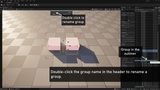
GroupActor Pro makes Unreal's Group Actors workflow faster by putting the group actions you need right over the viewport. Rename groups, colour-code them on screen, and stay in control of what happens when grouped actors are copied.
Features
Colorize groups - tint each selected group's meshes with a distinct translucent colour; instantly restored on deselect (can be changed in the toggle)
Inline rename - double-click the group name in the header to rename a group
Copy control - when a grouped actor is copied, pasted, or alt-dragged, choose whether the copy splits off or stays grouped (can be changed in the toggle)
Smart Remove from Group - automatically dissolves a group left with one member and keeps your selection on the surviving group
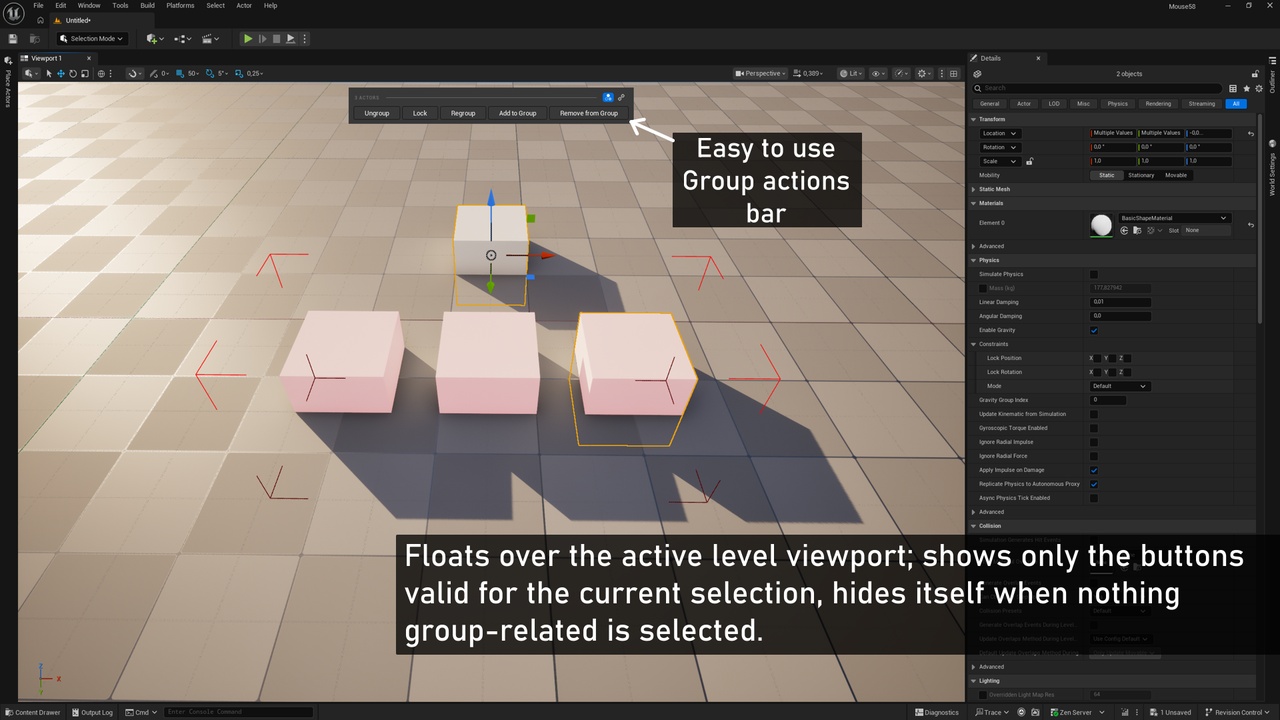
Context-aware toolbar - floats over the active level viewport; shows only the buttons valid for the current selection, hides itself when nothing group-related is selected
No levels, examples or samples from the images are included.
How It Works: The plugin hosts a small window over the active level viewport. It listens for selection changes and shows the buttons that match the current selection. Each button calls the same GroupActor functions the engine's own menu uses.
Usage: Select a group (or a group plus loose actors) in the level. The relevant buttons appear over the viewport - click one to run that action. Double-click the group name in the header to rename it. Use the two toggles in the header for colorizing and copy behaviour.
Keyboard Shortcuts: None. The plugin adds no hotkeys and does not override any (Ctrl+G etc. remain the engine's).
Settings: Two toggles in the toolbar header - toggle group colorization and toggle copy/paste prompt. Persisted per-project. No Project Settings page.
Installation: Copy the plugin folder into your project's Plugins/ directory (or the engine's Engine/Plugins/), then enable "GroupActor Pro" in Edit → Plugins and restart the editor. No content or additional setup required.