Description
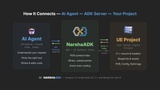
An Unreal Engine Agent Developer Kit that helps AI understand both your C++ code and Blueprints.
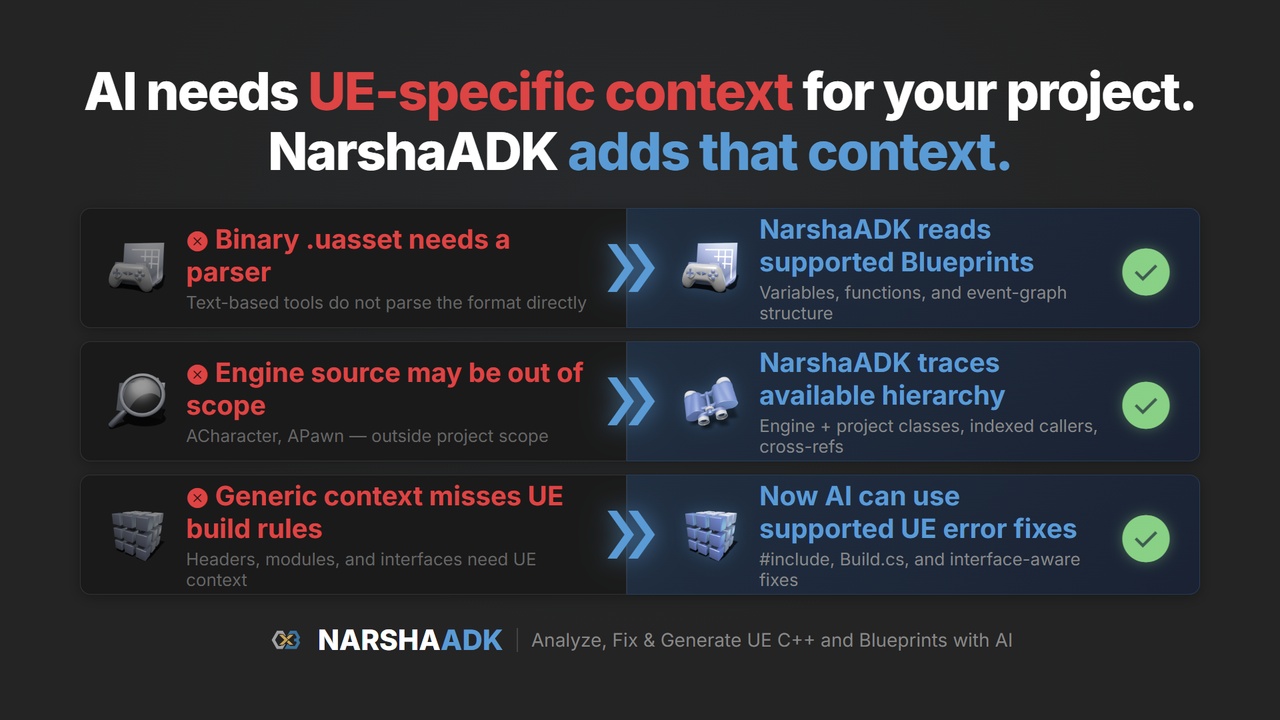
By reading source, compiler symbols, and binary assets directly — NarshaADK gives AI coding tools like Claude Code and Codex deep access to your project.
Unreal Engine projects split useful context across C++ source, compiler debug symbols (PDB), and binary .uasset files. NarshaADK combines those sources so AI can answer with project-specific evidence instead of relying only on text search.
⚠️ Early Access — NarshaADK is under active development. Features and workflows may change as compatibility and reliability improve.
How NarshaADK Helps Your AI
NarshaADK combines source, symbol, and supported asset data so your AI assistant can:
Diagnose supported build-error patterns with structured fix strategies — just say "fix my build errors"
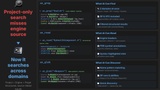
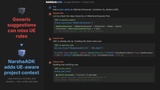
Search indexed project and configured engine/plugin sources — "find all callers of TakeDamage"
Generate UE-aware C++ class scaffolds — "create a GAS character class"
Trace execution across domains — "what happens when I press Attack?"
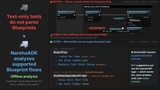
Inspect supported Blueprint, Material, Niagara, and PCG data without opening the Editor
Built on Three Data Layers
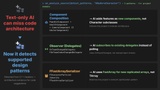
Source Code Analysis — Parses C++ source with a code-aware parser. Understands macros like UPROPERTY, UFUNCTION, and DOREPLIFETIME — not just text matching.
Compiler Symbol Index (PDB) — Indexes the same debug data your debugger uses. Class hierarchies, call graphs, and symbol lookups are grounded in available compiler symbols.
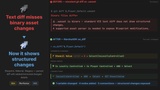
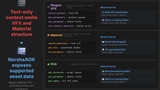
Binary Asset Parsing — Reads supported .uasset data directly without commandlets or Editor. Blueprint graphs, Material parameters, PCG nodes, and Niagara systems can be inspected offline; asset-changing write operations require a running Editor.
What's Included
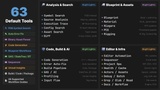
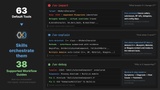
NarshaADK provides 63 callable entries in the default MCP tool list across 9 domains, plus 38 supported workflow guides for common Unreal Engine development tasks.
Default Tool Set
Beta
Blueprint — Structure analysis, variable/function editing, execution flow tracing
Error Resolution — Automatic diagnosis with 9 fix strategies and preflight validation
Code Generation — Derive classes from supported UE base classes with appropriate macros and dependencies
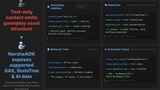
GAS and Input — Trace from input key through GameplayAbility to animation
Assets — Materials, Niagara VFX, PCG, Control Rig, IK Rig, Sequencer
C++ Analysis — Symbol search, class hierarchy, call graph, impact analysis
Experimental
Editor Control — Spawn actors, compile, run tests, batch operations via Remote Control
Build — Build, cook, package automation. World Partition, DDC, source control
Performance — Unreal Insights profiling: bottlenecks, flamegraphs, regression detection
38 Supported Workflow Guides
Workflow guides coordinate multiple tools for common tasks. Highlights:
Supported (38 guides) — Tested workflow highlights:
Unreal Error Doctor — Say "fix my build errors" and it systematically diagnoses, explains, and resolves
Blueprint Flow — Trace Blueprint execution paths with visualization
Caller Graph Visualizer — "Can I safely rename this function?" — traces indexed upstream callers before you change anything
Additional guides include CVar exploration, performance health checks, asset modification, execution-flow analysis, and module mapping
Getting Started
On first connect, NarshaADK indexes supported binary assets and available PDB files in the background. A shared local daemon supports multiple terminals and AI clients. Initial indexing time varies with project size and storage performance; valid results are cached for later starts.
Installation
Install the UE 5.7 or UE 5.8 package from Fab and enable NarshaADK in a C++ project
Build the C++ project at least once — the first build runs local setup and creates the project MCP configuration
Open the local dashboard's AI Clients section and confirm the Claude Code or Codex connection
Tested with Claude Code and Codex. Other MCP-compatible clients may work, but they are not part of the officially validated v0.13.7 client set.
Note: AI clients are separate products and may require their own subscription or usage plan.
Dashboard
The local dashboard shows connection and indexing status and manages engine-source scanning, cache, and telemetry. It uses a native window and system tray, with a browser fallback when the embedded WebView is unavailable.
Requirements
Unreal Engine 5.7 and 5.8 (official Fab packages)
Windows 64-bit
C++ project required — Blueprint-only projects are not supported in v0.13.7
Visual Studio 2022 with the Unreal Engine C++ build tools
No separate Python or Node.js runtime required — NarshaADK ships a self-contained Rust binary and uses the Unreal Engine plugins listed in Technical Information
Privacy and Support
NarshaADK is built and maintained by Next Stage Inc.
Use the listing's Unreal Engine forum thread to ask questions, report issues, or share feedback.
Core code and asset analysis runs locally. Optional anonymous error and usage reports are sent only after explicit opt-in. Reports use a randomly generated per-installation ID and exclude source code, file paths, project names, names, email addresses, hostnames, and hardware identifiers. Consent can be changed in the Settings dashboard. Optional account sign-in and connected AI clients are separate and subject to their respective privacy policies and settings. Full details: https://github.com/Next-Stage-Inc/narshamcp-privacy/blob/main/PRIVACY_POLICY.md