Description
Turn gameplay ideas into Blueprint nodes with AI.
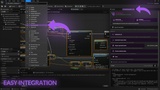
Vibe Blueprints is an Unreal Engine Editor plugin that connects visual Blueprint logic with modern AI assistants.
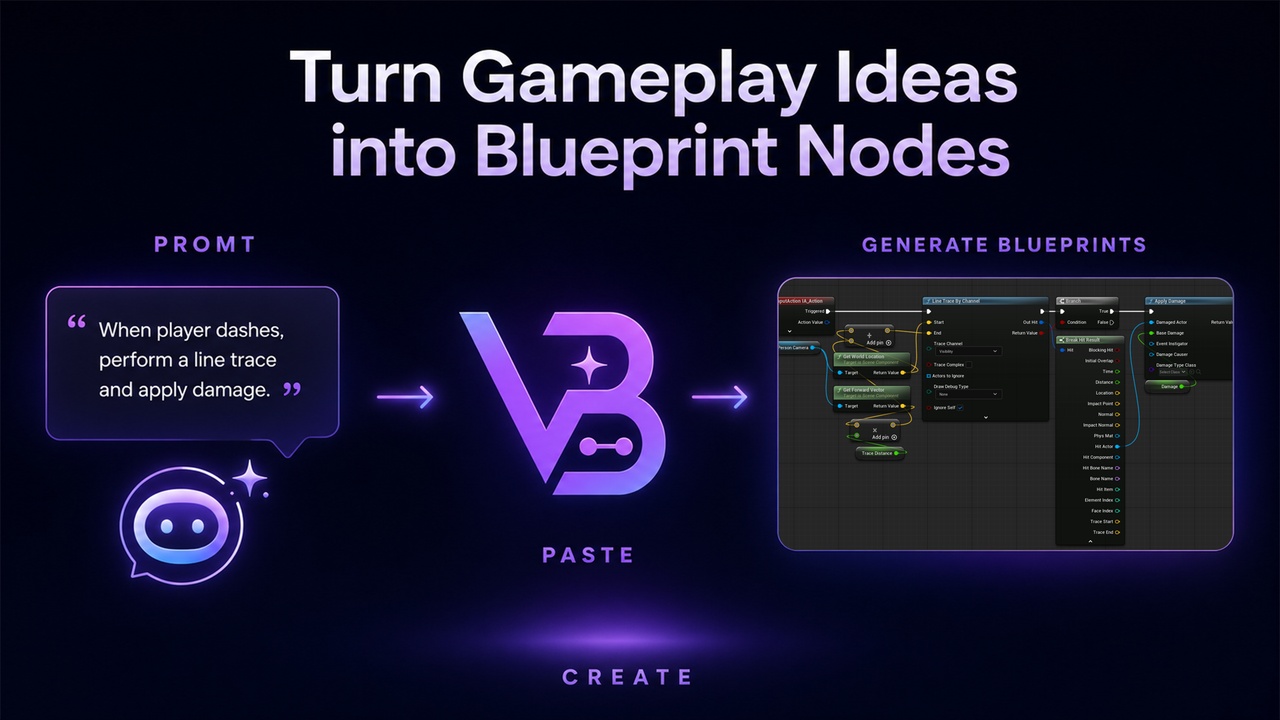
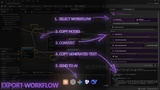
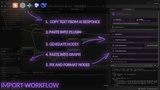
Copy the built-in AI instruction into your preferred AI assistant, describe the mechanic you need, and receive a document in the VibeBP format. Vibe Blueprints converts it into real, editable Blueprint nodes that can be pasted directly into your graph.
Gameplay idea → AI → VibeBP → Blueprint nodes
Instead of manually recreating AI suggestions node by node, you receive a ready-to-edit foundation for your mechanic directly inside Unreal Editor.
Vibe Blueprints is model-agnostic, does not require its own API key, and does not include an additional AI subscription.
Main Workflows
CREATE
Describe a gameplay mechanic in natural language and generate Blueprint nodes with your preferred AI assistant.
Use Vibe Blueprints to quickly prototype gameplay logic and mechanics.
IMPROVE
Export an existing Blueprint graph, ask the AI to modify or expand it, and import the updated logic back into Unreal Editor.
The AI can preserve existing variable and event names, add validation checks, introduce new states and restrictions, and extend existing behavior.
DEBUG
AI Debug is a compact mode for analyzing existing Blueprint logic.
It converts selected nodes into a token-efficient semantic representation and preserves references to the original graph sections. This allows the AI not only to describe a problem, but also to indicate where it appears in the Blueprint.
AI Debug is intended for analysis and cannot be imported directly. After the review, you can ask the AI to generate a corrected VibeBP document and convert it into Blueprint nodes.
Features
Generate Blueprint mechanics with an external AI assistant.
Improve existing graphs through a reversible workflow.
Use AI Debug to analyze logic and identify potential issues.
Copy the bundled AI instruction directly from the plugin.
Generate native Blueprint clipboard data.
Automatically create supported Blueprint variables.
Repair supported Timelines and Custom Events.
Automatically refresh, compile, and format imported nodes.
Include Blueprint structure, component hierarchy, and key component properties in the AI context.
Use Vibe Blueprints as a dedicated tab inside the Blueprint Editor.
Access detailed documentation and developer support.
Blueprint components are not created automatically. When a reference cannot be reconstructed safely, the plugin creates a clear placeholder node explaining what must be connected manually.
Local Processing
Conversion from Blueprint nodes to VibeBP or AI Debug is performed locally inside Unreal Editor.
The plugin does not automatically send project data to external services. Information leaves Unreal Editor only when you manually copy the generated text and send it to an external AI provider.
When working with private or commercial projects, review the privacy and data-retention policies of your chosen AI provider.
Important Information
Vibe Blueprints can accelerate the creation, modification, and analysis of Blueprint logic, but it does not replace developer review.
Any AI-generated result should be:
reviewed;
compiled;
tested;
validated in real gameplay conditions.
Some elements depend on the structure of the destination Blueprint and may require manual connection or repair. These include native engine events, Blueprint component references, project-specific nodes, and certain Custom Event configurations.
The plugin does not guarantee automatic support for every existing K2 node or third-party Blueprint extension. Support will continue to expand as the product develops.
Documentation
Detailed installation instructions, generation workflows, graph modification guides, AI Debug usage, imported-node repair, and troubleshooting:
https://docs.google.com/document/d/1bSHLSDroFy9-8IGk-GF7KH73RSDFSvhd/edit?usp=sharing&ouid=104254302567333262863&rtpof=true&sd=true
Support and Bug Reports
Found a reproducible issue or a Blueprint case that is not currently supported?
Please include:
Unreal Engine version;
reproduction steps;
exported VibeBP or AI Debug text;
Compiler Results or Output Log messages;
screenshots of the affected nodes.
Support: [email protected]