

Descripción
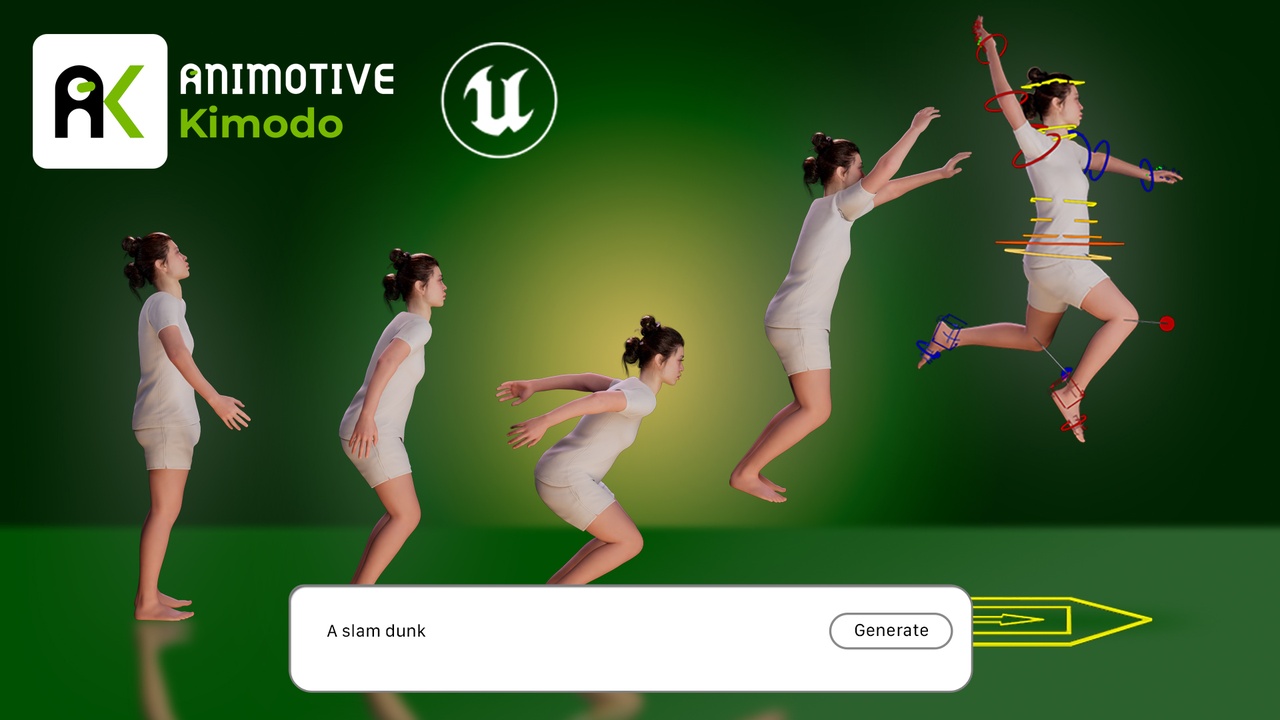
Animotive Kimodo brings AI-powered animation generation directly into Unreal Engine.
Describe a motion in plain language: a combat idle, a nervous pace, a triumphant stride forward and Animotive Kimodo generates a humanoid skeletal animation retargeted to your character within seconds.
Optionally define keyframe constraints to guide timing, posture, or transitions.
Animotive Kimodo is built on NVIDIA's open-source Kimodo model and is developed by Animotive.
Key Features
Text-to-animation generation targeting humanoid skeletal meshes
Keyframe constraint support for guided, predictable outputs (Including full body, root hands and feet)
Seamless Unreal Engine integration - animations delivered directly to your Content Browser and Sequencer
Cloud and local self-hosted modes selectable within the plugin
API key authentication for cloud mode - no browser login flow required
Out-of-the-box compatibility with Metahuman and standard UE skeletal rigs
Compatibility with Reallusion’s Character Creator and custom humanoid rigs (occasional manual tweaks required)
Two modes. One plugin.
Cloud Mode: No hardware or setup requirements. Generate animations via Animotive's hosted cloud service. Free tier included. Paid tiers available for higher-volume users.
Self-Hosted Mode: Run the Kimodo model locally via Docker on your own hardware or via HTTP.
Completely free, no account required. Requires a capable GPU.
Cloud Pricing
For pricing information see: https://kimodo.animotive.com/pricing
Free trial available
Getting Started
Install the plugin
Select your Kimodo Backend via the First-Run Setup window in UE
For the Animotive Kimodo (setup-free) backend you will need an API key, which can be found in your account dashboard in kimodo.animotive.com
For the Docker (Local) mode you will need to point the plugin at your Docker instance and for the Remote Server you will need to assign the Server URL
Load the Soma or MetaHuman demo scene and click the Generate with Kimodo button on the Sequencer toolbar
Full documentation for all setups and plugin usages, please see: https://animotive.gitbook.io/animotive-kimodo
Join the Discord for support queries and feature requests: https://discord.com/invite/ZJEYKVGKkK
Dependencies
Required plugins: Control Rig, IK Rig, Animation Modifier Library, and Editor Scripting Utilities. (These are enabled automatically when you enable Animotive Kimodo Exporter.)
Recommended: MetaHuman required to use the MetaHuman demo scene and follow the MetaHuman workflow documentation, though the plugin supports other compatible body skeletons.