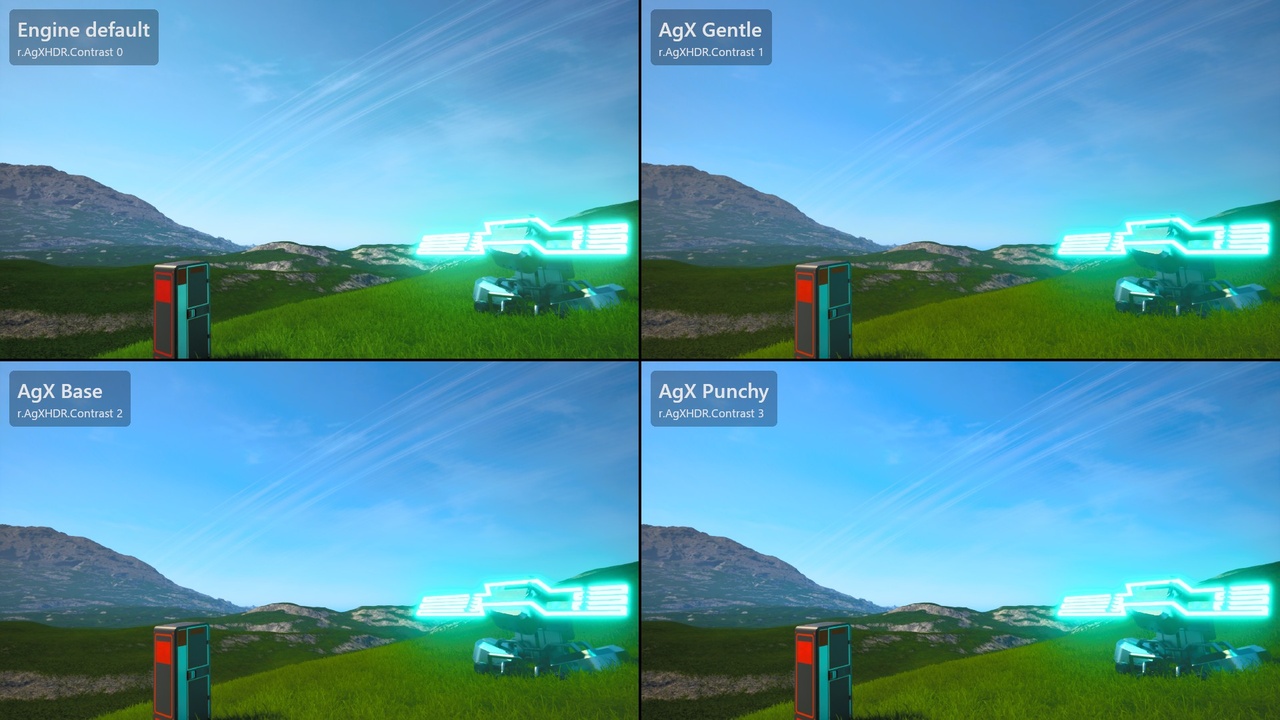
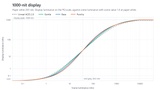
Beschreibung
AgX HDR is an Unreal Engine 5.8 plugin that replaces Filmic and ACES tonemapping with AgX: Blender's AgX view transform on SDR displays, and on HDR displays a curve that runs up to the display's peak. There is nothing to place in a level. Enable the plugin, restart the editor and it is on. Check out the HDR comparisons in the documentation link.
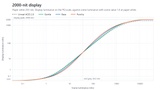
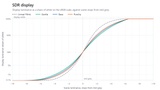
On SDR the output is Blender's AgX, down to the 16.5-stop range and the 2.4 power encoding. At the Base setting it keeps more of the shadows than Unreal's Filmic curve (0.72% of white four stops below mid grey, against Filmic's 0.20%) and rolls highlights off more slowly, reaching 90% of white 5.3 stops above mid grey rather than 3.9.
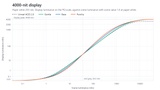
With HDR10 or scRGB output the curve is fitted to the display. Mid grey sits where ACES 2.0 puts it, so exposure and paper white behave as before and in-game HDR brightness settings keep working. Above mid grey the shoulder runs up to the display's peak: a full 1000 nits on a 1000-nit display, where Unreal's ACES 2.0, with its default LUT shaper and paper white at 203 nits, stops at 917.
Both curves use Jed Smith's tunable sigmoid, which Troy Sobotka's original AgX and Blender's AgX are built on. AgX forms colour one channel at a time, so bright saturated light, like fire or a neon sign, fades towards white as it gets brighter, and 60% of the hue shift that comes with it is then undone.
The rest of the engine's tonemapper carries over, apart from the few things under Important Notes, with the same post process settings and console variables: auto and manual exposure, local exposure, bloom and its dirt mask, lens flares, Color Grading, chromatic aberration, sharpening, vignette, film grain, camera fades and dithering. The Film slope, toe, shoulder and clip settings, Blue Correction and Tone Curve Amount shape the result as well, including on views set to Standard ACES, which ignores them.
Contrast comes in three settings, Gentle, Base (Blender's) and Punchy, set with r.AgXHDR.Contrast. It changes at runtime, from the console or a graphics menu. 0 switches back to the engine's tonemapper for A/B comparisons.
Features:
AgX tone mapping for SDR and HDR output, replacing Filmic and Standard ACES
Blender's AgX on SDR, including its 16.5-stop range and 2.4 power encoding
An HDR curve that reaches the display's peak brightness, with mid grey where ACES 2.0 puts it
Three contrast settings (Gentle, Base, Punchy), switched at runtime with r.AgXHDR.Contrast
Film slope, toe, shoulder and clip, Blue Correction and Tone Curve Amount shape the result
HDR10 (PQ), scRGB, sRGB, Rec.709 and explicit-gamma output, plus scene captures set to Final Color (with tone curve)
Peak and paper white read every frame from the engine's HDR settings, so calibration screens and brightness sliders keep working
C++ access to the curves, for drawing them on an HDR calibration screen
A GPU stat ("AgX HDR") and automation tests, headless and on the GPU
Important Notes:
Desktop renderer only (SM5 and above), on Windows, Linux and Mac. The mobile renderer keeps the engine's tonemapper.HDR output has to be allowed with r.AllowHDR=1 in Config/DefaultEngine.ini and turned on by the game. The README covers the setup. Linux has no engine HDR output, so it gets SDR only. HDR output on Mac and consoles is untested at the moment of writing.
Once enabled, the plugin tonemaps every view except linear scene captures, linear EXR output and views where a post process material replaces the tonemapper.
HDR is set up as for the engine's tonemapper: allow it with r.AllowHDR=1 in Config/DefaultEngine.ini, turn it on from the game, and call UGameUserSettings::SetHDRCalibrationUsed(true) before a peak brightness slider takes effect. HDR in the editor also needs the experimental HDR monitor option in Editor Preferences.
A settings menu that overrides an ini default has to set r.AgXHDR.Contrast with ECVF_SetByGameOverride, and store and reapply the choice itself.
To match Blender on saturated colours, set Blue Correction and Expand Gamut to 0. Blender's AgX has neither step.
Grading LUT textures and r.Color.Min/Mid/Max apply to SDR output only.
Contrast-adaptive variable rate shading has no input while the plugin is active.
Another plugin that replaces the tonemapper competes with this one, and only one of them runs. Set r.AgXHDR.Contrast 0 to let the other one win.