




Descripción
🎨 Custom Tone Mappers — Six Industry-Standard Curves for Cinematic Color
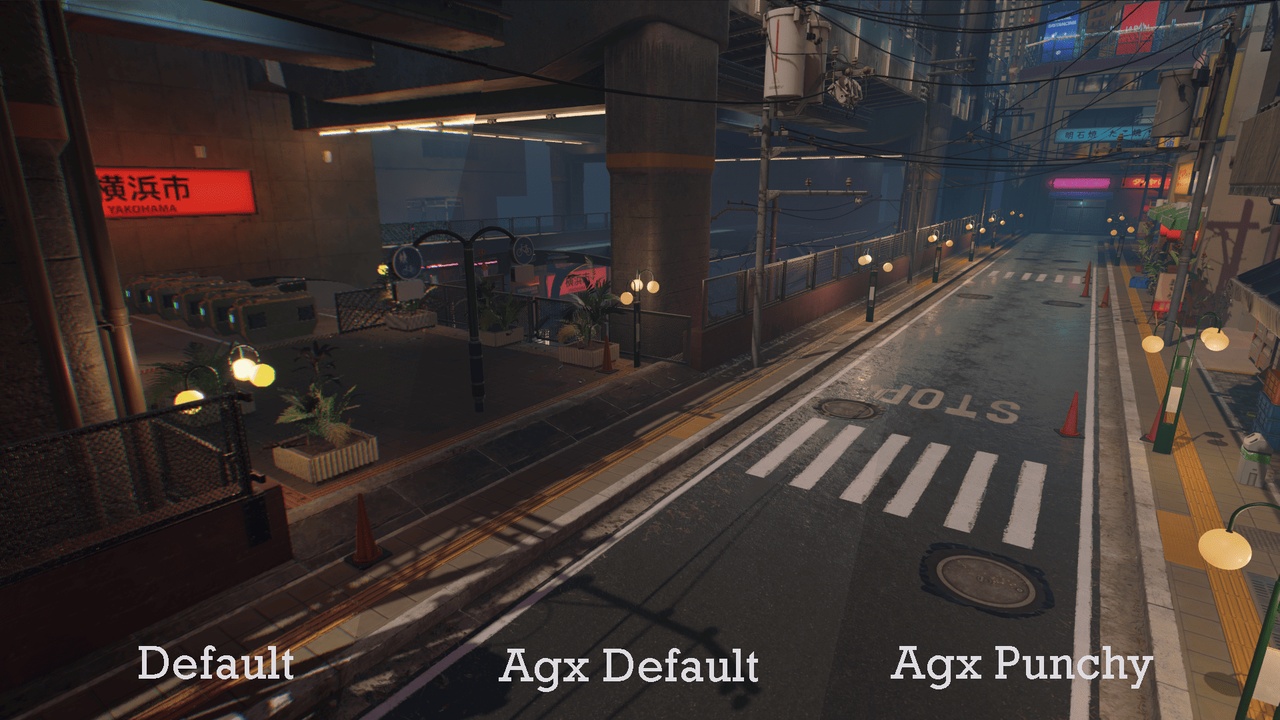
Unreal Engine ships with Only ACES. Custom Tone Mappers adds six battle-tested tone mapping operators to your post-process pipeline, each implemented from the original papers and presentations. Switch between them in a single dropdown from Project Settings. No engine modifications, no source rebuild, no Post Process Material hacks — just a clean SceneViewExtension that hooks the pipeline at the right place.
Compare looks side by side. Match a film reference. Hit a target HDR workflow. All from one panel.
🎬 TONE MAPPING OPERATORS
AgX (Sobotka / Wrensch) — Natural, photographic results with graceful highlight rolloff. Three looks: Default, Golden, Punchy
GT Uchimura — CEDEC 2017 curve with six parameters: max brightness, contrast, linear start/length, black tightness, pedestal
Reinhard Jodie — Classic 2002 operator, parameter-less variant with proper hue preservation
Reinhard Extended — Configurable white point for controlled highlight mapping
Hable Filmic — Uncharted 2 GDC 2010 curve with full A-F + W parameter control plus exposure bias
Hejl-Burgess-Dawson — The iconic HL2 / Source-era filmic look, no parameters needed.
Linear (Passthrough) — No curve applied, for HDR external workflows or debug
🎯 PIPELINE INTEGRATION
Native SceneViewExtension — no engine source modification required
Inserted before the engine tonemap pass, native filmic curve neutralized automatically
Real-time preview in editor viewport AND Play-in-Editor
Compatible with Movie Render Queue for offline cinematics
Compatible with all standard Post Process Volumes and post-process materials
⚙️ FULL PARAMETER CONTROL
Global exposure compensation (±10 stops) on top of auto/manual exposure
Per-operator parameters exposed in Project Settings with live updates
EditCondition hides irrelevant parameters when switching operators
All settings stored in DefaultEngine.ini for Git versioning
⚠️ Important Notes
The plugin neutralizes Unreal's native Filmic tone curve when active (ToneCurveAmount, FilmSlope, FilmToe, FilmShoulder set to neutral values).
Disable the plugin to restore native ACES behavior.
Not designed for HDR display output (PQ / scRGB / Rec.2020). For HDR monitor pipelines, use Linear mode and handle display encoding externally, or disable the plugin.
Mobile platforms (ES3.1) are not supported.
This plugin only affects rendering. It does not include color grading, LUT, white balance or any other post-process features.
🛠 Supported Engine Versions
Unreal Engine 5.3 and above (5.4, 5.5, 5.6, 5.7 fully tested)
📚 Documentation 💬 Discord
🛠 All asset maps are not included*