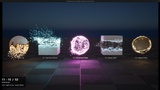
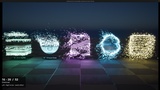
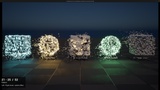
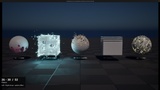
Descrição
50+ Dissolve & Disintegration Shaders with Niagara Particles & Dissolving Shadows
Make anything burn away, crumble, glitch out or fade into magic, and bring it back again.
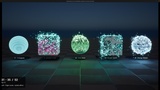
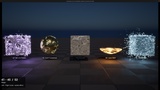
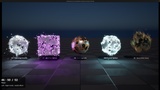
This pack gives you 52 ready to use dissolve materials for Unreal Engine 5.8. Drop one on a mesh and it works right away. The shadow dissolves together with the mesh, so nothing is left behind on the ground when the object is gone. 41 of the effects also come with a matching Niagara particle system: when the mesh dissolves, particles burst out of the exact spots where the holes open, and when it comes back, they fly in and land where the surface reappears.
WHAT YOU GET
52 dissolve materials in 5 groups: Classic (burns, embers, sand, ash), Directional (wipes, scans, beams), Pattern (hex tiles, voronoi shards, bricks, pixels), Sci Fi (glitch, data rain, circuits, energy shields) and Magic (runes, gold, void, cosmos)
41 Niagara particle systems matched to their shaders
Shadows that dissolve with the mesh, including with Virtual Shadow Maps
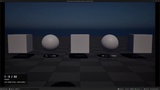
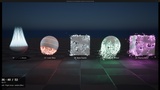
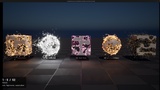
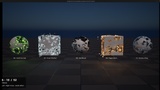
A viewer map to flip through all effects, 5 at a time, with the arrow keys
A showcase map with every effect on display
A short PDF guide that explains everything in a few minutes
EASY TO USE
Every material has the same simple controls:
Dissolve: 0 is the full object, 1 is completely gone
Auto Animate: turn it on for a looping preview, or off to drive Dissolve yourself from a Blueprint, Timeline or Sequencer
Edge Width, Edge Color and Edge Glow for the burning or glowing border
Noise Scale to make the pattern bigger or smaller
Base Color Map, Normal Map, Tint, Roughness and Metallic, so the material can look like your own asset before it dissolves
Many effects also have a few settings of their own, listed in the guide.
WORKS ON YOUR MESHES
The materials work on static meshes and skeletal meshes, and the pattern stays stuck to the surface even while a character is animating. No textures to set up and no extra plugins needed.
HOW TO USE
Pick an effect in the Instances folder and create a Material Instance from it.
Assign the new instance to your mesh and plug in your own Base Color Map and Normal Map.
Leave Auto Animate on for a looping preview. For gameplay, set Auto Animate to 0, create a Dynamic Material Instance on the mesh and drive the Dissolve parameter from a Timeline (0 to 1 to vanish, reverse to bring it back). In Sequencer, key the Dissolve parameter.
For particles, place the matching NS_DS_ Niagara system at the mesh, or add it as a component in your Blueprint.
With Virtual Shadow Maps, set Shadow Cache Invalidation Behavior to Always on the mesh so the shadow dissolves too.
DEMO CONTROLS
Open Maps/L_DS_Viewer and press Play
Left / Right arrow keys: previous or next 5 effects
The label at the bottom left shows the effect names and numbers
Maps/L_DS_Showcase shows all 52 effects at once, sorted by group