

Description
Automatic Unreal MCP Setup For AI Agents
Hyper AI Studio is an Unreal Engine 5.8 editor plugin that automatically sets up and verifies Epic's Unreal MCP integration, allowing you to connect your Unreal projects to AI agents such as Codex, Claude Code, Gemini, Cursor, VS Code Copilot, and other MCP-compatible tools within a matter of minutes.
Instead of building another AI chat window inside Unreal, Hyper AI Studio focuses on the part that actually matters:
Making Unreal Engine easy for AI agents to understand and work with.
Why Hyper AI Studio?
Most AI tools already provide excellent chat experiences, model selection, authentication, history, approvals, and coding workflows.
Tools like:
Codex
Claude Code
Cursor
Gemini
VS Code Copilot
already solve those problems extremely well.
Hyper AI Studio focuses on the Unreal side of the equation:
Automatic MCP setup
Endpoint verification
Project instructions
Context generation
Asset and Blueprint understanding
Agent configuration
The result is a fast and reliable bridge between Unreal Engine and modern AI agents.
Key Features
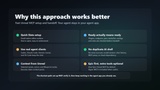
One-Click Unreal MCP Setup and Repair
Configure Epic's Unreal MCP server directly from the Unreal Editor.
Synchronize relevant Epic MCP toolsets
Configure the Unreal MCP server
Generate agent instructions and configuration files
Generate launch, wait, and reconnect helpers
Handle the required Unreal restart
Resume setup automatically after restarting
Verify the endpoint and tools/list readiness
Verify Everything Before You Start
Hyper AI Studio checks your setup before you hand it off to an agent.
Verification includes:
Required Unreal plugins
MCP server availability
Localhost endpoint readiness
MCP tool discovery
Generated configuration files
Project instruction files
Generate Agent Configurations
Automatically generate setup files for popular AI coding tools.
Supports workflows for:
Codex
Claude Code
Cursor
VS Code Copilot
Gemini
Other MCP-compatible agents
Create Project Context Packs
Provide AI agents with focused Unreal project context.
Generate compact context packs from:
Assets
Actors
Blueprints
Selected nodes
Project structure
This helps agents understand your project without exposing unnecessary information.
Built Around Epic Unreal MCP
For Unreal Engine 5.8, Hyper AI Studio is designed around Epic's official Unreal MCP implementation.
Configure, validate, and launch your MCP workflow from a single place.
100+ Extended HyperAI Tools Included
Hyper AI Studio adds 109 additional tools across 40 toolsets directly to Epic's primary Unreal MCP endpoint. No separate or legacy MCP server is required.
These tools extend project inspection, context generation, diagnostics, validation, planning, automation, and selected direct-edit workflows.
Hyper AI Studio automatically detects the plugins enabled in your project and synchronizes the matching Epic MCP toolsets. Unreal Engine 5.8 contains 876 known Epic tool declarations across its complete optional source catalog. The exact number available depends on your project's enabled plugins, and Hyper AI Studio displays the current live Epic and HyperAI tool counts.
Built From Real Production Use
Hyper AI Studio originated from our internal AI workflows while developing Unreal Engine products.
After experimenting with fully integrated in-editor AI solutions, it became clear that external AI agents were evolving much faster than editor-embedded chat systems.
Rather than competing with those tools, Hyper AI Studio focuses on providing the fastest path between Unreal Engine and the AI agents developers already prefer to use.
What Hyper AI Studio Is Not
Hyper AI Studio is not an AI model and does not provide:
AI subscriptions
Cloud services
Chat interfaces
Conversation history
License activation systems
Hosted infrastructure
MCP traffic proxying
Remote MCP exposure
You remain fully in control of which AI agent and model you use.
Why Is This Free?
We use this tooling internally every day to work with large Unreal projects.
Typical use cases include for us:
Finding information across projects
Understanding system architecture
Explaining project context to AI agents
Tracking and inspecting assets
Mass-editing components and properties
Automating repetitive development tasks
The tool will is an important part of our own workflow, and we wanted to share it with the Unreal community.
Hyper AI Studio remains free, open, and contains no activation or account requirement. If you use it professionally and would like to support continued development, you can optionally choose the Professional license on Fab. The source code is included, so feel free to adapt it to your own workflow.