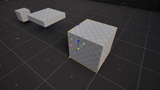
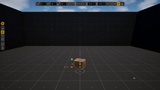
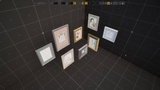
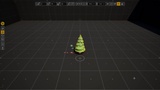
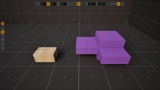
Descrizione
Ultimate Transform Toolkit for Unreal Engine. Move, turn, scale and copy actors faster and more precisely.
SuperPlacer is an improved environment for working with actors in the level by hand. It is a set of tools designed and tested by artists for artists for years, bringing to Unreal Engine the object control you know from 3ds Max, AutoCAD, Illustrator, etc.
You select actors as usual and transform them with the SuperPlacer tools, each one built to make your work in the level faster. SuperPlacer does not disrupt your workflow, but significantly improves it when you need manual control over a lot of objects in the level.
Documentation: https://superplacer.io/documentation/en/overview.html
Features:
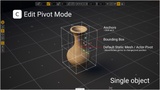
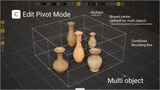
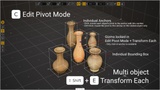
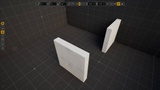
Virtual Pivot — every move, turn and scale goes around a temporary pivot you control: a corner or a face of the bounds, a mesh vertex, a point on a surface. Move and turn the pivot itself like any other object, lock an anchor for the next selections, or store the pivot on an actor and dock other objects to it like to a socket. The asset's own pivot stays as it is; it is not overwritten. Virtual Pivot is your next best friend.
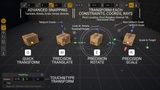
Touch&Type — type a number right after any gesture, or double-click a gizmo element, for an exact distance, angle or scale. Expressions work too. Works for actors and spline points alike. Quick and precise.
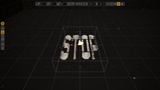
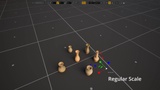
Advanced Gizmos — the familiar Translate, Rotate and Scale, plus teleport cones that drop the selection where a ray along an axis hits a surface, Look At that turns it towards the point under the cursor, and Scale to Target that stretches it until its face meets the next surface. When the gizmo is off screen, just grab the actor's body itself - it is Direct Manipulation.
Quick Mode — the selection follows the mouse over the surfaces, with no handle to grab. Rotate, tilt and scale in the same gesture; in Ultra-fast mode it starts the moment you drag any actor; Alt-click leaves copies behind like a stamp.
Vertex, Bounds and advanced Snapping — grid, angle and scale steps for every gizmo. The pivot sticks to mesh vertices and to the corners, edges and faces of the neighbours' bounds.
Advanced Coordinate systems and constraints — World, Local, Parent, Saved and Custom, and every gizmo keeps its own. Lock a gesture to an axis or a plane, or let it slide over the surfaces; the surface normal tilt leans the selection to the surface it lands on.
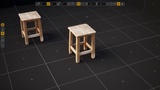
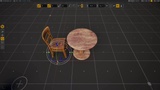
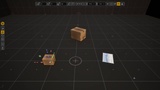
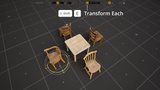
Transform Each — one gesture for every selected actor, each around its own pivot: turn numerous trees, each in its place or move many chairs along their own coordinates.
Copies — any gizmo gesture with Alt leaves a copy as you used to, Alt+Enter repeats the last one, and a step and a count in the Touch&Type window lay out a whole row or a circle at once.
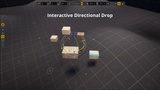
Directional Drop — drop the selection onto the surfaces along an axis, see the result, then accept or cancel. End puts it on the surface right below its pivot.
Translate, Rotate, Scale Eyedropper — take the position, rotation or scale of another actor: all axes or only the ones you leave on.
Distribute — lay actors out in a grid that respects their sizes, right after you drop them from the Content Browser.
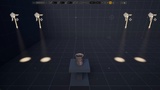
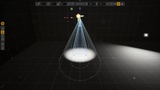
Light and decal handles — Rect Light size and barn doors, Spot Light cones, the attenuation radius and the decal size right in the viewport.
Visual guides — the axes through the pivot, a cross where the selection would hit a surface along each axis, the distance covered while you drag.
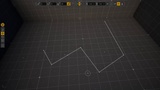
Splines — the same gizmo, snapping, Touch&Type and Alt+Drag copies for spline points.
Modeling Mode — the SuperPlacer gizmo inside the modeling tools, with Push/Pull and Inset right from the gizmo and Edit Pivot on mesh elements.
Sleep — Shift+CapsLock hands the stock editor back for a moment; press it again to wake SuperPlacer up.
Support: