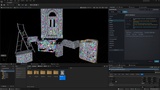
Descripción
SuperNanite — every Nanite setting in one window, each one explained, with the fixes for what makes Nanite slow or wrong
in your project.
Nanite is spread over console variables, Project Settings, Virtual Shadow Maps, the Nanite settings of every Static Mesh and
the properties of the actors in your level. SuperNanite puts all of it in one editor window, shows who set each value,
changes it live, and tells you in plain words what the setting does, what it fixes, what it breaks, and how it affects
performance and the picture.
WHAT IT DOES
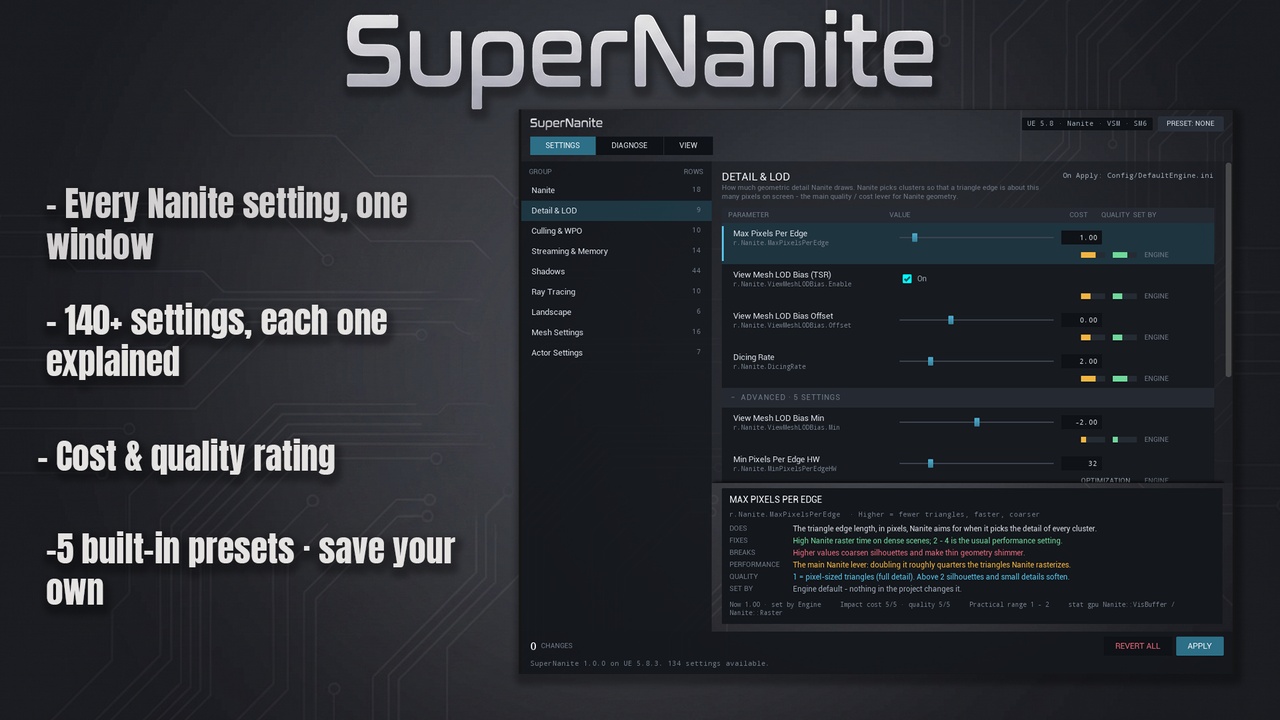
> *142 settings in 9 groups.** Nanite, Detail & LOD, Culling & WPO, Streaming & Memory, Shadows (Virtual Shadow Maps
> included), Ray Tracing, Landscape, Mesh Settings and Actor Settings - under their engine names.
> *Every setting explained.** Does / Fixes / Breaks / Performance / Quality, a practical range, the `stat gpu` pass to watch
> and what changed between engine versions.
> *Honest bars.** Cost and quality bars only where a setting really trades one for the other. Switches, memory pools,
> optimizations and test toggles say what they are instead.
> *See who set it.** Engine default, Engine Scalability, Project Settings, your ini, the console, the mesh asset - or a live
> change you made.
> *Mesh Settings without the risk.** Change the Nanite settings of the selected meshes; nothing is rebuilt until Apply,
> which backs up the old settings first and rebuilds with a progress bar you can cancel. Restore puts them back.
> *Actor Settings.** WPO Disable Distance, Shadow Cache Invalidation, Evaluate WPO and more - live on every selected actor.
> *Live, then Apply.** Console variables change in the viewport at once. Apply writes them to DefaultEngine.ini after a
> backup and a "was -> now" preview. Revert all and Restore last backup undo it.
> *Diagnose.** A project health check, a level scan (WPO without a disable distance, dense meshes without Nanite, modular
> kits with mixed precision, translucent or masked materials on Nanite) with Select and Fix, and 8 common symptoms -
> flickering geometry, late detail, thinning foliage, cracks, expensive shadows - each with its likely causes and a
> one-click Try.
> *View.** Up to 16 Nanite visualization modes (depending on the engine version), each explained, plus NaniteStats, stat NaniteStreaming, stat gpu and more one
> click away. Closing the window puts the viewport back to Lit.
> *Presets.** Performance, Balanced, Quality, Cinematic and Foliage-heavy, plus your own, saved as JSON files.
> *Knows your engine version.** Settings your version does not have are listed in grey with the version that has them.
WHY IT IS DIFFERENT
> SuperNanite does not just expose settings - it explains each one, tells a real trade-off from a switch or a memory pool,
> and shows where every value comes from, so you can see why Nanite behaves the way it does before you change anything.
> Nothing is written until you press Apply.
REQUIREMENTS
The built-in *Python Editor Script Plugin** must be enabled (Edit > Plugins > search "Python" > Python Editor Script
Plugin > restart). It ships with the engine; nothing else to install.
Editor only. SuperNanite is not part of your game; what reaches the game is what you Apply (DefaultEngine.ini), the mesh
settings you save and the actor properties you save with your level.
Performance costs are relative tiers, not milliseconds - measure your scene with `stat gpu`.
SUPPORT
Send your engine version and the report from Diagnose > Copy report.
Found a bug? Please message me before leaving a rating - I fix reported bugs as fast as I can, and your report
makes SuperNanite better for everyone.