Description
The table widget UMG never had.
Server browsers, inventories, leaderboards, shops: any screen made of rows and columns. Drop Smart Tables into a Widget Blueprint, name the columns after your variables and hand it your data.
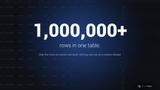
- Handles a million rows. Only the rows on screen are built, so a huge list costs about one screen.
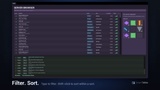
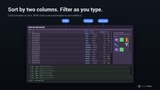
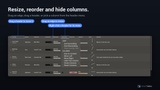
- Headers players expect. Click to sort, Shift-click for a second sort, drag to resize or reorder, right-click to hide.
- One-node search. Hook it to a text box and every column filters as the player types.
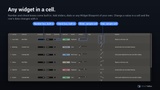
- Looks like your game. One Style asset sets every color, font and brush, and any widget can sit in a cell.
- Mouse, keyboard and gamepad. Every action is a Blueprint node, so a pad reaches everything a mouse does.
- No C++ required. Objects and DataTables work from Blueprint. C++ models and MVVM are there when you need them.
Free demo project with 9 screens, full docs and 270 automation tests: https://github.com/Riztazz/SmartTablesDemo
Why a table widget
UMG gives you ListView and TileView, but no columns, no header and no sorting. Building them yourself means keeping the header in step with every row, writing the sort and the search, and keeping it all fast as the list grows. Smart Tables is that work, finished and tested.
Made for real game screens
In a server browser, live rows come and go and the view stays where the player left it. On a leaderboard, numbers sort as numbers and names sort the way people read them, Player2 before Player10. Shops and stat screens get icons, counts and prices in columns, sorted and searched like everything else.
A log or a chat window follows the newest row while the player is at the bottom. In a data editor, the player types straight into the cell.
It doesn't have to look like a table
Turn the header off and style the lines away, and the same widget lays out anything in rows and columns. Inventories, loadouts and hotbars become slot grids, with drag and drop from one slot to another. In the Pairs demo the table is the game board, and every cell is a card that flips.
Keep the header and it can split a screen too. Put whole panels in the cells of one row, and they share the width evenly or by weight, with the header as their titles. Players drag the edge between two panels to resize them, right-click to hide one, and get the same widths back next session.
Bring any data
Objects and DataTables work out of the box. For anything else, write a small C++ model: it answers the row count, the text of a cell and the id of a row, and the table brings sorting, search, selection and saved layouts. A CSV or JSON file, a server feed or a million generated rows all fit, and the demo project has a CSV and a JSON model to start from.
Everything in the box
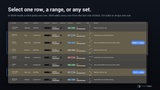
- Single, range and multi-select, with Ctrl and Shift click.
- Two-level sorting, your own sort keys, or a sort that runs on your server.
- Saved layouts: widths, order, hidden columns and the sort, in the config file or your save game.
- Right-click menus on headers and rows, with your own entries.
- Row numbers, messages for an empty table and for a search with no match, and entrance animations for new rows.
- Sorting on a worker thread for big C++ models, with a busy overlay while it runs.
- Works with Enhanced Input, CommonUI or plain key events, and needs no other plugin.
Learn it from 9 demos
The free example project has nine small, complete screens to open and learn from: https://github.com/Riztazz/SmartTablesDemo
They cover a table of objects set up with no C++, a DataTable with the right edit box for each field, and CSV and JSON files that load, edit and save. One holds a million rows and sorts them on a worker thread. The rest show a server browser, the Pairs game, a keyboard version with no Enhanced Input, and an MVVM version where only the changed cell draws again.
Documentation
Every feature, every setting and every public header has a page: https://riztazz.github.io/smart-tables/
The same docs come in the package, and the Blueprint nodes and Details panel fields carry tooltips too.