
















الوصف
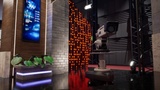
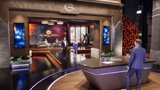
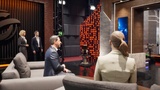
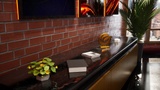
Global News Virtual Studio is a complete modular broadcast-style virtual set designed for Unreal Engine 5.
This environment is built for news shows, live streaming, virtual production, corporate presentations, training videos, cinematic shots and real-time studio workflows.
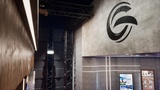
The package includes a final studio map and an Overview Level, with modular architecture, customizable screen graphics, branding/logo areas, props, dressing elements, lighting setup, Post Process configuration and camera-friendly composition.
Basic interactive controls are included for selected animated set elements, making it easy to demonstrate real-time control inside the scene. In Play Mode / runtime, wooden shutters can be opened with key 1 and closed with key 2. Metallic blinds can be closed with key 3 and opened with key 4.
The project uses Lumen for global illumination and reflections, with MegaLights enabled in Project Settings for the advanced lighting setup.
All main content is organized inside the Content/GlobalNews folder, with reviewed meshes, materials, Material Instances, textures, Blueprints, Level Sequences and maps prepared for a clean production workflow.
This product is focused on virtual production, broadcast-style environments and real-time presentation. It does not include gameplay systems.
Demo Video:
A short walkthrough video is available here:
https://youtu.be/pe7uEn6cCoo?si=g2J2XkVaBw6YrR0G
Features:
- Complete virtual news studio environment
- Modular broadcast-style architecture
- Final studio map included
- Overview Level included for asset review
- Customizable screen graphics
- Customizable branding/logo area
- Props and dressing elements included
- Camera-friendly composition
- Lighting setup prepared for real-time presentation
- Lumen global illumination and reflections
- MegaLights enabled in Project Settings
- Post Process setup included
- Interactive Blueprint controls for selected set elements
- Level Sequence animations included
- Runtime keyboard controls for wooden shutters and metallic blinds
- Wooden shutters: key 1 to open, key 2 to close
- Metallic blinds: key 3 to close, key 4 to open
- Optimized meshes, collisions and textures reviewed for real-time use
- Blender source mesh file included for editing and re-export purposes
- Organized project structure inside Content/GlobalNews
- Suitable for news, streaming, broadcast, corporate presentation and virtual production workflows
Technical Details:
- Unreal Engine versions included: 5.6 and 5.7
- Main folder: Content/GlobalNews
- Maps included:
- LV_GlobalNews
- LV_GlobalNews_Overview
- Rendering:
- Lumen global illumination and reflections
- MegaLights enabled in Project Settings
- Post Process Volume included
- Static Meshes: 103
- Materials: 36
- Material Instances: 69
- Material Functions: 1
- Textures: 147
- Blueprints: 1
- Level Sequences: 1
- Maps: 2
- Approx. 835,594 vertices across the source meshes in Blender
- Approx. 1,632,571 triangles across the source meshes in Blender
- Texture resolutions include:
- 1024x1024
- 2048x2048
- 4096x4096
- 1920x1080 for horizontal screen graphics
- 1080x1920 for vertical screen graphics
- Collision added where applicable
- Nanite enabled on selected meshes where applicable
- DCC source file included:
- DCC/Blender/GlobalNews_Source_Meshes.blend
- No gameplay system included
Interactive Elements:
- Wooden shutters controlled in runtime / Play Mode
- Key 1: Open wooden shutters
- Key 2: Close wooden shutters
- Metallic blinds controlled in runtime / Play Mode
- Key 3: Close metallic blinds
- Key 4: Open metallic blinds
- Blueprint and Level Sequence based setup
Rendering Notes:
MegaLights is enabled in Project Settings for the advanced lighting setup. If MegaLights is disabled or unsupported in your Unreal Engine version, lighting results may differ.
MegaLights is not an external plugin in this project. It is a rendering feature enabled from Unreal Engine Project Settings.
Compatibility Notes:
This project was created and validated in Unreal Engine 5.6, tested in Unreal Engine 5.7, and updated/validated for Unreal Engine 5.8.
Backward compatibility with earlier Unreal Engine versions is not guaranteed.
If you need to support multiple Unreal Engine versions, it is recommended to start from the lowest target version and migrate forward.
Third-Party Assets:
Includes selected third-party assets licensed under Creative Commons Attribution. Full credits and attribution details are included in the README file.