Opis
🎥 Overview Video | Update 1.1 Video | 🗨️Discord | 🔧 Website & Support | 🧮 Synergy with PSI Property Spreadsheet
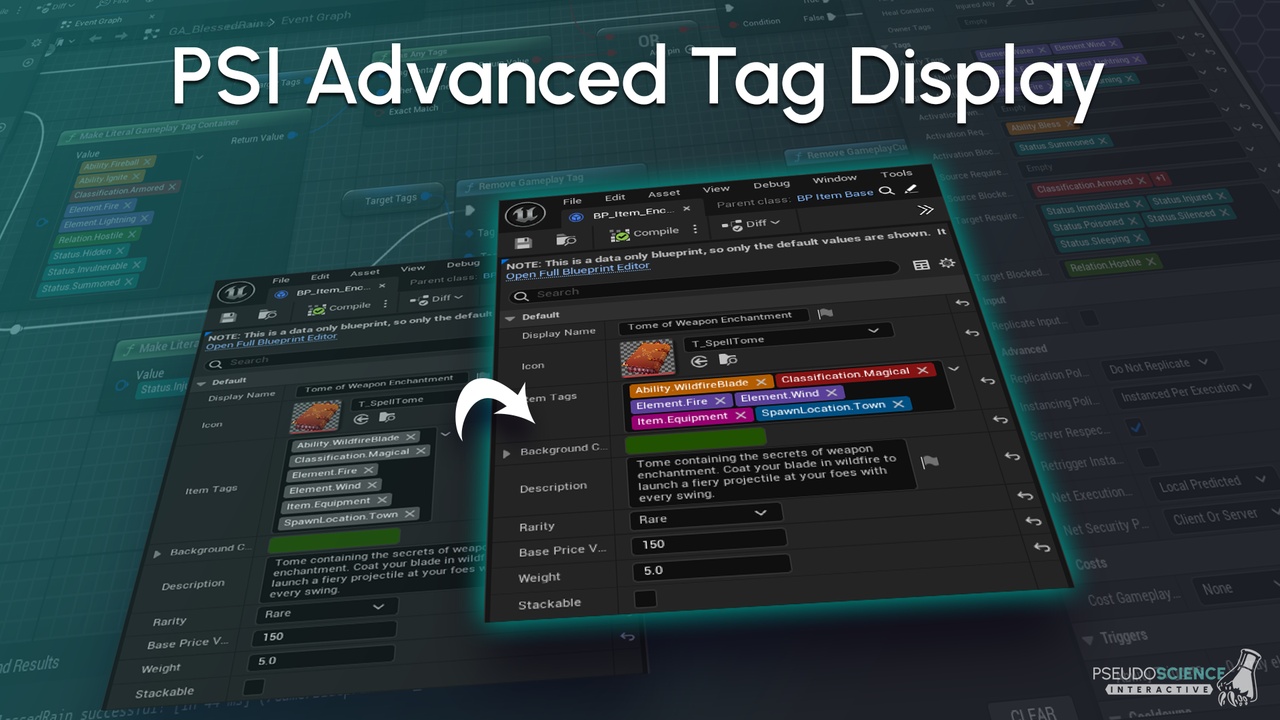
The PSI Advanced Tag Display is a plugin to improve the readability of Gameplay Tags in the Unreal Editor. Enhance your workflow with new color and layout options for Gameplay Tags!
Features:
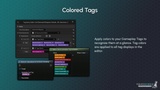
🎨 Colored Tags
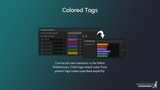
Apply colors to your Gameplay Tags to recognize them at a glance. Tag colors are applied to all tag displays in the editor. Control all color behavior in the Editor Preferences. Child tags inherit color from parent tags unless specified explicitly.
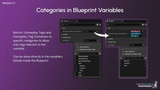
🔒 Categories in Blueprint Variables (Version 1.1)
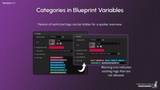
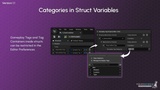
Restrict Gameplay Tags and Gameplay Tag Containers to specific categories in Blueprints and Blueprint Structs, to allow only tags relevant to the variable. Can be done directly in the variable's Details inside the Blueprint. For struct variables, this can be done in the Editor Preferences. Parents of restricted tags can also be hidden for a quicker overview. A warning icon indicates existing tags that are not allowed on the variable.
🏷️ Collapsible Widget
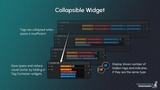
Tags are collapsed when space is insufficient. Save space and reduce visual clutter by folding in Gameplay Tag Container widgets manually. A display shows the number of hidden tags and indicates if they are the same type by its color.
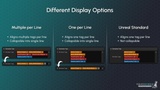
⚙️ Different Display Options
Change line breaking behavior to fit your preferences:
Multiple per Line - Aligns multiple tags per line, collapsible into single line
One per Line - Aligns one tag per line, collapsible into single line
Unreal Standard - Aligns one tag per line, not collapsible
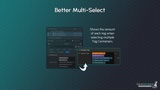
🔢 Better Multi-Select
Shows the amount of each tag when selecting multiple Gameplay Tag Containers.
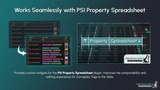
🧮 Synergy with PSI Property Spreadsheet
Provides custom widgets for the PSI Property Spreadsheet plugin. Improves the comparability and editing experience for Gameplay Tags in the table.
Dependencies:
This plugin requires the built‑in GameplayTagsEditor plugin to be enabled to work.
Setup:
If not enabled by default, go to Edit > Plugins, search for PSI Advanced Tag Display and enable it. Also, make sure that the GameplayTagsEditor plugin is enabled as well.
Settings:
To customize your Gameplay Tag displays go to Edit > Editor Preferences and scroll down on the left to PSI > Advanced Tag Display.
Version History:
┌── 1.0.0 - Initial release
│
├── 1.0.1 - Patch
│ - Strict IWYU enforcement
│ - Fixed non-unity/non-pch builds
│
├── 1.1.0 - Feature Update
│ - Added the ability to specify categories in Blueprint variables
│ - Minor performance improvements
│
├── 1.1.1 - Patch
│ - Fixed: Category re-mappings in the Gameplay Tag settings now hide root tag categories correctly
│ - Changed: Simplified the logic for collapsing Gameplay Tag container widgets
│
├── 1.1.2 - Patch
│ - Fixed: Fold-out of tag containers no longer disappears under certain conditions
│ - Fixed: Tag widgets are now correctly updated when changes occur at runtime
│
├── 1.2.0 - Feature Update
│ - Changed: Built-in blueprint nodes now respect the 'Categories' meta-data from connected pins
│ - Added user-specific settings for individual control over tag colors when working in teams
│ - BREAKING CHANGE: Some settings are now user-specific
│
├── 1.2.2 - Patch
│ - Fixed: Pin category constraints on built-in nodes are now actually working
│ - Changed: It is now possible to disable pin category constraints for specific nodes/pins
│
├── 1.2.3 - Engine Upgrade
│ - Added support for UE 5.8
│ - Changed: More built-in blueprint nodes respect the 'Categories' meta-data from connected pins
│
├── 1.2.4 - Engine Downgrade
│ - Added support for UE 5.3
│ - Fixed: Anonymous namespaces are no longer used in source files