
Description
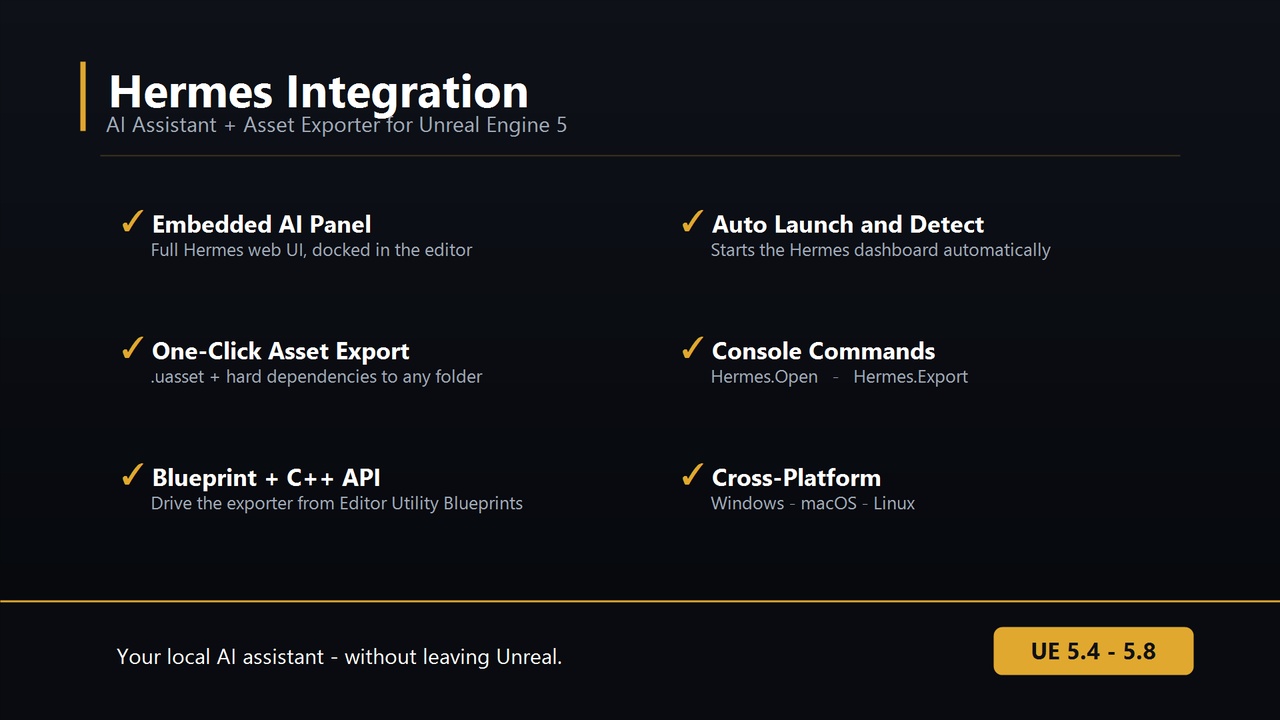
HERMES INTEGRATION FOR UNREAL ENGINE 5
Access the power of Hermes AI directly in your UE5 editor.
## Features
✓ Embedded AI Agent — Full Hermes web UI in editor panel
✓ Fab Library Integration — Browse and manage your Fab assets
✓ Code Analysis — Ask Hermes to review and explain code
✓ Creative Assistance — Get ideas for gameplay, art, audio
✓ Cross-Platform — Works on Windows, Linux, and macOS
✓ Zero Config — Auto-detects existing Hermes installation
✓ Console Command — Use `Hermes.Open` to open panel anytime
## How It Works
1. Install Hermes Agent (https://hermes-agent.nousresearch.com/)
2. Install this plugin into your UE5 project
3. Restart the editor
4. Click "Hermes" button in toolbar or type `Hermes.Open` in console
5. Full Hermes interface appears in a floating panel
## System Requirements
- Unreal Engine 5.8+
- Hermes Agent installed and configured
- 50MB additional memory for embedded browser
- Any platform: Windows, Linux, macOS
## Use Cases
- Developers: Get AI help debugging code, optimizing performance
- Game Designers: Brainstorm mechanics, story ideas, level layouts
- Artists: Design feedback, material help, asset organization
- Teams: Collaborate with AI on documentation and planning
## Installation
1. Download plugin from Fab
2. Extract to: `YourProject/Plugins/HermesIntegration/`
3. Right-click `.uproject` → Generate Visual Studio project files
4. Build project
5. Restart editor
See full docs in README.md