





説明
Note
If SubTerra saves you time, please consider leaving an honest review, it genuinely helps a small
developer keep improving the tool, and helps other people discover it. Thank you!
-----------------------------------------------------------------------------------------------------
- With Interactive Setup Wizard & Graph Guide -
Generate Infinite Underground Bioms with Native UE5 PCG
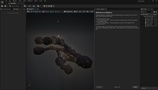
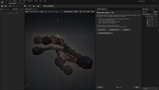
SubTerra is a procedural Underground Level generation plugin for Unreal Engine 5 that creates fully connected cave systems from a single seed.
Instead of placing pre-built cave pieces or manually sculpting tunnels, SubTerra generates organic cave networks made of rooms, tunnels, walkable ramps and natural rock formations.
Every seed produces a different layout while remaining completely deterministic.
Subterra have a Interactive Setup Wizard Pre-Built into it, so it easy to use and the user will be guided step by step.
Unlike other cave generators on Fab, SubTerra is built around native PCG nodes, so it becomes part of your existing PCG graph rather than another standalone actor or custom workflow.
Whether you’re building a horror game, roguelike, mining game or underground biome, you can generate caves entirely in the editor or at runtime, decorate them using PCG, and extend every part of the pipeline from C++.
Native UE5 PCG nodes
Interactive Setup Wizard & Graph Guide
Runtime & editor generation
Full C++ source
Async mesh generation
No third-party libraries
“Built from over 10,000 lines of C++ and backed by 59 automated tests, SubTerra was designed to be extended—not treated as a black box.”
What Makes SubTerra Different
SubTerra takes a different approach, Instead of building everything around a single actor, the entire generation pipeline is exposed as modular PCG nodes, You can use the complete cave generator, or combine individual nodes with the rest of your existing PCG graph to build your own procedural workflows., the result is a cave generator that feels like a natural extension of Unreal Engine rather than a separate tool.
SubTerra focuse on producing caves that are practical for gameplay, not just visually interesting, Every generated layout is fully connected, supports multiple elevation levels through walkable ramps, and produces organic rock formations instead of smooth metaball-style tunnels.
Once the cave is generated, its surface is automatically classified into Floor, Wall, and Ceiling PCG points, making it easy to populate the environment with your own assets using Unreal’s existing PCG tools.
Learn It In Minutes — The Built-In Setup Wizard
SubTerra teaches itself. On first launch, an interactive Setup Wizard walks you through the entire workflow in 8 short steps — and its buttons do each step for you, live in your own level:
One click spawns your first fully decorated cave, no setup.Apply layout presets (Cozy Cavern, Grand Multi-Level, Tight Maze) or randomize live.
Decorate interactively: pick your own meshes and Blueprints inside the wizard, tune spacing, density, scale and surface alignment with live controls, and watch the cave update in real time.
Instancing material flags are enabled automatically, no checkerboard surprises.
The Graph Guide explains the PCG pipeline node by node — or builds a brand-new PCG graph with you, adding each node configured and wired, one click at a time, then generates a cave from your graph in the level.
No other cave tool on Fab teaches you the tool from inside the editor.
Procedural Cave Generation
Generate a fully connected cave labyrinth from a single seed, and Control room count, room size, tunnel width, verticality, loops, and overall cave scale while keeping generation completely deterministic.
Guided Generation
Need more control ? Connect a spline and SubTerra will generate caves around the path you define, combining handcrafted layouts with procedural variation.
Organic Rock Geometry
Generate natural-looking cave walls using signed distance fields, fBm noise and a custom Marching Cubes implementation, optional floor flattening keeps caves easy to navigate while preserving natural rock formations.
Seamless World Tiling
Split large cave systems into tiles without visible seams, each tile keeps the full voxel resolution, allowing you to build much larger worlds without sacrificing detail.
Native PCG Integration
SubTerra outputs Floor, Wall and Ceiling points directly into UE5’s PCG framework, Populate caves using Epic’s Static Mesh Spawner or your own PCG graphs.
Built for Developers
Full C++ Source
Async mesh generation
11 composable PCG nodes
Automation tests
Worker-thread execution
PERFORMANCE
Performance measurements were captured on an Intel i5-8400 (6-core) using a 0.5 m voxel
Typical results
Autonomous cave generation completes in approximately 19 ms of compute time.
A dense 128 m cave (~496,000 triangles) generates in under one second.
Mesh extraction runs asynchronously on worker threads, allowing heavy cave generation without freezing the editor.
Demo Project
Demo Cave Actor
Drop a single actor into your level and click Randomize to generate a brand-new cave. Configure the seed, room generation, lighting and decoration directly from the Details panel.
Example PCG Graphs
Study and modify the included graphs to understand how the generation pipeline works. Examples include autonomous cave generation, guided spline generation, tunnels, mines and complete cave systems.
Example Rock Assets
Includes ready-to-use rock meshes and materials so you can start building environments immediately or replace them with your own assets.
Ideal For
SubTerra is designed for projects that require large, replayable underground environments, Examples include:
Roguelikes and dungeon crawlers with a different layout every run.
Survival and mining games with interconnected underground networks.
Sci-fi environments, alien worlds and procedural planets.
Sewers, mines, catacombs and other underground
DEPENDENCIES
Subterra uses Unreal's built-in plugins. Enable them in your project:
Edit -> Plugins.
Enable: PCG, Geometry Processing, and PCG Geometry Script Interop.
Restart the editor.
No third-party libraries. No external dependencies.
A NOTE ON DECORATION MATERIALS
The demo's decoration scatter uses Instanced Static Meshes. Any material you put
on a scattered mesh must have "Used with Instanced Static Meshes" enabled (in the
material's Usage settings). Nanite meshes are fully supported.
DOCUMENTATION
Every public class, function and property is documented directly in the source code, providing tooltips throughout the editor,.
CONNECT