Descrizione
Your refit screen already knows what the player is flying. Drydock draws it.
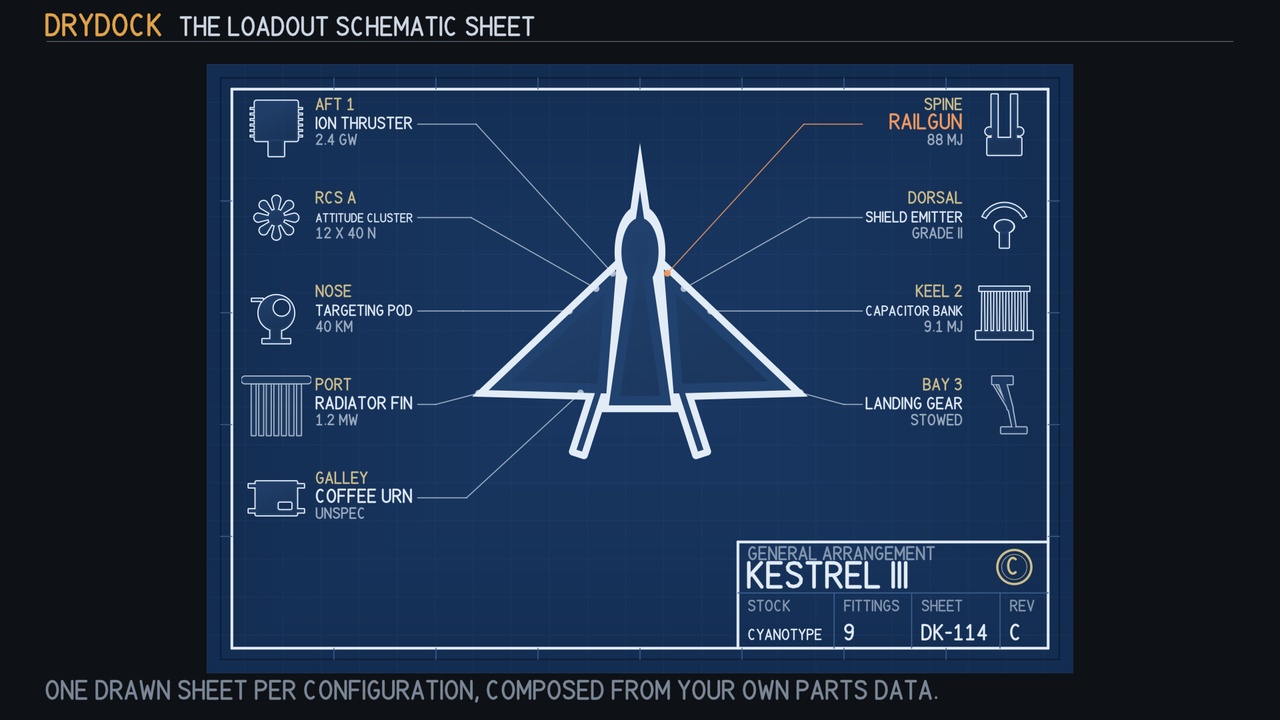
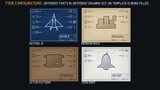
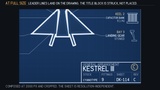
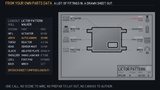
Hand it your parts list and it composes a technical drawing: a blueprint ground with a ruled frame and zone marks, the hull in silhouette, one drawn fitting per hardpoint with a leader line that lands on the drawing, a callout carrying the station and the spec, and a filled title block with a struck approval stamp. One distinct sheet per configuration, composed at runtime.
You write no drawing rules. You hand it a list of parts.
Loadout l = Loadout.Empty("KESTREL III", "Interceptor", Stock.Cyanotype);
l.Fittings.Add(new PartFitting { Name = "Ion Thruster", Station = "AFT 1", Spec = "2.4 GW", Grade = 4 });
l.Fittings.Add(new PartFitting { Name = "Railgun", Station = "SPINE", Spec = "88 MJ", Grade = 5, Revised = true });
Texture2D sheet = DrydockSheet.Compose(l, 1024, 720);
That is the whole API surface you need.
Getting Started
1. Import the package. Everything lands under a single Assets/CSAF/Drydock root.
2. Open the demo scene at Demo/Scenes/DrydockDemo and press Play. It composes a sheet for a sample interceptor, including a deliberately unrecognised part so you can see the fallback path.
3. Open the editor window at Window ▸ CSAF ▸ Drydock to preview a sheet against your own values and save it out as a PNG.
4. In your own code, build a Loadout, add a PartFitting per hardpoint, and call Compose with the pixel size you want. Assign the returned texture to a RawImage, a Sprite or a material.
Full documentation and installation guide: Drydock user guide and installation steps
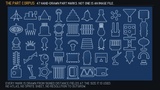
47 part silhouettes, and not one of them is an image file
Hulls, propulsion, power, weapons, protection, sensors, utility and structure, every one drawn in code as a signed-distance field, at whatever size you ask for. There is no atlas, no sprite sheet and no resolution to outgrow. The package ships zero image files.
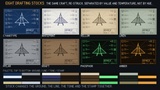
Eight drafting stocks re-strike the whole sheet rather than tinting it: cyanotype, whiteprint, vellum, linen, mylar, kraft, phosphor and amber. On a cyanotype the line is white, because a cyanotype is a photographic negative.
Four fields, four independent properties of the drawing
The part's name chooses which silhouette is drawn, matched whole-word, so "Mk II Ion Thruster" finds the ion drive.
Grade decides how busy the silhouette is: barrels on a mount, cells in a bank, fins on a radiator.
IsContext separates subject from surroundings. Context is drawn lighter, as reference structure is on a real drawing.
MountDegrees is the mounting angle. A thruster raked off the keel is drawn raked.
They are deliberately independent. If they all keyed on one field, a high-grade loadout would look more rather than look different.
When a part name matches nothing, it says so
You get an unspecified module, a plain envelope box with mounting lugs and a data port, and never a wrong part. Picking a silhouette at random would draw a railgun for a part called "Coffee Urn", and on a technical drawing being confidently wrong is the worst failure available. Drawing nothing would claim the station is empty. A generic envelope says exactly what is true: something is fitted, and this drawing does not know what. The demo ships a Coffee Urn on purpose so you can see the path.
Worth knowing before you integrate
Loadout talks to nothing. No inventory asset, no ScriptableObject base class, no save system. A plain struct and a list. Fill it from whatever you already have.
ComposePixels is safe off the main thread. Bake on a worker and upload on the main thread, because a sheet composes when a refit screen opens, which is a frame the player is watching.
The same loadout always composes the same pixels. Nothing reads UnityEngine.Random.
Spec is a string, deliberately. A headline figure can be thrust, mass, a calibre or a Mark number, and every one localises differently. Drydock will not guess your locale.
A sheet annotates up to 10 fittings. Hand it more and the title block prints the true total, so the drawing never misrepresents the loadout.
Technical Information
Features: Composes a drawn technical schematic from a plain parts list at runtime; 47 hand-authored part silhouettes drawn as signed-distance fields with no image assets; 8 drafting stocks that re-strike ground, line, tone and stamp together; automatic leader-line routing and callout columns; a filled title block with revision and fitting count; an unmatched-part fallback that never draws a wrong part; an editor preview window with PNG export; worker-thread-safe pixel composition; deterministic output for a given loadout.
Code Modules: CSAF.Drydock.Runtime (Runtime), CSAF.Drydock.Editor (Editor), CSAF.Drydock.Demo (Runtime, demo only)
Number of Unity Visual Scripts: 0
Number of .cs Scripts: 20 (18 runtime, 1 editor, 1 demo)
Supported Development Platforms: Windows (Yes), Mac (Yes)
Supported Target Build Platforms: Windows, Mac, Linux, Android, iOS, WebGL, Consoles. The package is pure C# with no native plugins and no platform-specific code, so it builds anywhere Unity builds.
Supported Unity Pipelines: Built-In, URP, HDRP. Drydock has no render-pipeline dependency: it rasterises to a Texture2D on the CPU and the demo draws with OnGUI, so it behaves identically on all three. Custom SRP is not claimed because it has not been tested.
Dependencies on other Plugins and/or System Libraries: None. No third-party packages, no native libraries, no Resources folder.
Documentation Link and Installation Guide: linked above in the Getting Started section.
Example Project: The demo scene included in the package (Demo/Scenes/DrydockDemo) is a complete working example: open it and press Play.
Versioning and Release Notes: Version 1.0.0, first public release. Built and gate-tested against Unity 6000.5.7f1 and re-compiled clean on 6000.5.6f1, with a minimum supported version of Unity 2022.3.
Contact and Support Information: Support is provided through the issue tracker on the documentation repository linked above. Core Systems Asset Factory.
Compatibility
Unity 2022.3 or newer. Built and gate-tested against Unity 6000.5.7f1, and re-compiled clean on 6000.5.6f1. Every script sits in a named, platform-constrained assembly definition, and there is no Resources folder, so Drydock adds nothing to your build that you do not reference. The whole runtime, the editor window and the demo ship as raw readable C#, nothing minified.
Every image on this page was rendered by the product itself during the build that produced this download.
Code and graphics are AI-generated. There is no audio and no authored narrative text.