Descripción
This asset allows you to import from clipboard to your Content Browser with a press of a button. It also allows for overwriting existing files of the same type.
Currently works for below file types:
PNG
WAV
WHY WOULD YOU BUY THIS?
When I am working with UI textures that I create, I render them out multiple times, resulting in "filename (1), (2), (3), etc." When I want to update my existing texture, I can't simply drag in the new file because it'll get imported with the extra number, so I have to do a series of tedious clicks & renaming. With this asset, all I need to do is "ctrl + c" and click the toolbar button with the asset selected and BOOM, it's been updated with the version I want.
Also, it's super cheap, so why not get this handy tool for nearly nothing at all?
HOW TO IMPORT
Copy file(s) to clipboard
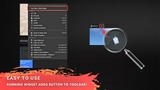
Run editor utility to add toolbar button (or press toolbar button if already there)
File(s) import to current Content Browser location
HOW TO OVERWRITE
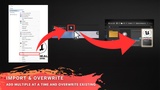
Copy file(s) to clipboard
Select asset of same type in Content Browser
Press toolbar button and selected asset will get updated