Description
QA Agent: Crash Reporting & AI Debugging
Crash and Bug Reporting for Unreal Engine Teams
Please note that the product is still in beta.
QA Agent helps Unreal Engine teams turn crashes and bug reports into actionable information without requiring a dedicated QA department.
Key Features
Readable Crash Reports
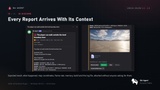
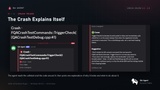
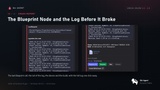
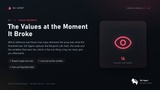
Capture symbolicated callstacks with function names, source files, and line numbers. When available, QA Agent also captures Blueprint execution context and variable values to help developers identify the cause of a crash.
In-Game Bug Reporting
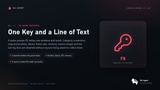
Testers can press F8 to submit a bug report directly from the game. Reports can include a screenshot, player position, device information, performance metrics, session duration, and recent log lines.
Discord Integration
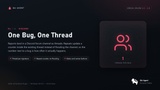
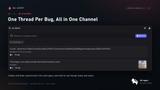
Send reports directly to a Discord forum channel. Similar crashes are grouped into threads, with repeat counts, report ownership, and resolution status to help teams manage bugs efficiently.
AI-Assisted Crash Analysis
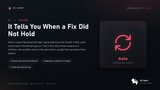
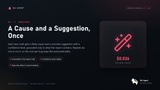
Optionally analyze new crash reports to identify likely causes and suggest potential fixes. Repeated reports do not trigger the same analysis again, helping keep processing costs predictable.
Developer-Reviewed Fix Suggestions
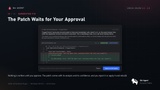
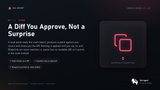
Use the local fix panel to generate source-code patches and review their differences before approval. QA Agent does not automatically rewrite Blueprints; instead, it helps developers locate the relevant Blueprint nodes when the required context is available.
Requirements
Unreal Engine 5.5–5.8
Windows 64-bit
Node.js 24 or newer for the server
A Discord server with a forum channel and a configured bot
An Anthropic API key for optional AI analysis
Privacy and Data Handling
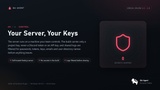
The server runs on a machine controlled by your team. Discord and AI credentials remain in the server configuration and are not embedded in game builds. Optional AI features send relevant report data and, when configured, selected source-code snippets to Anthropic.
QA Agent filters recognized sensitive patterns in shared logs, but this filtering is not guaranteed anonymization. Review the documentation before enabling source-code analysis or deploying the plugin in a shipping build.
For all your promotional requests, technical support needs, suggestions, and refund requests, please create a ticket.
Here, you can join the Leartes Discord channel for live support and discounts.