


Açıklama
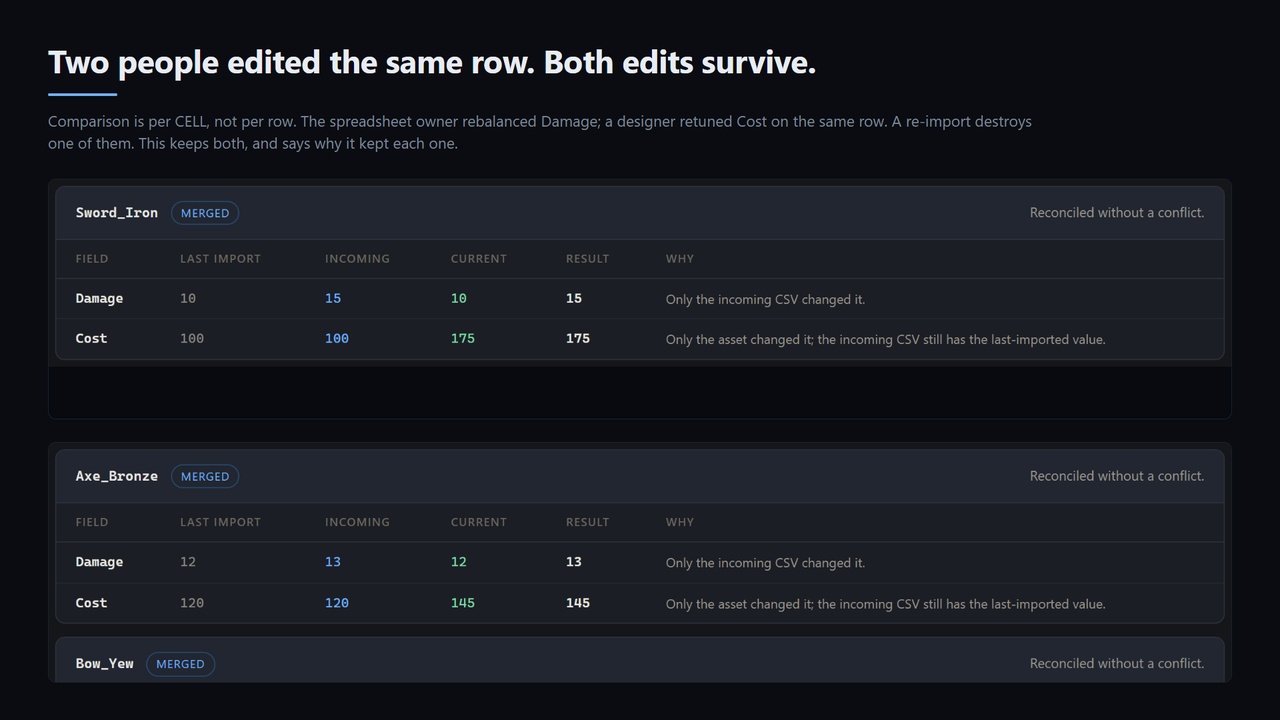
This plugin has no editor panel. It is a headless commandlet: you run one command, and it writes a self-contained HTML page you open in a browser. The interface shown in the screenshots is that written page — the proof sheet the tool produces — not a window inside the editor. There is nothing to dock and no menu item to find.
Copy the plugin folder into YourProject/Plugins/, restart the editor once so it builds, then record a merge base for a table you already have:
UnrealEditor-Cmd.exe "C:\path\to\YourProject.uproject" -run=DataTableMerge -Table=/Game/Data/YourTable -EstablishBase
That writes one CSV into YourProject/DataTableMerge/Base/ and changes nothing else. Commit that folder: it is the record of what was last imported, and it is what makes a real merge possible.
Now export that table to CSV, change one cell in the spreadsheet, change a different cell on the same row in the editor, and run:
UnrealEditor-Cmd.exe "C:\path\to\YourProject.uproject" -run=DataTableMerge -Table=/Game/Data/YourTable -Csv="C:\path\to\incoming.csv"
That is a preview. It decides everything and writes nothing. It leaves one file in YourProject/Saved/DataTableMerge/:
DataTableMerge-<timestamp>.html — open it in any browser. Every row that changed, the last-imported, incoming and current value for each field, which one won and why, and every conflict named at the top. Both of your edits will be there, and both will have survived.
When you agree with the sheet, add one more switch to write it:
UnrealEditor-Cmd.exe "C:\path\to\YourProject.uproject" -run=DataTableMerge -Table=/Game/Data/YourTable -Csv="C:\path\to\incoming.csv" -Execute
-Execute is a separate switch deliberately, so that no single mistyped flag can change your data. An executed run also writes a JSON journal beside the report, and that journal is what undoes it:
UnrealEditor-Cmd.exe "C:\path\to\YourProject.uproject" -run=DataTableMerge -Table=/Game/Data/YourTable -Rollback="Saved/DataTableMerge/DataTableMerge-<timestamp>.json" -Execute
Run -Help for the full switch list.
What it is forUnreal's DataTable re-import is a total overwrite. Every edit made in the editor since the last export is destroyed, with no warning and no diff. If two designers touched the same table, the second import wins outright, and the standard advice is to give up and pick one side.
DataTable Merge treats a re-import the way source control treats a pull: it reconciles the CSV as it was at the last import, the incoming CSV, and the asset as it stands now.
Getting StartedFeatures:
Comparison is per cell, not per row. The spreadsheet owner rebalanced Damage; a designer retuned Cost on the same row. Today one of those is destroyed. Here both land, and the report shows exactly that happening. This is the difference between a merge and a diff.
Only real collisions stop the run. A change only one side made is applied. A change both sides made to the same value is converged, not flagged. Only both sides changing the same field to different values is a conflict.
Conflicts are refused, never guessed. The default is to change nothing and exit 4. A tool that quietly picks a winner is the problem this product exists to fix. -OnConflict=theirs or -OnConflict=ours exist for build servers that must proceed, and the report always names what was overridden.
It previews first, and the preview is the write. -Execute is read at exactly one place, the statement before the asset changes. Everything above it — matching rows, comparing fields, deciding winners, classifying conflicts — runs identically in both modes. The dry run is not a simulation of the write. It is the write, stopped one statement short.
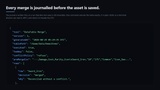
Every merge can be undone. The JSON journal is written before the package is saved, so a run that dies during the save is still reversible. A rollback refuses a journal written for a different table, and refuses one from a preview run — a preview wrote nothing, so restoring from it would overwrite whatever you have done since.
Row lifecycle is handled, not ignored. Rows added upstream arrive. Rows you added locally are kept rather than deleted for being absent from the sheet. A row removed upstream is removed — unless you edited it, which is a conflict, because deleting destroys your work and keeping resurrects a deletion.
A new column is a column, not a cleared field. Absence and emptiness are different states throughout. Adding a column to the spreadsheet does not read as every existing row having wiped it.
Struct-valued cells survive. The CSV layer is a real RFC 4180 parser, because Unreal writes cells like "(X=1.000000,Y=2.000000)" — one field containing two commas. A parser that split on commas would shift every column right and then compare Damage against Cost with total confidence.
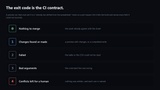
Exit codes are a CI gate. 0 nothing to merge, 1 changes found or made, 2 the run failed, 3 the arguments could not be used, 4 conflicts left for a human. A preview run that must exit 0 is a level-of-drift check on a pull request; exit 4 fails a build instead of silently picking a winner.
Revision control aware. The package is checked out before it is written, and the report names any file that would not check out.
Honest without a merge base. The first run on a table has no base. It says so, in the log and at the top of the report, and treats every difference as a conflict rather than guessing — without a record of the last import it is genuinely impossible to tell an incoming edit from a local one. -EstablishBase fixes it in one run.
If nothing was examined it prints no verdict at all, rather than a reassuring zero. A confident summary over a scan that read nothing is the one output a tool like this must never produce.
Technical InformationCode Modules: DataTableMerge (Editor)
Number of Blueprints: 0
Number of C++ Classes: 2 classes and 13 structs across 8 public headers; one reflected class, UDataTableMergeCommandlet
Network Replicated: No — this is an editor-time tool and nothing it ships runs at game time
Supported Development Platforms: Win64
Supported Target Build Platforms: Win64 — editor only. The module is an Editor-type module whose PlatformAllowList is Win64, so nothing is included in a packaged game.
Example Project: None included. The plugin is driven entirely from the command line against your own project, and the first-time test at the top of this page is the worked example — it runs on any project that has a DataTable, and its first two steps write nothing to the asset.
Renderer: Renderer independent. It ships no materials, no shaders and no content of any kind, reads and writes only DataTable rows, and never opens a rendering path — the commandlet runs with a null RHI.
Engine Version: Unreal Engine 5.8. That is the only engine this build has been compiled and run on, and it is the only version claimed.
Documentation: https://github.com/onefreeman1337/csaf-releases/blob/main/docs/datatable-merge/README.md
Source: Full C++ source, readable and commented, with automation tests covering the CSV layer, the three-way merge rules, the report and the journal round trip.