



Description
📦 Demo (Test Before Buy) | 🎥 Example Video | 📄 Super Quick Start Guide | 📄 Technical Documentation | 💬 Discord Support | 🛣️ Milestone
Super Easy Tool to Take a Screenshot & specialized for Path Tracer!
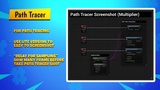
This can help you to do a professional screenshot task with only 1 BP nodes. It can be used to capture a screenshot during Path Tracing. (AMD GPUs are NOT supported)
🎁🎉🎊🎖️ Showcase product during 10th January 2023 - 24th January 2023 🎁🎉🎊🎖️
❖ Major Features ❖
✅ Showcase product during 10th January 2023 - 24th January 2023
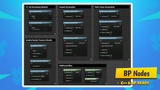
✅ Beginners Friendly! Only use it with a single BP node. No need to drag & drop anything to your scene!
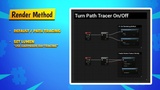
✅ Set Rendering Method in Runtime (Raster / Path Tracer) (RTX is on the way...)
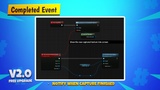
✅ Provided "On Screenshot Captured" event. Useful for notify the post action after capture
✅ Solve the Path Trace Crash by tuning some parameter in a BP node
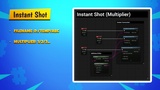
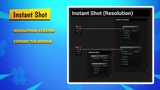
✅ Setup Render Output (Use viewport multiplier / Set resolution manually)
✅ LTS (Long-Term Support) Plugin. More is coming, this is a continuous development plugin!
❖ Limitation ❖
AMD GPUs are NOT Supported
Only Capture an image on Current Viewport (or current camera view) ; Cannot capture on the camera which are not looking
Cannot capture UI
NOT compatible with "NVIDIA DLSS Frame Generation" plugin
Wait a while (depends on resolution & hardware) when capturing an image. 0.5s-2s in general.
Does not support Depth Custom Mask in packaged build (UE issue)