
الوصف
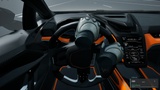
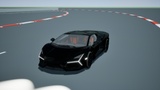
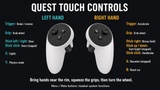
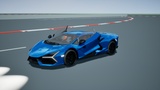
Drive the included sports car with physical steering-wheel grips, animated controller-driven hands, or keyboard/gamepad controls.
PCVR + Quest 3 Native Support.
Please contact me with any issues: [email protected]
Two selectable physics modes
Switch between Chaos Vehicles and custom four-wheel suspension/tire physics at runtime.
Only one simulation drives the chassis at a time. The Chaos Vehicles engine plugin remains a required dependency in either mode.
Included driving features
Animated hands that grip the steering rim, OpenXR controls, seated recentering and tracking-loss safety.
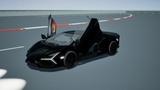
Animated doors, switchable headlights and rear lamps, chase and cockpit cameras.
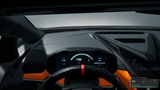
Live speed, gear, RPM and nitrous dashboard.
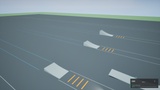
Rechargeable nitrous with up to five seconds of boost and three permanent jump-test lanes.
Procedural engine audio with replacement Sound Wave, Sound Cue or MetaSound routing.
Customize without writing C++
Create a child Blueprint and duplicate the Handling and Presentation Data Assets. Change paint, engine sounds, suspension, torque, brakes, wheel placement/axes, replacement meshes, steering-frame alignment, lighting, dashboard layout, camera position and VR grip settings in the editor. Blueprint events expose telemetry and custom dashboard drawing. Source is included for deeper changes.
Documentation and demos
Windows desktop and PC VR demo ZIP
Minimal example project ZIP (install the purchased plugin separately)
Engine dependencies and compatibility
Unreal Engine 5.8 only. Required built-in plugins: Chaos Vehicles, Enhanced Input, XRBase, OpenXR, Interchange Assets, Animation Compression Library, Animation Data and Control Rig. Interchange Framework is additionally required in the editor. Unreal Engine 5.8.2 marks Chaos Vehicles as Experimental; it remains required in both selectable physics modes. No MetaXR, optical hand-tracking or eye-tracking plugin is required. The supplied game mode configures input automatically; the default controls do not require project-wide input settings.