説明
Thumbnailer – Thumbnail & Icon Generator for Unreal Engine
Create professional thumbnails and UI icons directly inside Unreal Engine. Capture individual assets or generate multiple of thumbnails in batches
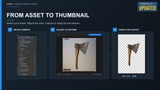
Thumbnailer makes it easy to turn Static Meshes, Skeletal Meshes, and Actors into ready-to-use textures for inventories, equipment, weapons, crafting systems, shops, menus, and more
Customize the camera, lighting, background, and resolution to get the exact look you want. Your captured thumbnails are automatically imported into your Unreal Engine project as textures, ready to use in your UI
What's New in Thumbnailer 2.0?
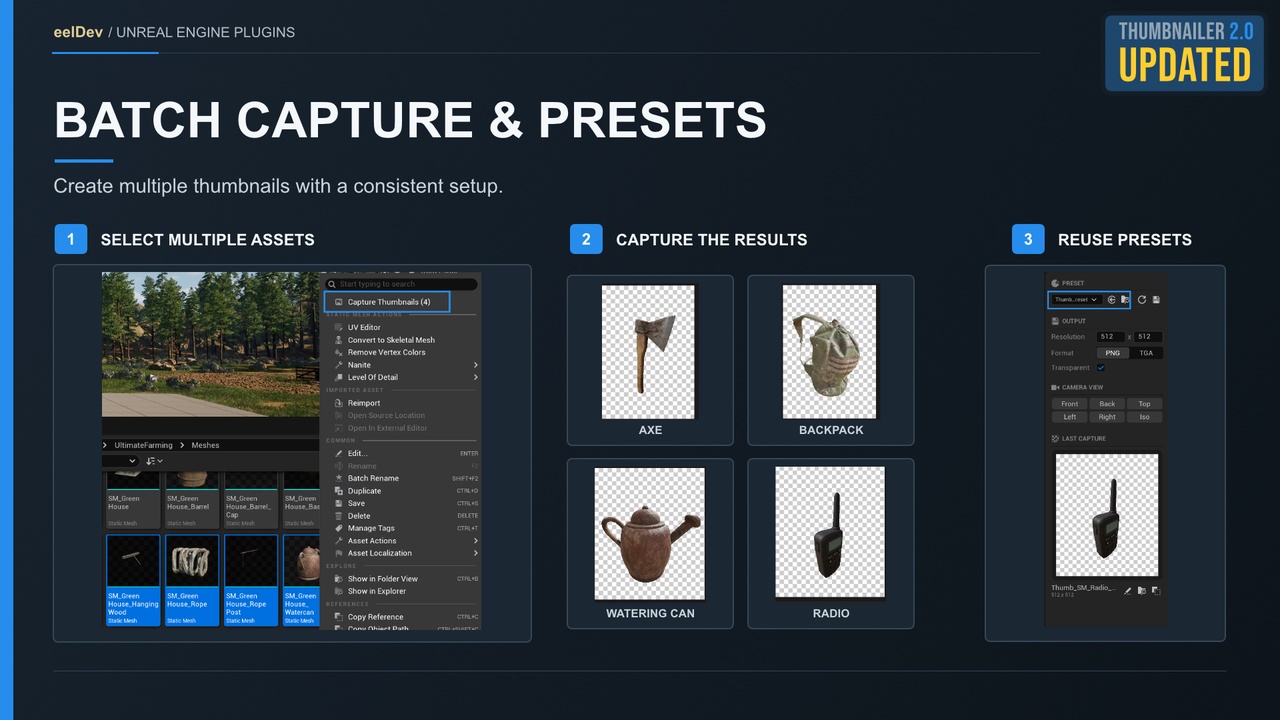
Batch Thumbnail Generation
Stop capturing assets one by one. Select multiple assets in the Content Browser, or process entire folders and subfolders, and generate thumbnails for all of them using the same settings.
Shareable Thumbnail Presets
Save your camera, scene, and rendering settings as reusable preset assets. Share them between developers through source control to maintain a consistent visual style across your project.
Updated Editor Interface
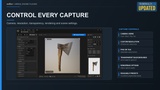
A redesigned Thumbnailer interface brings asset configuration, live previews, camera controls, presets, and output settings together in one convenient workspace.
Key Features
Batch Capture
Generate thumbnails for multiple selected assets or entire folders and subfolders.Shareable Presets
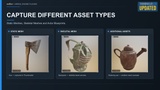
Save, load, reuse, and share thumbnail configurations across your team.Multiple Asset Types
Capture Static Meshes, Skeletal Meshes, and Actors.Transparent Backgrounds
Generate thumbnails with transparency for seamless integration into your UI.Automatic Texture Import
Captured thumbnails are automatically imported into your project as textures with UI-friendly settings.Custom Resolution
Generate thumbnails at your preferred resolution in PNG or TGA format.Camera Controls
Quickly switch between front, back, left, right, top, and isometric views.Camera Bookmarks
Save up to 10 camera positions for quick access and repeatable captures.Perspective & Orthographic Cameras
Choose the projection that best fits your assets.Customizable Preview Scene
Adjust lighting, environment, floor, and post-processing settings.Preview Overlays
Display framing guides, crosshairs, grids, and axes for precise positioning.Capture & Rendering Settings
Control anti-aliasing, exposure, motion blur, screen-space reflections, and editor billboard visibility.Last Capture Preview
Instantly preview, open, locate, or copy your latest generated thumbnail.Fully Integrated Editor Workflow
Create and manage thumbnails without external screenshot or image-editing software.
Perfect For
Inventory items, weapons, and equipment
Armor, clothing, and character icons
Crafting systems and resource items
Shops, vendors, and item databases
Props and environment assets
UI elements and game menus
Asset libraries and catalogs
Create Consistent Thumbnails, Faster
Whether you're prototyping a small inventory system or building a large asset library, Thumbnailer helps streamline your workflow.
Configure your preferred camera, lighting, and output settings once, save them as a preset, and reuse them whenever you need to generate new thumbnails.
With Batch Capture and Shareable Presets, you can create consistent visual assets across your project without repetitive manual work.
Engine Version Support
Unreal Engine 5.4 and newer: Receives the latest Thumbnailer updates, improvements, and new features, including the updated 2.0 interface.
Unreal Engine 4.27 – 5.3: An older version of Thumbnailer remains available for download. These versions are no longer updated and use a different editor interface from the one shown in the current documentation and product images.
Documentation & Support
Documentation: https://thumbnailer.eeldev.com
Discord Community: https://discord.gg/3Yu7pEy