
설명
Blueprint SubSystems enables you to create native Unreal Engine subsystems entirely in Blueprints, without fake Actor singletons, manual instantiation, or wrapper systems.
Create Game Instance, World, Local Player, Engine, and Editor subsystems that integrate directly with Unreal's native subsystem lifecycle, with clean, single-pin Get <SubsystemName> nodes for easy Blueprint access.
Resources & Support
DISCORD: Get support, share feedback, and follow plugin updates.
DOCUMENTATION: Documentation link not provided.
DEMO VIDEO: See Blueprint SubSystems Demo Video.
Join our Discord for plugin updates, examples, new features, and development news.
Core Features
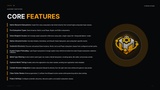
Native Blueprint Subsystems: Create first-class subsystems that inherit directly from Unreal Engine subsystem base classes.
Five Subsystem Types: Game Instance, World, Local Player, Engine, and Editor subsystems.
Direct Blueprint Access: Get strongly typed subsystem references using clean, single-output Get <SubsystemName> nodes.
Native Lifecycle Events: Override Initialize, Deinitialize, and Should Create Subsystem, plus subsystem-specific events.
Automatic Discovery: Discover and preload Game Instance, World, and Local Player subsystem classes from configured content paths.
Explicit Engine Preloading: Load Engine subsystems through explicit class references before the native Engine subsystem collection initializes.
World Type Filtering: Control which world types can create a World Subsystem, including Game, PIE, Editor, and preview worlds.
Optional World Ticking: Enable native tick registration only when needed, avoiding tick registration when disabled.
Content Browser Integration: Create subsystem Blueprints directly from the right-click menu without the generic class picker.
Clean Action Names: Remove generated _C suffixes from Blueprint action names while preserving native class naming.
Project Settings: Configure automatic discovery, discovery paths, and explicit subsystem classes.
Automation Tests: Includes runtime and editor tests for loading, filtering, node creation, and related behavior.
Built For
Blueprint-first gameplay architecture
Shared game and world systems
Player-specific systems and UI
Input and local player management
Engine-level services
Editor workflow automation
Modular gameplay systems
Technical designers and gameplay programmers
Blueprint Workflow
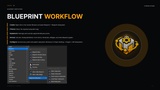
Create: Right-click in the Content Browser and select Blueprint → Blueprint Subsystem.
Choose: Select the required subsystem type.
Implement: Add logic and override supported lifecycle events.
Access: Use Get <SubsystemName> from Actors, Characters, Widgets, and other Blueprint graphs.
Configure: Set discovery paths and explicit subsystem references in Project Settings → Plugins → BP Subsystems.
Important Notes
Engine Subsystems: Must be explicitly preloaded. They are not supported through automatic Asset Registry discovery.
Packaging: Configure your subsystem folder under Directories to Always Cook so unreferenced subsystem assets are included in packaged builds. Avoid setting all of /Game to Always Cook.
Multiplayer: Subsystems are local in-memory objects and do not automatically replicate. Store replicated gameplay state in replicated Actors or PlayerState.
These requirements are part of the plugin's subsystem loading and packaging workflow.
Blueprint & C++
Blueprint: Create, configure, access, and implement subsystem logic entirely through Blueprint workflows.
C++: Built on native Unreal Engine subsystem base classes and runtime/editor modules.
Technical Requirements
Type: Unreal Engine Plugin
Supported Versions: Unreal Engine 5.4, 5.5, and 5.6+
Architecture: Runtime and UncookedOnly editor integration modules
Subsystem Types: Game Instance, World, Local Player, Engine, Editor
Blueprint: Supported
C++: Supported
Developer: Cyronic Studio