
Descrizione
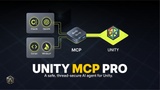
MCP Pro for Unity turns your Unity Editor into an AI-driven workspace. Chat with your choice of Claude, GPT, Gemini, or Groq directly inside Unity, and let the model inspect, build, and modify your scenes and assets — or connect an external MCP client like Claude Desktop or Cursor and drive the Editor from there instead.
Talk to your project. Ask questions about your scene, request changes, or hand off multi-step tasks in plain English. MCP Pro for Unity gives the model real situational awareness (project info, scene analysis, GameObject listings) so you don't have to describe your scene by hand.
~40 built-in Editor tools. Scene and GameObject manipulation, components, materials, prefabs, console access, script asset creation, build settings, and asset search — all directly callable by the AI, with a four-tier safety system (Read / Scene Edit / Asset Write / Destructive) so you control exactly what the AI is allowed to touch.
AI-generated 3D assets, without breaking the bank. Built-in Meshy integration generates 3D models from text or images. Every generation is saved to a searchable local library and can be reused for free forever after — no repeat cost for the same asset. Ask for an entire scene from a description, and MCP Pro for Unity builds it using free primitives wherever possible, spending AI-generation budget only on the handful of objects that actually need custom geometry.
It places things correctly. Generated and imported objects are automatically rested on the ground and scaled to a real-world size estimate, with automatic overlap avoidance — no floating objects, no sinking into the floor, no guessing scale multipliers for a mesh the AI has never seen the dimensions of.
Bring your own AI. Works with OpenAI, Anthropic (Claude), Google (Gemini), and Groq. Use whichever provider and model you already have API access to; switch anytime.
Safety first. Every single action — whether triggered from the in-Editor chat or an external MCP client — passes through the same configurable safety gate. Nothing destructive happens unless you've explicitly allowed it.
Requirements
Unity 2021.3 LTS or newer
Your own API key for at least one AI provider (OpenAI, Anthropic, Google, or Groq) — not included, billed separately by that provider
Optional: a Meshy API key for AI 3D generation — not included, billed separately by Meshy