Description
Advanced Debug Menu brings your gameplay variables and debug actions into a configurable in-game overlay.
Register supported properties or Blueprint functions, choose between Setter and Viewer modes, and organize your entries into categories. The plugin automatically creates the appropriate controls, helping you build a debug menu without designing a separate widget for every variable.
Key Features
Runtime Setters: Edit supported values during gameplay, with configurable numeric ranges, increments and display precision.
Live Viewers: Monitor changing values with an adjustable refresh interval.
Debug Actions: Add buttons that call your Blueprint functions.
Nested Categories: Organize entries into expandable groups using paths such as General|Player|Movement.
Pinned Monitor: Keep selected values visible in a separate monitor, even when the main menu is closed.
Floating Windows: Move, resize and minimize your panels, with saved window positions and sizes.
Search and Filters: Find entries by text, category or entry mode.
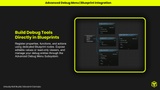
Blueprint Integration: Register and manage entries through a native Game Instance Subsystem. Registration nodes use Self as the default target.
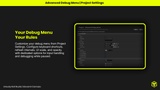
Project Settings: Configure the shortcut, refresh interval, UI scale, opacity, menu title and displayed version.
Customizable Widgets: Extend the native window, category and row classes with your own Blueprint children.
Built with a C++ core and a Blueprint-accessible workflow, Advanced Debug Menu is designed for gameplay programmers and technical designers who want to inspect behavior and tune values during prototyping, balancing and playtesting.