
설명
Check Documentation
Watch Showcase
Discord Support Channel
Showcase product between May 14 to May 28, 2024
[LEGACY REVIEWS AND QUESTIONS FROM OLD MARKETPLACE]
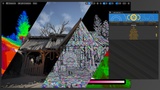
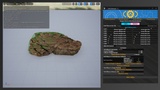
The Optimization Debug Tool helps you easily optimize multiple static and skeletal meshes related to LODs and Nanite methods, as well as optimize textures associated with quality and memory use. On the other hand, the tool can spot and debug almost any aspect of game development, and it also lets you modify quality settings and apply them in-game with a few simple clicks.
==============Version 1.2 ( Updated 2025-05-29 )==============
Updated versions 5.3-5.7.
Added the Additional Setting tab with Python support.
Multi-landscape Nanite enabling and disabling.
Set multiple World Partition Runtime Grid (Tested with 100k objects at the same time) for static meshes and light sources (Point / Spot / Rect lights).
Set multiple World Partition Runtime Grid names based on the dimensions of each object in the world partition map.
Created and copied a list of Runtime Grid settings for Runtime Settings in World Partition Setup inside World Settings.
One-click button to create a list of all information about external actors at the world partition level.
Print a list of all information about external actors at the world partition level, with the option to click each external actor in the list, and each actor will be selected in the outliner and open the file in Windows Explorer.
Recommendations will create a file in the "Saved" folder (The folder is part of the project and can be found in Windows Explorer under each project) and a list of recommendations for each system based on hardware.
Most of the functionality will also be printed in the Output Log tab.
Some Updates in UI.
==============Version 1.1 ( Updated 2025-04-24 )==============
All versions, including editable text blocks for Nanite settings for easy manipulation.
All versions, including editable text blocks for LOD settings, for easy manipulation.
All versions, including new functionality in "Meshes Optimize" under the "Skeletal" tab, to change animation root motion for multiple animations in one click.
Version 5.1 and above include the option to select "Preserve Area". By selecting the option, all changed Nanite static meshes in the selected folder will use the preserved area.
Text size fixes where the text is too small.
Optimizing and cleaning the "Meshed Optimize" code.
Note: Props shown in the showcase are not included