Description
ONWIO EASY TERRAIN GENERATOR PRO
Procedural Terrain, Biomes, Water & Vegetation for Unity 6
Create complete procedural environments directly inside the Unity Editor.
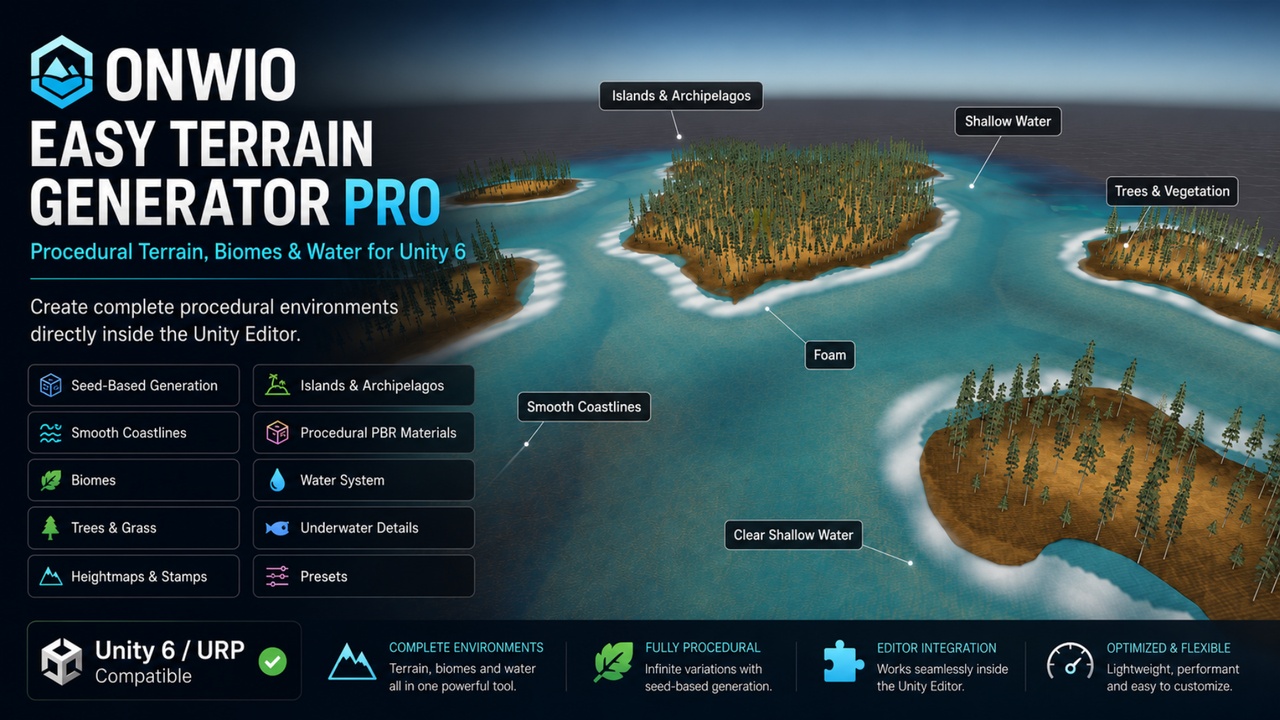
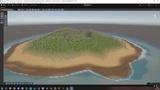
OnwiO Easy Terrain Generator Pro is a Unity 6 Editor extension designed to generate terrains, islands, coastlines, beaches, biomes, water, vegetation and environmental details through one accessible workflow.
Choose a preset, customize the settings, add your own assets if desired, and generate your world without manually preparing a Terrain, materials or scene objects.
IMPORTANT — HOW TO IMPORT AND OPEN THE TOOL
Installation takes only a few steps:
1. Download the provided `.unitypackage` file.
2. Open your Unity 6 project.
3. Go to Assets > Import Package > Custom Package.
4. Select the OnwiO Easy Terrain Generator Pro `.unitypackage`.
5. Keep all included files selected and click Import.
6. Wait for Unity to finish compiling.
7. Open the tool from Tools > Easy Terrain Generator Pro.
8. Select a preset or customize the generation settings.
9. Click Generate World.
An example scene is included at:
Assets/EasyTerrainGenerator/Samples/OnwiO_EasyTerrainGenerator_Demo.unity
No external dependency, manually created Terrain, prepared material or additional GameObject setup is required for basic generation.
ENGLISH AND TURKISH EDITOR INTERFACE
The tool opens in English by default to meet international production and marketplace requirements.
A language selector is placed at the very top of the tool window. Users can switch between:
• English
• Turkish
The selected language is remembered by the Unity Editor.
PROCEDURAL TERRAIN GENERATION
Generate complete terrains using deterministic seeds and multiple terrain styles.
Main terrain features include:
• Six procedural terrain types
• Deterministic seed-based generation
• Customizable world size and height
• Single Terrain generation
• Finite 2×2 and 4×4 multi-Terrain worlds
• Terrain edge height correction
• Neighbor texture seam correction
• Safe generated-world cleanup
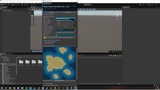
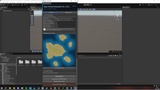
• 2D heightmap preview
• Built-in and custom heightmap support
The multi-Terrain system creates large finite worlds without requiring an infinite chunk or runtime streaming system.
HEIGHTMAP STAMP LIBRARY
Shape the terrain using procedural heightmap stamps.
Available stamp types include:
• Mountain
• Crater
• Canyon
• Plateau
• Valley
Multiple stamps can be applied to the same generated world. Their position, scale and strength are calculated from the active generation settings and seed.
ADVANCED COASTLINE SYSTEM
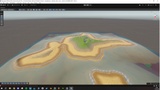
The coastline system is designed to create smoother, more usable transitions between land and water.
It includes:
• Smooth land-to-water transitions
• Walkable beach profiles
• Adjustable beach width
• Shallow-water shelf generation
• Gradual seabed transition
• Wet sand zones
• Rocky shoreline regions
• Shoreline vegetation support
• Coastal foam
• Adjustable shoreline smoothing
The system reduces sudden cliff-like terrain formations around normal beach areas while still allowing rocky coasts where appropriate.
STYLIZED AND REALISTIC VISUAL MODES
Choose between two visual styles:
• Realistic
• Stylized
The selected style affects the generated terrain surfaces, grass and default wildflowers. Users can replace the generated visuals with their own textures, tree prefabs, grass textures, flowers and detail meshes.
PROCEDURAL PBR TERRAIN SURFACES
Terrain surfaces are generated locally and include:
• Diffuse maps
• Normal maps
• Ambient Occlusion
• Roughness
• Mask Maps
• Per-layer texture offsets
• Improved wide-area tiling
• Low-smoothness land materials
• Zero-metallic terrain configuration
The surface system is designed to reduce excessive terrain reflections and visible repetition across large areas.
Ten terrain layers can represent regions such as:
• Grassland
• Soil
• Rock
• Sand
• Wet sand
• Rocky coast
• Shallow seabed
• Deep seabed
• Snow
• Additional biome transitions
TRIPLANAR ROCK MAPPING
Steep inland rock surfaces can use triplanar projection to reduce texture stretching on cliffs and sharp slopes.
The transition angle and world texture scale can be adjusted from the tool.
PROCEDURAL SNOW
Generate a configurable snow line based on terrain elevation and slope.
Controls include:
• Snow start height
• Transition height
• Maximum terrain slope
• Snow coverage behavior
ADVANCED WATER SYSTEM
Generate water together with the terrain.
Water settings include:
• Shallow-water color
• Deep-water color
• Wave height
• Wave frequency
• Wave speed
• Underwater visibility
• Shore foam
• Depth-based appearance
The generated water integrates with the coastline, beach and shallow seabed systems.
UNDERWATER CAMERA EFFECT
Assign the player or character camera from the Editor window.
When the camera moves below the generated water level, the system can apply:
• Underwater fog
• Fog density control
• Underwater background color
• Screen tint
• Visibility adjustment
The effect is automatically removed when the camera returns above the water.
VEGETATION AND GREEN-GROUND PLACEMENT
Default trees are placed only on suitable green terrain regions.
The placement system avoids:
• Steep rocky slopes
• Beaches
• Wet shoreline regions
• Underwater terrain
• Snow-covered regions
• Unsuitable terrain layers
This prevents trees from appearing on cliffs, inside water or across sandy coastlines.
REALISTIC AND STYLIZED GRASS
The package includes improved procedurally generated grass for both visual styles.
If the user does not provide a custom grass texture, the tool automatically uses grass matching the selected style:
• Realistic grass
• Stylized grass
Grass can be enabled, disabled and replaced from the Editor window.
PROCEDURAL WILDFLOWERS
Generated terrains can include multiple default flower variations:
• Red flowers
• White flowers
• Purple flowers
Flower appearance changes according to the selected Realistic or Stylized mode. Wildflowers can be enabled or disabled independently, and users can supply custom textures.
MANUAL TREE AND GRASS ASSETS
Users can add their own tree prefabs and grass textures.
Tree placement supports full prefab hierarchies, including prefabs containing separate trunk, foliage and LOD child objects. This allows compatible foliage and multi-part tree prefabs to be placed without reducing them to trunk-only objects.
PER-PREFAB PLACEMENT RULES
Each assigned prefab can have individual rules:
• Minimum and maximum height
• Minimum and maximum slope
• Density
• Clustering
• Scale range
• Selection weight
• Minimum spacing
• Ground alignment
• Random rotation
LAND DETAIL MESHES
Add multiple prefabs such as rocks, shrubs, branches or environmental props and distribute them across valid land areas.
COAST AND UNDERWATER DETAIL MESHES
Separate placement systems are available for coastal and underwater assets.
Examples include:
• Coastal rocks
• Pebbles
• Seaweed
• Coral
• Underwater rocks
• Seabed props
Underwater assets are restricted to terrain below the active water level.
GENERATION REPORT
After world generation, the tool can provide a production report containing:
• Terrain count
• Tree count
• Grass count
• Wildflower count
• Land detail mesh count
• Underwater detail mesh count
• Estimated texture memory
• Estimated disk usage
• Generation duration
PRESET AND VERSION SUPPORT
Save and reuse world-generation configurations. Preset version handling helps preserve compatibility when moving older presets into newer tool versions.
TECHNICAL INFORMATION
• Current version: 1.3.1
• Designed for Unity 6
• Editor extension
• English interface by default
• Optional Turkish interface
• URP recommended
• Built-in Render Pipeline fallback included
• No HDRP-specific shader variants
• No external package dependency
• Deterministic seed support
• Includes an example scene and English documentation
• Includes installation, user guide, troubleshooting and licensing documents
ASSET AND LICENSING INFORMATION
The package does not depend on downloaded third-party terrain textures or models. Included procedural terrain surfaces, grass and flower visuals are generated locally by the tool.
Users remain responsible for the licenses of any custom textures, prefabs, models or other assets they manually assign to the generator.