
Description
Right-click any asset to copy a link. When a teammate clicks it, their Content Browser jumps straight to it. Editor-only, loopback-only, no account and no server.
"It's the blue one... in Characters/Heroes/Shared/Materials. No, the other one."
Every team loses time to this. Someone describes where an asset lives, someone else goes hunting. Asset Link Share replaces that with a link.
Right-click any asset and copy a link. Paste it into Slack, Jira, a code comment, a design doc, a commit message, etc. When a teammate clicks it, their editor's Content Browser jumps straight to that asset.
Note: The editor must be open for the system to work. It will not auto launch a project for you.
There's no account to make, no service to sign into, and nothing sent anywhere. The link is an ordinary http://127.0.0.1 URL that only their own editor, on their own machine, ever answers.
Features
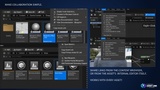
Copy links from the Content Browser right-click menu or from inside any asset editor's Asset menu. Multi-select gives you one link per line.
Primary Asset ID links for assets the Asset Manager tracks. They identify the asset by ID instead of path, so they survive renames and moves.
Links survive assets moving. If a path now lands on a redirector, the link follows it. Without that, a link to a moved asset silently appears to do nothing, because the Content Browser doesn't display redirectors.
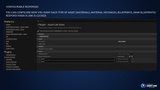
Choose what happens per asset type. Blueprints and Materials can open their editor on arrival; maps can stay reveal-only so a link never starts a level change you didn't ask for.
Several projects at once. Each project derives its own port from its name, so editors never fight over one, and a link always reaches the editor with the right project open. Nothing to configure and nothing for a team to agree on.
A link that reaches the wrong project says so, instead of reporting the asset as missing.
About the listener
This plugin opens a socket, so here is exactly what it is. One route, GET /open, bound to loopback inside the editor. It looks an asset up in the asset registry and asks the Content Browser to select it. That is the whole surface.
It does not read or write files, run commands, spawn processes, make outbound network requests, or send telemetry. The Plugin doesn't even link Unreal's HTTP client. Requests must come from a loopback address, carry a matching Host, and be a real top-level navigation, so a web page you happen to have open can't drive your editor. Response pages never echo anything from the request.