![[CR] [LQ] Modular 015 Bill [PACK] 제품 등록을 위한 미디어 1개](https://media.fab.com/image_previews/gallery_images/7fc76cde-9e0e-41b2-8ca0-01332d0f27a5/724b24fe-530b-4f85-8303-abcecb45ad16.jpg)

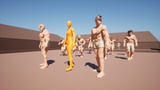
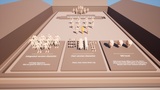
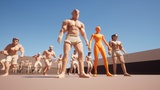
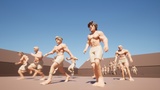
설명
📺 Video Character
Character animations and mesh assets used for video presentation are not included.
📢 SK_Mannequin
CR > Demo > Meshes > "SK_Mannequin" All characters are connected to the skeleton.
🧲 Modular
The current folder structure is designed so that all characters are linked together.In order for all characters in [CR] to function properly, the folder structure must not be changed. If the folder structure is changed arbitrarily, newly added characters may not function properly.
Fixed folder structure : CR > Demo > Meshes (Important Folder)
🎨 Materials - Color change
Color can be changed by replacing the material
All CR, LQ "Materials"
It is designed to be stored in the "AMT_Materials" folder.
The reason is that, To avoid repeatedly creating materials of the same color
All materials in the "AMT_Materials" folder, The process has been set up to be shared and used by all characters.
A collection of 106 carefully selected materials in colors best suited for use with LQ characters, making color changes quick and easy.
If you want to change a character’s color, we recommend duplicating the material and then changing the duplicated material to your desired color.
Editing the original material will affect all assets that use that material with the modified color.
🧲Physics
All CR LQ "Physics" It is designed to be stored in the "AMT_Physics" folder.
The reason is that, Prevents creation of identical and unused physics files.
All Physics in the "AMT_Physics" folder, The process has been set up to be shared and used by all characters.
📢 Exclusions
Pose produced for promotion is not included.
The "000_Demo" folder contains the UE5 "Mannequins" assets. However, only textures are excluded to reduce the size of the asset.
🔨 Additional Information
If you do not want to use the Lumen material, you can replace it with a regular material.