الوصف
STORYLINE
Dialog System + Easy Localization (Text + Audio)
Create Narrative in parallel with Gameplay!
UPDATE 1.2:
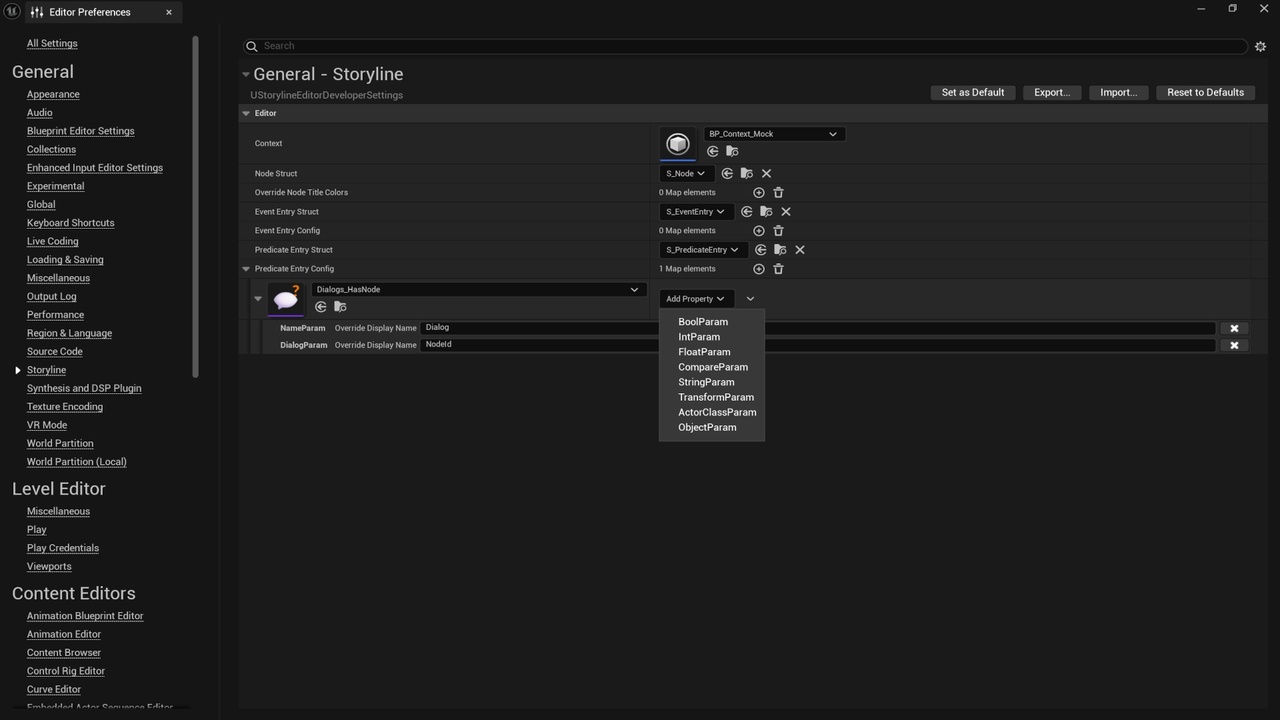
VISUAL EVENTS AND PREDICATES CONFIGURATION
FEATURES
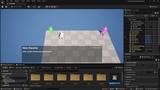
Create, Edit and Play dialog assets with customizable context via Storyline Editor - creating and going through the full story without need of running the Game!
Store dialog assets as Data Tables with S Node Struct for rows - easy to use and support!
Configure complex logic for dialog assets and game narrative (Storyline Events and Storyline Predicates)
Localize text/audio for UI/dialog assets via simple and extendable Structs (S Loc Text and S Loc Audio)
Customize most parts to the needs of project (Blueprints + Structs + Data Tables)
DIALOG ASSET
Storyline is storing dialog assets as Data Tables with S Node Struct for rows. It can be edited graphically via Storyline Editor and manually with default Data Table Editor
To create dialog asset:
Create Data Table asset with S Node Struct for rows
STORYLINE EDITOR
To open Storyline Editor:
Select one or several dialog assets in Content Browser
Open Context Menu with Right Mouse Button
Click Storyline
If there is no Storyline option in Context Menu, open Editor Preferences and check if [Node Struct] is set in Storyline settings
Storyline Editor is working with:
Storyline Data Set EDITOR ONLY - describes the set of dialog assets and current selection, is internally used by Storyline Editor
Context object - executes Storyline Events, checks Storyline Predicates, records history of played dialogs and visited nodes
CONTEXT
Context object executes Storyline Events, checks Storyline Predicates, records history of played dialogs and visited nodes:
Game Context can be fully customized (Blueprints + Structs + Data Tables)
Check Context object configured for Demo. It is implemented by Game Mode there, because Game Mode is easily accessible through the [GetGameMode] method almost everywhere.
NODES
ENTRY NODE - defines entry for dialog asset. Has no PROPERTIES
REROUTE NODE - creates routes to allow different connections and configurations
PROPERTIES:
[Predicates] - list of S Predicate Entry to configure conditions when this node is enabled - see sections below
[PreEvents] - list of S Event Entry to configure events that will be raised when this node is entered - see sections below
[PostEvents] - list of S Event Entry to configure events that will be raised when this node is exited - see sections below
RANDOM NODE - transits to one child Node randomly with respect to transition weights
PROPERTIES:
[Predicates] - list of S Predicate Entry to configure conditions when this node is enabled - see sections below
[PreEvents] - list of S Event Entry to configure events that will be raised when this node is entered - see sections below
[PostEvents] - list of S Event Entry to configure events that will be raised when this node is exited - see sections below
DIALOG NODE - main node which contains text/audio
PROPERTIES:
[Owner] - Soft Actor Class that is set up as owner for this node
[LocItem] - main localized text
[LocItemBrief] - brief localized text (player choice / brief display)
[LocAudio] - main localized audio
[Predicates] - list of S Predicate Entry to configure conditions when this node is enabled - see sections below
[PreEvents] - list of S Event Entry to configure events that will be raised when this node is entered - see sections below
[PostEvents] - list of S Event Entry to configure events that will be raised when this node is exited - see sections below
LOCALIZATION
Localization is implemented via
S Loc Text Struct for text localization - by default contains only [English] property
S Loc Audio Struct for audio localization - by default contains only [English] property
Can be easily used for UI/dialogs assets.
To add new Localization:
Add corresponding field to S Loc Text or/and S Loc Audio Struct/s
Add corresponding value to E LocType Enum
Modify methods of BPI LocService interface implementer (Demo Game Mode for Demo) to pick value from newly added field of Structs for newly added value of Enum
STORYLINE EVENT
Storyline Event is a simple Asset Type, it represents event, that can be raised in dialog assets (i.e. Inventory, Journal, etc)
S EVENT ENTRY
This Struct mainly contains Storyline Event and parameters to customize call:
PROPERTIES:
[EventClass] - corresponding Storyline Event
[BoolParam] - as named
…
Check Game Mode methods for processing events and S Event Entry in Demo
STORYLINE PREDICATE
Storyline Predicate is a simple Asset Type, it represents condition, that can be checked in dialog assets to define if node should be enabled or not (i.e. Inventory checks, Journal checks, etc)
S PREDICATE ENTRY
This Struct mainly contains Storyline Predicate and parameters to customize check:
PROPERTIES:
[PredicateClass] - corresponding Storyline Predicate
[BoolParam] - as named
…
[PredicateEntryType] TECHNICAL - corresponding E StorylinePredicateEntryType, used to identify role in complex logical expression
Check Game Mode methods for processing predicates and S Predicate Entry in Demo
SETTINGS
Storyline has settings both in Editor Preferences and Project Settings.
Editor Preferences:
Context that will be used by Storyline Editor
Structs that are used by dialog assets and Storyline Editor
Storyline Events and Storyline Predicates configs