الوصف
Project Context Exporter for Unreal Engine
Give AI the context it needs to understand your Unreal Engine project - and optionally chat about it locally inside the editor.
Project Context Exporter scans your Unreal Engine project and generates a structured, AI-readable representation of your assets, Blueprint logic, dependencies, and project architecture.
Instead of manually explaining your project every time you use an AI coding assistant, export your project context once and let tools like Cursor or Claude inspect the generated files alongside your project. You can also use the optional Teacher Assistant panel for in-editor Q&A powered by a local language model that uses that same exported context.
What It Exports
Project Context Exporter goes beyond Blueprints and builds a connected view of your project, including:
- Blueprints - graphs, functions, variables, components, execution flow, parameters, calls, writes, side effects, and semantic summaries
- Animation Blueprints - animation state machines, states, transitions, conditions, animation assets, and variables
- Enhanced Input - Input Actions, Mapping Contexts, keys, triggers, modifiers, and Blueprint consumers
- Widget Blueprints - widget hierarchy, properties, bindings, layouts, and runtime behavior
- Materials & Material Instances - parents, parameters, textures, and relationships
- Niagara - systems, emitters, parameters, and referenced assets
- Audio - Sound Waves, Sound Cues, and available MetaSound information
- Meshes & Textures - useful metadata, materials, skeletons, LODs, Nanite, compression, and more
- Data Assets & Data Tables - schemas, properties, and relationships
- Animation Assets - sequences, montages, blend spaces, skeleton relationships, and usage
- Levels / Worlds - available level and actor-instance information
- Curves and other supported assets
- Project dependencies and relationships
Some assets may export as partial or reference-only when full semantic extraction is not available. Unreal assets remain the source of truth.
Built for AI-Assisted Development
The exporter produces both JSON and human-readable TXT files, so AI coding assistants can retrieve the level of context they actually need.
Exported context is written locally under your project’s `AI/` directory (configurable), including:
- PROJECT.md - project overview
- index.json - asset catalog
- dependencies.json - relationship graph
- Assets/ - per-asset JSON + TXT context
The exporter prepares project context for AI systems. It does not claim to replace Unreal’s own tools or to understand every asset perfectly.
Works Great With Cursor & Claude
Point your AI coding assistant at the generated `AI/` directory and ask questions such as:
- “How does player movement work in this project?”
- “What happens when IA_Jump is triggered?”
- “Explain this Blueprint’s execution flow.”
- “Which systems depend on this Animation Blueprint?”
- “Where is this Input Action consumed?”
- “What assets does this Blueprint depend on?”
The AI can use the exported project context instead of relying only on filenames or incomplete project information.
Optional Local AI Chat - Teacher Assistant
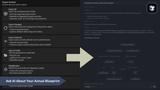
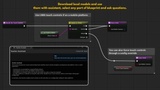
Teacher Assistant is an optional in-editor chat panel that answers questions using your exported project context and, when available, your current editor selection.
- Runs in local mode on your machine via llama.cpp (recommended model: Qwen3 GGUF)
- Does not upload project content to a cloud AI service during chat
- Model download/install is optional and user-controlled (explicit consent)
- Network use is limited to optional model download from the configured URL
- Best results when project context has been exported / kept up to date
Teacher Assistant is currently supported on Windows Editor (Win64) only and needs enough local hardware (roughly 16 GB RAM recommended; GPU acceleration recommended when available). Response quality depends on the local model, available context, and how complete the export is.
Smart Project Relationships
Project Context Exporter doesn’t simply create a pile of independent asset files.
It builds relationships between project assets, including:
- Blueprint inheritance
- Interfaces
- Input → Blueprint consumers
- Mapping Context → Input Actions
- Animation State → Animation Assets
- Animation Transition → Variables
- Widget → Blueprint relationships
- Material → Texture relationships
- Mesh → Material relationships
- Asset references
- Project dependencies
Relationships include evidence strength so AI can distinguish between exactly established relationships and weaker Asset Registry references.
Designed to Stay Local
Project Context Exporter generates context locally inside your project.
- No required AI API, cloud service, or subscription to use the exporter
- Local Teacher Assistant chat keeps inference on your machine
- You decide what you do with the generated files and which external AI tools you provide them to
Your project data stays on your machine unless you manually share the `AI/` folder.
Main Features
- Full project context export
- Incremental / changed asset export
- Content Browser selected-asset export
- JSON + TXT output
- Project documentation generation
- Dependency and relationship graph
- Asset indexing
- Export validation
- UTF-8 output
- Command-line / CI export support
- Optional automatic synchronization
- Unreal Engine editor integration
- Optional local-mode Teacher Assistant chat (Windows Editor)
Requirements
- Unreal Engine 5.8
- Editor plugin
- Teacher Assistant: Windows Editor (Win64), local model install optional
Stop explaining your project to AI manually.
Export your Unreal project once. Give AI the context - in Cursor, Claude, or local chat inside the editor. Build faster.