설명
Your crafting screen, drawn from your own recipe data - derived from it, not assigned to it.
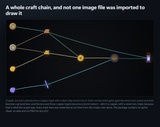
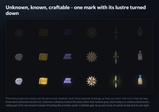
You never pick an icon for an item. You write down what it is made from - the reagents and their quantities - and Synthesis Web derives the mark: which of forty-eight hand-authored silhouettes it takes, what material it is struck in, what inlay runs through it, how many ornaments it carries, and how brightly it reads. Edit the recipe and the picture redraws.
There is no sprite sheet, no atlas and no PNG anywhere in this package. Every pixel is rasterised at run time in software by the source you can read.
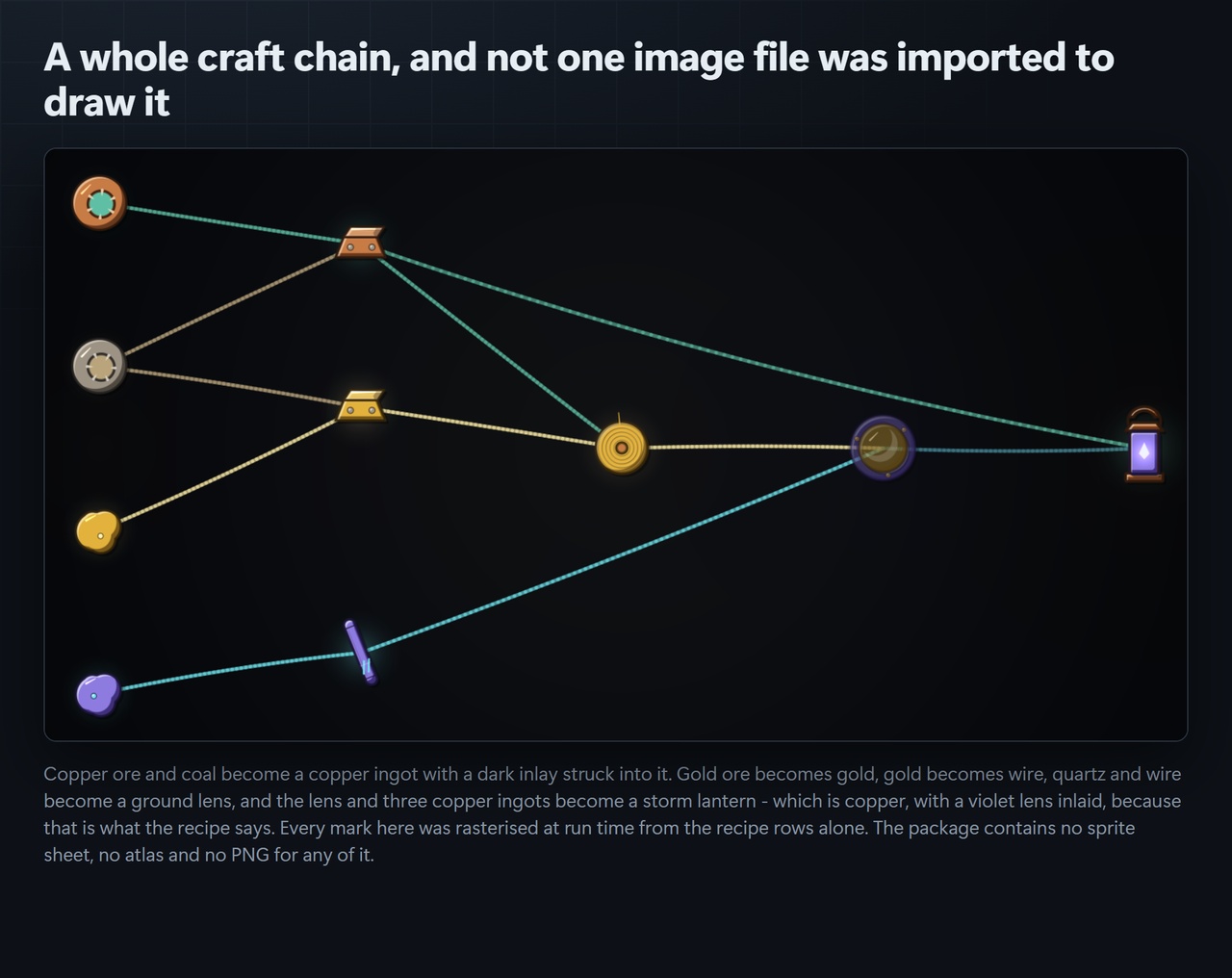
The point is not that it saves you finding icons. It is that the icons relate to each other. Smelt copper ore with coal and the ingot comes out copper-coloured with a dark inlay struck into it, because the recipe says so. Change the flux and the inlay changes. Add a reagent and the mark gains an ornament. A pack of five hundred hand-drawn icons cannot do that at any price, because the pictures in it do not know your recipes exist.
Every derivation is reported back to you in plain English, per node, so you can see exactly why a mark looks the way it does - and override any of it when you disagree.
Getting StartedImport the package. Everything lands under Assets/CSAF/SynthesisWeb/.
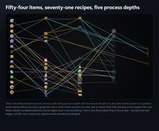
Open the demo scene at Assets/CSAF/SynthesisWeb/Demo/SynthesisWebDemo and press Play. A worked economy renders as a web of derived marks.
Open the tool window: Window > CSAF > Synthesis Web Baker. Press Load Sample Economy, then read the "Why each mark looks the way it does" list under the preview - that list is the whole derivation, stated per node.
Point it at your own data: build a SynthesisGraph, call AddSource and AddRecipe declaring only what each item is MADE FROM, assign it to a SynthesisView and call Rebuild(). Material, silhouette, inlay and ornament count are all derived.
view.Texture is a plain Texture2D. Put it on a RawImage, a UI Toolkit background, a quad or a sprite - or bake it straight to PNG from the Baker window.
The sample economy that ships in the Demo folder is the same thing at full size and is worth reading as the API documentation: it is the entire authoring surface on one screen.
Technical InformationFeatures
Crafting web rendered entirely at run time from recipe data - no imported art of any kind
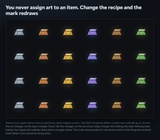
Forty-eight hand-authored silhouettes across six process stages, eight per stage
Ten material spectra, each a six-role colour scheme rather than a hue rotation
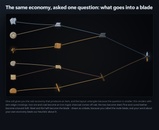
Inlays derived from the secondary reagent, so an alloy reads as an alloy
Three progression states - Unknown, Known, Craftable - drawn as one mark restated, not three assets
Your own words win: a node whose id or label contains blade, ingot, gear or lantern is drawn as that thing, and only falls back to a derived form when nothing matches
Layered graph layout with crossing reduction, plus AncestryOf for focused "what produces this" views
Every derivation explained in plain English per node, and overridable outright
Deterministic: the same graph yields byte-identical art on every machine and every launch
Editor window to preview, explain, and bake every mark to PNG
Code Modules
CSAF.SynthesisWeb.Runtime - runtime, all platforms
CSAF.SynthesisWeb.Editor - editor only
CSAF.SynthesisWeb.Demo - runtime, all platforms (the sample scene and economy)
Number of .cs Scripts: 23 (19 runtime, 1 editor, 3 demo)
Number of Assembly Definitions: 3, each named and platform-constrained
Supported Development Platforms: Windows, macOS, Linux
Supported Target Build Platforms: All. The art path is CPU-side Color32 work and calls no platform API, no compute shader and no native plugin, so it runs anywhere Unity does - Windows, macOS, Linux, iOS, Android, WebGL and console. It also runs in batch mode and in CI, because it needs no graphics device.
Supported Unity Pipelines: Built-in, URP, HDRP and any custom render pipeline. There are no pipeline variants to maintain because there is no shader in the package - every mark is rasterised in software into a Texture2D.
Unity Version: 2022.3 LTS or newer. Built and gated on 6000.5.7f1.
Dependencies: None. The runtime assembly definition's reference list is empty. No third-party packages, no Resources folder, no prefabs, no canvases, no shaders, no network calls, no analytics.
Documentation: https://github.com/onefreeman1337/csaf-releases/blob/main/docs/synthesis-web/README.md - full written documentation, publicly readable without downloading the product. Every public API also carries XML doc comments in the source.
Example Project: Yes - a demo scene ships in the package in the Demo folder, together with a worked sample economy built in code. Open the scene and press Play; it needs no setup.
Versioning: 1.0.0. Semantic versioning. The silhouette corpus and the material spectra are additive - new forms are appended, so an existing graph keeps the art it already derives.
Important/Additional Notes: Rendering is CPU-side and cached. A web is composed once into a Texture2D and nothing redraws per frame, so Rebuild() is an explicit call rather than something that runs in Update. For a large economy prefer a focused view over drawing everything: a focused sub-graph renders without edge crossings, whereas a few hundred recipes drawn at once is not a picture anyone can read.
Support: Reply on the product page, or open an issue against the documentation repository above. Include your Unity version and, where possible, the recipe rows that produced the mark you are asking about - the derivation is deterministic, so the same rows reproduce it exactly here.