




Описание
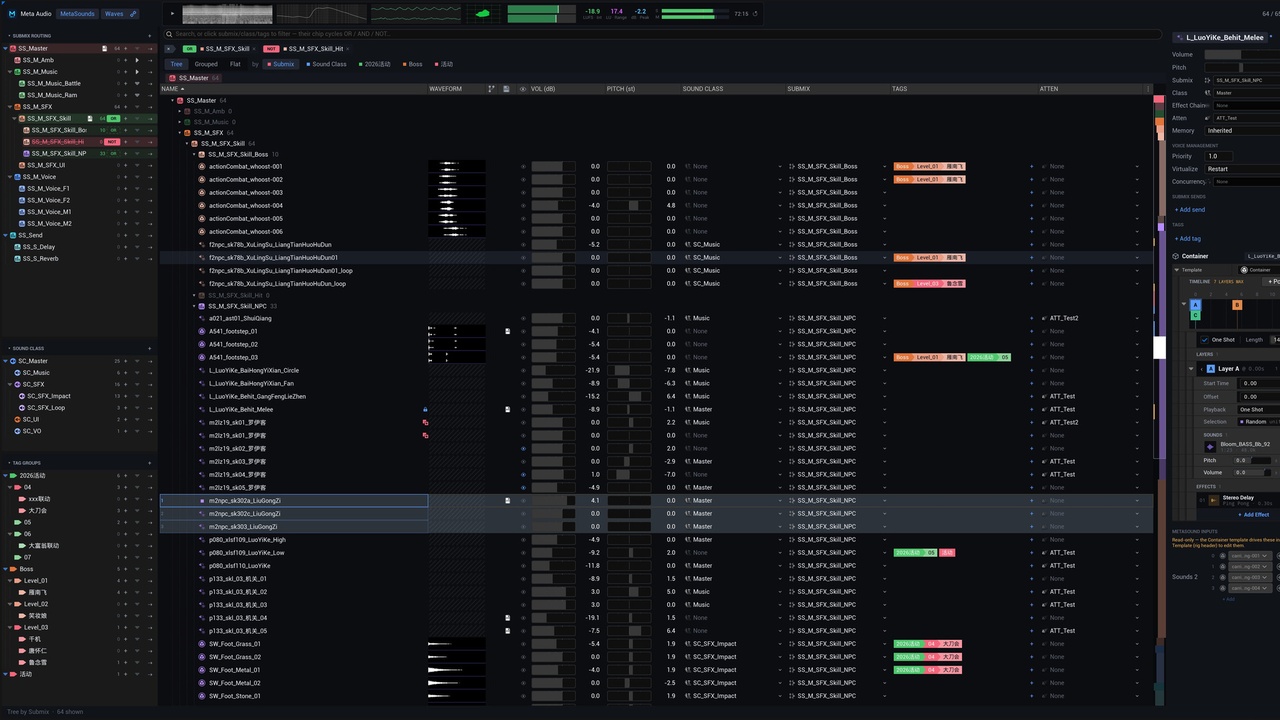
Meta Audio Manager is the all-in-one, centralized home for authoring and managing every MetaSound, SoundWave, Submix and SoundClass in your project. One window replaces dozens of Details panels and Content Browser detours: see all your sounds in a live table, edit them in place, and keep the whole project organized as it grows.
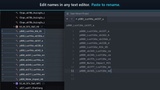
Bulk editing that actually scalesPaste rename — copy a name list from a spreadsheet and paste it across the selection; sequence renaming handles numbered variants for you.
Drag to multi-select, then type to edit — sweep rows like spreadsheet cells and type once to edit them all: volume, pitch, class, submix, attenuation and more.
Relative editing — nudge values relative to each asset's current setting, so a whole selection moves together without flattening your mix.
Fuzzy search finds scattered matches, not just prefixes — highlighted right in the row names.
Unicode throughout — CJK and other non-Latin asset names display, search, sort and rename as reliably as ASCII ones.
Pinyin initials for Chinese names: type dd to find 大刀 — Hanzi match by their romanized initials, no IME switching needed.(Korea and Japanese support coming soon).
Build your own tag groups and nested tags — stop mirroring the same folder structure over and over just to express categories.
Smart filter indicators: OR / AND / NOT chips show each row's effective filter state, match counts update live, and impossible combinations gray themselves out.
One-click MetaSound creation from any row, submix, class or tag — routed and tagged on arrival.
Comprehensive Container templates: layered timelines, random/weighted selection, per-layer playback settings and effects.
Drag-and-drop wave assets straight into containers and wave slots.
Generated through the MetaSound Builder API, so every graph comes out clean and performant — no hand-wired spaghetti.
An overview scroll-bar maps the entire project: routing colors, selection marks, search hits and name collisions at a glance.
Click a tag, sidebar row or breadcrumb to jump — the table switches grouping, expands just what is needed, and scrolls you there.
The inspector's inputs section edits MetaSound input defaults — floats, bools, waves and arrays — and fires triggers on the live preview, without opening the graph.
Data-cached for performance: registry-driven scanning, async loading and cached lookups keep the table responsive on thousands of assets.
Pure editor plugin — two editor-only modules, zero runtime or shipping footprint.
Engine: Unreal Engine 5.8 · Platform: Win64 (editor)
Type: Editor tool (Editor + UncookedOnly modules — nothing ships in builds)
Contains: C++ source; no content required
Dependencies: MetaSound, AudioSynesthesia, AudioWidgets (engine plugins)
Docs & support: https://github.com/andrew4git/docs/blob/main/Meta_Audio_Manager_Manual.md