

Descripción
Documentation: wiki.teufel-engineering.com/en/LoadLens/documentation — the complete manual, readable in full before you buy: installation, API, settings, the demo map and a troubleshooting section.
LoadLens does not preload anything and does not fix anything. It tells you what blocked and what it cost.
A LoadSynchronous in a Blueprint function that runs on a weapon switch costs milliseconds the first time and nothing afterwards. On the machine it was written on, nobody notices. On a player's slow drive it is a visible stop, every single session.
The engine already reports every blocking load - FCoreDelegates::OnSyncLoadPackage hands over the package name. What it does not give you is a list, a budget, and a check that fails a build when the freezes come back. LoadLens is those three things.
Caught on the engine's own hook
Nothing to instrument, nothing to recompile, no macro to sprinkle through your code. LoadLens hangs on the engine's synchronous-load hook before your game starts loading its first map, so even the loads that happen while the title screen is coming up are caught. Around that hook it records the package name, the stall, the frame number, the seconds since the map loaded, and - where it can be established honestly - the Blueprint function that asked.
It names the caller, or it says it does not know
When the load came out of a Blueprint you get the class and the function. When it came out of another object's serialisation you get that object. When it came in as an import you get the load that dragged it in.
And when none of those can be established, the row says unknown caller and nothing else. No guessed name, ever. A wrong culprit costs more time than no culprit: it sends somebody to the wrong file for an afternoon, and they trust the next name less afterwards.
It counts instead of spamming
The same path loaded a hundred times is one row with a counter and a sum - not a hundred log lines. A log that writes a line per incident makes the hitch it is measuring worse, which is the fastest way for a profiling tool to become the problem it was installed to find.
Packages pulled in as imports underneath another blocking load are listed and marked, and carry no milliseconds of their own, because their time is already inside the outer load's figure. Counting it twice would inflate the one number people quote at each other in a review.
A budget, and a colour
The default budget is zero blocking loads after start-up, measured after a warm-up window of three seconds - because a map load always brings some, and a tool that goes red every time you press Play is a tool people switch off in the first week.
The counter box turns red the moment one gets through and names the most expensive one with its path and its milliseconds, with the five worst packages listed underneath. While the warm-up is still running the box says so in words: a green box has to distinguish between "nothing blocked" and "nothing counts yet".
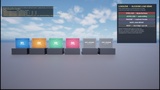
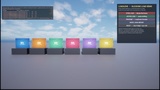
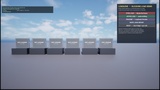
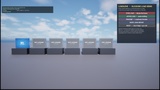
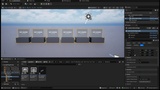
Here is what that reads like in the demo map that ships with the plugin, after loading all six panels the wrong way: blocking loads 6 (6 after warm-up) | worst T_LoadLensHeavy_02 3.3 ms | total 13.3 ms, budget 0, warning limit 5, verdict Over, and underneath every package with its own count and figure. Be clear about the size of those numbers: two to three milliseconds per 2K texture, from a fast local drive, on a warm machine. That is the point rather than a disappointment. The value is not that the figure is large here; it is that the figure exists at all, with a caller next to it, while it is still small - because the same six lines on a player's mechanical drive are not three milliseconds.
It is drawn on UCanvas from an AHUD. No UMG, no Slate, no editor module - so it is still there in a packaged Shipping build, which is exactly where these loads cost somebody something.
A gate for your build server
LoadLens.Gate 60
Measures for sixty seconds, writes Saved/LoadLens/report.json and ends the process with 0 for none, 1 under the warning limit and 2 above it. The same three exit codes as LocaleGuard, AssetWarden and WidgetLedger, meaning the same three things - a project that already checks one of them needs no second convention.
The report is plain JSON: verdict, exit code, budget, every package with its count, its total, its worst stall and its caller.
And a switch that shows it working
LoadLens.Provoke
deliberately triggers one blocking load on the plugin's demo asset, so you can watch the box react without first having to build a bug into your own game. It is a real synchronous load and a real measurement - if the asset is already in memory the command says so rather than reporting a zero that looks like a broken plugin.
Honest about its own numbers
The engine reports the start of a synchronous load in every build configuration, and the end only in some. So every row carries how its figure was obtained - exact, measured, or an upper bound printed with a leading < - and the counter box explains the mark. A number that quietly means something different depending on how the project was compiled is worse than a number with a caveat on it.
What it is not
Not level streaming. A streaming cell arriving late is a different hitch with a different cause. That one is StreamGuard; most projects have both problems, and the two are complementary rather than alternatives.
Not Unreal Insights. Insights is a better recorder and always will be. It is also a second program, a recording, and a thing nobody opens until the week before submission. LoadLens is a number on the screen while somebody is playing, in the build you will ship.
Not a fixer. Turning a LoadSynchronous into an async load is a change in your graph, and it has to be - only you know what your code is allowed to do while the asset is not there yet.
Not a phone-home. No telemetry, no network. The report is a file in your own Saved folder.