

Opis
Unreal ships a validation framework but no rules. Data Validation gives you UEditorValidatorBase and a place to hang C++ subclasses - so every studio that wants naming conventions, texture budgets or folder policies writes that C++ themselves, maintains it, and then discovers their technical artists cannot change a rule without a programmer and a recompile.
Asset Sentinel is the authoring layer Epic left out. Rules become editable data assets. A technical artist writes the standard; nobody writes a plugin.
STANDARDS AS DATA, NOT CODE
A rule set is a Data Asset. Add a Naming Convention rule, point it at a class, give it a prefix. Add a Mesh Budget with a triangle ceiling and a minimum LOD count. Add a Folder Policy. Each rule carries its own severity, so you can roll a new standard out as warnings and promote it to errors once the project is clean.
IT RUNS HEADLESS AND IT FAILS THE BUILD
The commandlet runs with no editor UI and returns a non-zero exit code when the project breaks the standard, which is the entire point of a CI gate:
UnrealEditor-Cmd.exe MyProject.uproject -run=AssetSentinel -RuleSet=/Game/Standards/DA_StudioStandard -Output=Artifacts
Asset Sentinel: FAIL
Assets scanned : 11 (0 loaded)
Errors : 3
Auto-fixable : 3
Fail threshold : Error
THREE REPORT FORMATS, BECAUSE THREE THINGS READ THEM
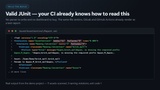
JUnit XML - your CI already knows how to render it. Every violation becomes a failed test case, grouped by rule.
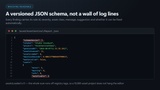
JSON - versioned schema with ruleId, severity, asset, message, suggestion and autoFixable per issue, for dashboards and trend tracking.
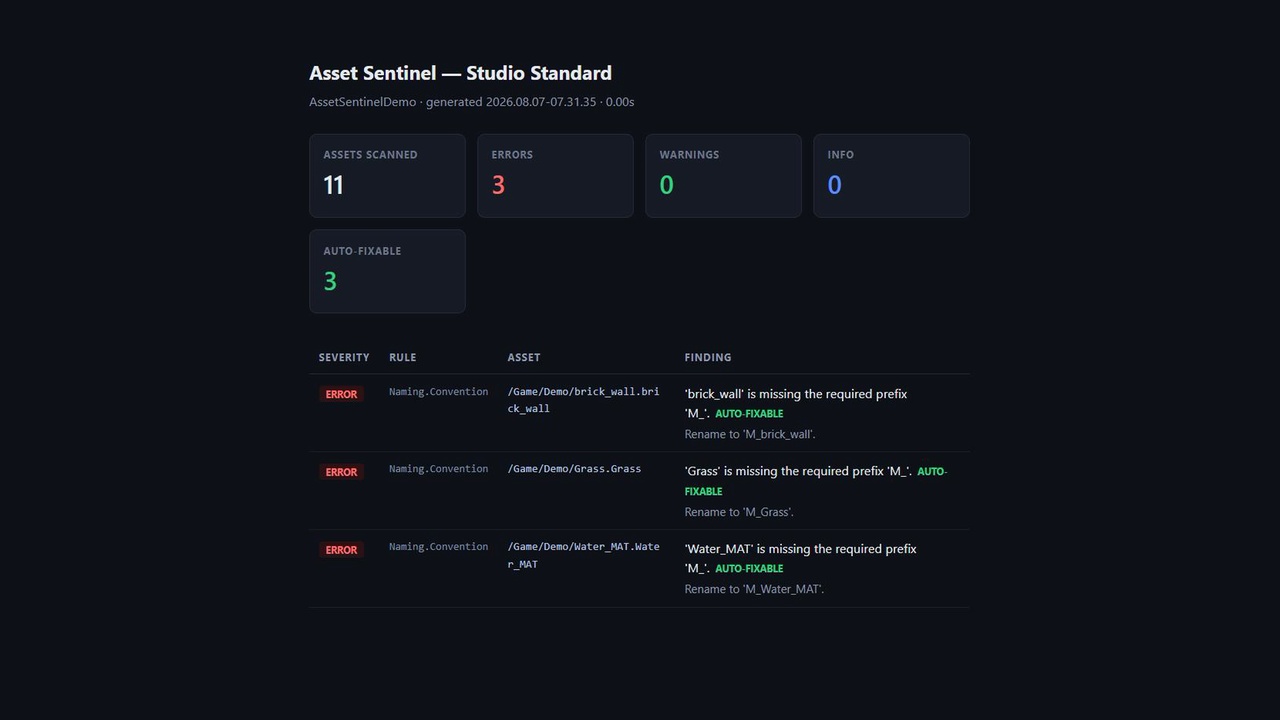
HTML - a readable summary to attach to a build, or hand to an art lead who does not read build logs.
FINDINGS TELL YOU THE FIX
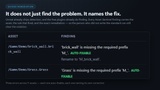
Not just that an asset violates a rule. Every issue carries the remediation and whether it can be applied automatically:
[Error] /Game/Demo/brick_wall: 'brick_wall' is missing the required prefix 'M_'. Rename to 'M_brick_wall'. AUTO-FIXABLE
IT SCANS WITHOUT LOADING YOUR PROJECT
Rules read Asset Registry tags rather than loading every asset to inspect a property. That is the difference between a scan that finishes in seconds and one that hangs the editor for twenty minutes on a real project. The run above scanned 11 assets with 0 loaded.
VERIFIED, AND THE LIMITS STATED
Packaging gate: 0 errors, 0 warnings, with 22 real compile actions observed in the log.
Verified end to end on UE 5.8: rule set authored, project scanned, violations found, all three reports written, non-zero exit returned.
Engine support: UE 5.8 only. Earlier versions are not claimed, because only 5.8 was available to verify against and an unverified compatibility claim is worth nothing.
BUILT TO BE READ
Full C++ source, Doxygen on every public API, no obfuscation. Editor-only modules, GC-safe object handling, and Slate widgets that hold weak references to model data.
TECHNICAL INFORMATION
Features:
- Asset standards authored as editable Data Assets - no C++ required to add or change a rule
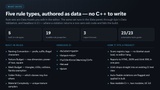
- Built-in rules: Naming Convention, Texture Budget, Mesh Budget, Folder Policy, Material Complexity
- Per-rule severity (Info / Warning / Error) so a standard can roll out as warnings and be promoted later
- Headless commandlet returns a non-zero exit code, usable directly as a CI build gate
- Three report formats written per run: JUnit XML, JSON (versioned schema), HTML
- Every finding carries a remediation string and an auto-fixable flag
- Auto-fix is opt-in, previewed and undoable
- Scans read Asset Registry tags rather than loading assets, so large projects scan in seconds
- Extensible: subclass UAssetSentinelRule and override GetRuleId and Evaluate
Code Modules:
- AssetSentinel (Editor) - rules, rule sets, scanner, reporter, settings, commandlet, validator
- AssetSentinelUI (Editor) - the Slate results panel
Number of Blueprints: 0
Number of C++ Classes: 18 (11 classes and 7 structs exported via ASSETSENTINEL_API)
Network Replicated: No - this is an editor-only tool and has no runtime or networked component.
Supported Development Platforms: Windows (Yes), Mac (No)
Supported Target Build Platforms: None. Both modules are Editor type and are not included in a packaged build, so the plugin does not affect or restrict the platforms your project can ship to.
Documentation Link: https://github.com/onefreeman1337/csaf-releases/blob/main/AssetSentinel/Docs/Documentation.md
Example Project: https://github.com/onefreeman1337/csaf-releases/releases/download/asset-sentinel-v1.0.1/AssetSentinelExample.zip
Important/Additional Notes: Requires the Data Validation plugin, which ships with the engine and is enabled automatically via the .uplugin dependency. Verified on Unreal Engine 5.8 only; earlier versions are not claimed because they were not built and verified. The example project depends on the plugin and deliberately does not distribute it - install Asset Sentinel into its Plugins folder before opening.