









Descripción
I spent over 20 years as a motion picture camera assistant on real sets. When I moved to Unreal Engine, the cinema camera tools didn't match the workflow I knew — no false color, no histogram, no way to know where my subject was in the scene. So I built the plugin I wished existed.
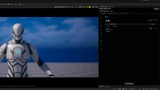
Real Cinema Camera Pack is a professional camera simulation plugin for Unreal Engine that brings real-world cinematography tools into the engine — with a dockable UI panel designed to feel like working on set.
What's included:
42 real camera bodies — each with true sensor dimensions and color space. Includes 6 film cameras
80 lens assets with real distortion maps and anamorphic squeeze support (1.5x–2x)
46 real film stocks
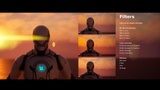
34 optical filters — ND (0.3–3.6), Wratten 85B/80A/82C/81EF color correction, TBPro-Mist & P-Mist (1/8–2), Glimmerglass, HBMagic, filters — stackable like a real matte box.
On-set monitoring tools — the ones UE was missing:
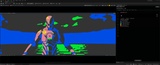
False Color and Histogram
Distance measurements focus readout — know exactly where your subject is in the scene
Viewport HUD and Safe Area frame lines (2.39:1, 1.85:1, 16:9, 4:3, 1.37:1)
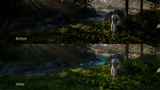
Post-process pipeline: Lens distortion → anamorphic flare → custom bokeh → lens dirt → vignetting → film color response (3D LUT) → film grain → halation → filter stack → OCIO color management
This isn't just a stack of post-process effects. It's a camera system built by someone who spent two decades on set — who knows what a 2x squeeze does to bokeh, what Port 400 does to skin tones, and why you need a histogram before you commit to a take.
If you're coming from the film world into Unreal Engine, this is the bridge.
Real Cinema Camera Pack brings real-world cinematography into Unreal Engine 5 with 42 camera bodies, 80 lenses, 46 film stocks, 36 optical filters, and a full OCIO post-process pipeline — all controlled through a dockable in-editor panel. Watch the demo.
Requires CameraCalibrationCore, LensComponent, and OpenColorIO engine plugins (auto-enabled). Documentation included as README.txt in the plugin folder with detailed instructions for installing.