Descrizione
Turn a failed build log into a clearer next step.
Cobalt Build Clarity is a native Unreal Engine editor plugin that groups cook, build and packaging diagnostics, preserves the original evidence, and suggests practical checks. Import a log, paste an excerpt, or open the latest log in your project’s Saved/Logs folder.
What you get24 diagnostic rules covering Blueprint and structure errors, missing content, plugin manifests, Windows toolchains, selected compiler/linker errors, shaders, materials and resource/path problems.
Evidence attached to every finding: original line numbers, repeat counts and up to three evidence samples.
Searchable editor panel with an errors-only filter, background analysis, copy finding, and selection of existing /Game/ assets.
Portable HTML and JSON reports for investigation and team workflows.
Commandlet support for scripts, with optional failure exit codes.
Full C++ source, quick-start documentation, three synthetic sample logs and developer automation tests.
Analysis runs locally. No API key, subscription or external service is required.
CompatibilityTested in Unreal Engine 5.8.0 on Windows / Win64. One editor-only C++ module; no runtime module or bundled third-party libraries.
ScopeBuild Clarity analyzes existing logs; it does not automatically repair assets or run builds. Recognized signatures are investigation leads, not verified root causes. English diagnostic wording is supported. Unrecognized errors remain visible where detected. A clean report does not certify build success.
Up to 64 MiB per input file and 2,000 diagnostic groups. Exported reports retain log text and paths; review them before sharing.
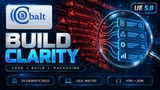
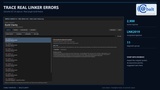
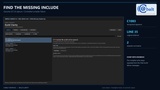
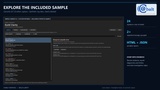
Gallery and documentationThe gallery includes genuine UE 5.8 editor captures using real compiler/linker failures. The included synthetic sample is labeled separately. The cover is promotional artwork. The quick-start guide is included in the Documentation folder. Open the panel from Tools → Cobalt Graphics → Build Clarity.
Created by Cobalt Graphics. Source, documentation and promotional artwork were produced with AI assistance; runtime log analysis is deterministic and does not use generative AI.