Descripción
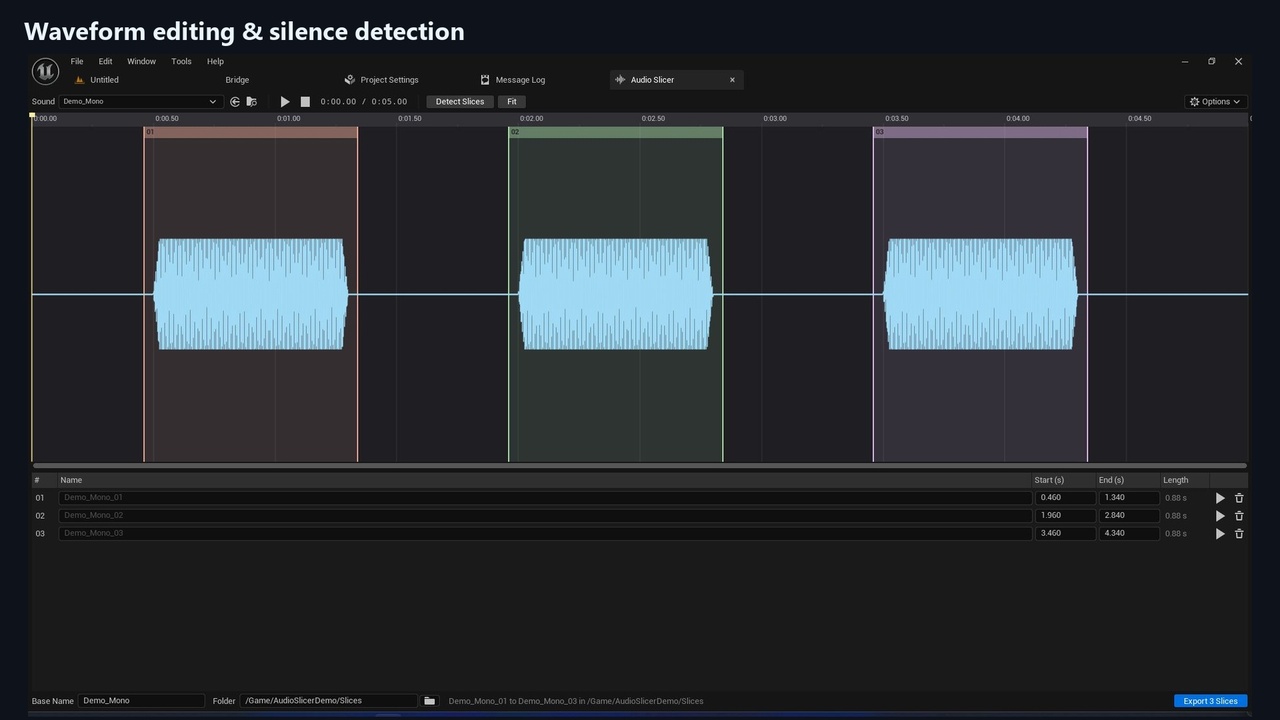
Turn long recordings into ready-to-use Sound Wave assets directly inside Unreal Editor. Audio Slicer lets you mark regions on a waveform or detect them automatically from silence, then name and export your slices in one batch. Ideal for dialogue recordings, voice-over takes, footsteps and other sound effects.
Features
• Zoomable waveform with separate channel lanes, timeline and audio preview.
• Draw, move, resize, split and name slices, with undo and redo for slice edits.
• Adjustable silence detection: threshold, minimum silence, minimum slice length and padding.
• Zero-crossing snapping and configurable fades to reduce clicks at cut boundaries.
• Batch export to regular Sound Wave assets in a chosen content folder.
• Copy playback settings from the source, including sound class, submix, attenuation, concurrency and compression.
• Update existing Sound Waves in place or create uniquely named assets. Export protects the source recording.
• Editor Utility Blueprint and Python API for automated workflows.
Supported editor platforms: Windows. Validated engine versions: UE 5.4 and UE 5.8.
Editor-only plugin: no runtime plugin module is added to packaged games. Imported Sound Waves are supported; Sound Cues and procedural audio are not. Exports contain 16-bit PCM. Slice definitions are editing-session data, and exported slices do not retain a reimport link to the source recording.
Documentation: https://github.com/ITemre/AudioSlicer/tree/v1.0.0-rc.1#readme