
Descrizione
Developer Framework Professional Runtime Debugging, Reflection & Multiplayer Toolkit for Unreal Engine 5
Overview
Ultimate Debug Framework is an all-in-one runtime debugging and development toolkit built to dramatically accelerate iteration, simplify debugging, and improve development workflows for Unreal Engine projects.
Built entirely in high-performance C++, no C++ knowledge is required. The entire framework is Blueprint-friendly, allowing developers to easily configure, extend, and customize its functionality directly from Blueprints.
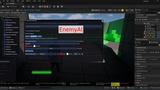
From runtime reflection and live property editing to multiplayer debugging, replication visualization, AI debugging, performance profiling, session recording, and more, Developer Framework provides a complete suite of professional tools through a modern, lightweight interface.
No setup required. Simply enable the plugin, restart the editor, and start debugging immediately. No additional configuration, code changes, or project integration is needed.
Whether you're developing a single-player game, multiplayer title, RPG, simulation, or AI-driven project, Developer Framework gives you everything you need to inspect, modify, profile, and understand your game in real time—helping you iterate faster and solve problems more efficiently.
YOUTUBE SHOWCASE- https://youtu.be/ddXMDM8669M
Features
Reflection Browser
Browse every reflected object in your game at runtime.
✔ Search Actors, Components and UObject instances
✔ Inspect properties
✔ Browse functions
✔ View inheritance hierarchy
✔ Runtime object inspection
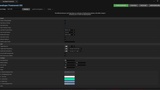
Live Property Editing
Modify variables without recompiling.
✔ Bool
✔ Integer
✔ Float
✔ Double
✔ Enum
✔ FVector
✔ FRotator
✔ FTransform
✔ Structs
✔ Nested Structures
✔ Arrays (supported types)
Perfect for gameplay tuning and balancing.
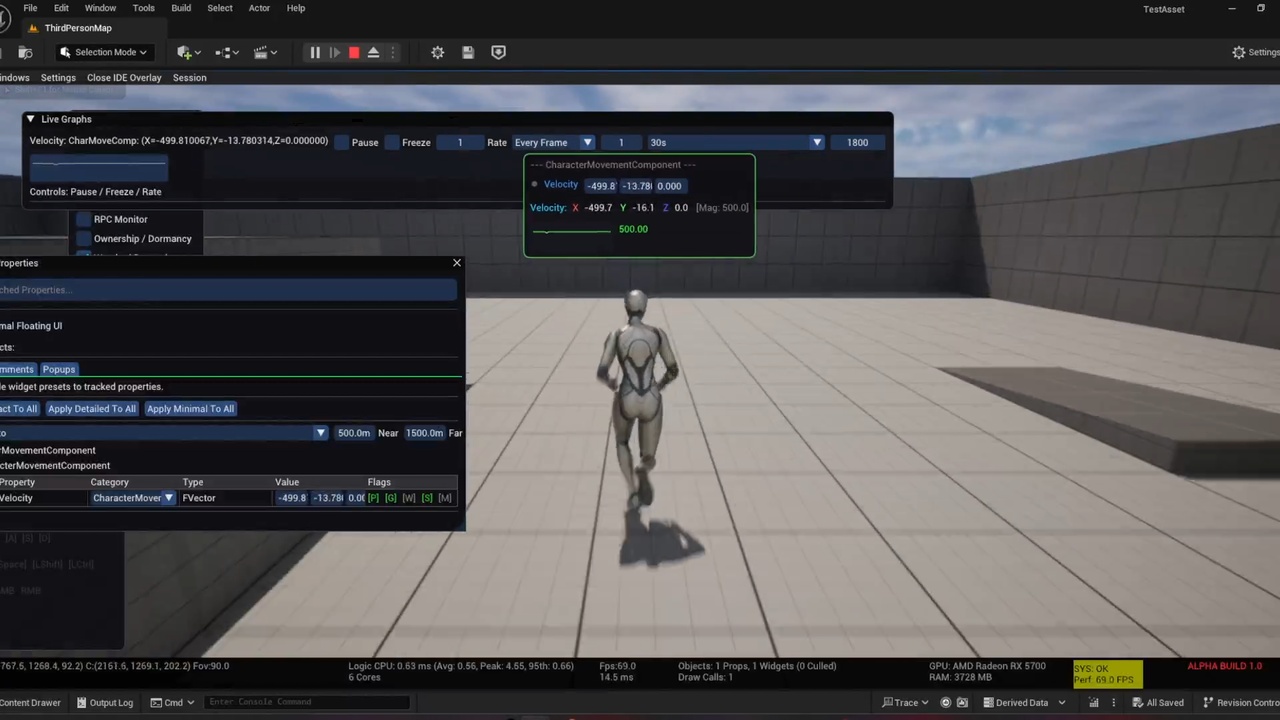
Runtime Property Watcher
Track any variable in real time.
Features include:
• Floating Widgets
• Compact Widgets
• Detailed Widgets
• Live Graphs
• Value History
• Multiple Display Modes
• World-space overlays
• Automatic updates
Multiplayer Debugging
Designed for multiplayer development.
Includes:
✔ Peer Manager
✔ Server / Client Inspector
✔ Authority Viewer
✔ Dormancy Viewer
✔ Local PIE Support
✔ Snapshot Comparison
✔ Replication Statistics
✔ Network Metrics
RPC Monitor
Monitor Remote Procedure Calls in real time.
Displays:
• Reliable / Unreliable RPCs
• Parameters
• Call History
• Sender
• Receiver
• RPC Statistics
Replication Heatmap
Visualize replication activity inside your world.
Supports multiple visualization modes:
• Actor Count
• Network Bandwidth
• RPC Count
• Property Replication
• Dormancy
• Net Priority
• Packet Loss
Hover over cells to inspect detailed replication information.
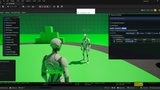
AI Debugger
Record and visualize AI behaviour.
Features:
✔ AI State Timeline
✔ State Duration
✔ Transition History
✔ Transition Details
✔ Blackboard Support (when available)
✔ StateTree Support (supported engine versions)
✔ Works with custom C++ AI systems
✔ Session Recording
✔ Timeline Scrubbing
Timeline Recorder
Record gameplay information over time.
Visualize:
• Property changes
• AI states
• Timeline events
• Graphs
• Network information
• Debug sessions
Session Recording
Save and reload debugging sessions.
Record:
• Timeline
• Selected Objects
• Tracked Properties
• AI Sessions
• Debug Layouts
• Window Configuration
Perfect for bug reproduction and QA workflows.
Performance Profiler
Built-in framework profiler.
Monitor framework performance in real time.
Includes:
✔ CPU Usage
✔ Update Cost
✔ Render Cost
✔ Memory Usage
✔ Reflection Cache
✔ Timeline Buffers
✔ Draw Calls
✔ Widget Statistics
✔ Peak Timings
Modern Runtime Interface(using dear imgui)
Clean developer-focused UI.
✔ Dockable Windows
✔ Floating Widgets
✔ Live Search
✔ Configurable Layout
✔ Dark Theme
✔ Runtime Controls
✔ Keyboard Shortcuts
✔ Lightweight Rendering
⚙ Built for Performance
Designed for minimal runtime overhead.
✔ Optimized C++
✔ Cached Reflection
✔ Incremental Updates
✔ Low Memory Usage
✔ Efficient Rendering
✔ Suitable for large projects
Supported Engine Versions
✔ Unreal Engine 5.2
✔ Unreal Engine 5.3
✔ Unreal Engine 5.4
✔ Unreal Engine 5.5
✔ Unreal Engine 5.6
✔ Unreal Engine 5.7
✔ Unreal Engine 5.8
(Compatibility may expand with future updates.)(working on ue4)
Perfect For
• Gameplay Programmers
• Multiplayer Developers
• AI Developers
• Technical Designers
• QA Teams
• Indie Studios
• Professional Studios
• Unreal Engine Developers
Documentation
Complete documentation, setup guides and API references are available here:
Documentation
Video Tutorials
Watch installation guides, feature walkthroughs and update videos:
YouTube
💬 Community & Support
Need help?
Join the official Discord community.
Report bugs, request features, get support and share feedback.
💬 Discord
Regular Updates
Developer Framework is actively maintained.
Future updates will continue expanding the framework with new debugging tools, workflow improvements, engine compatibility updates and community-requested features.
Note: This plugin requires the Engine's native StateTree and GameplayStateTree plugins to be enabled.
❤️ Thank You
Thank you for supporting Developer Framework.
If you enjoy the plugin, please consider leaving a rating and review on Fab. Your feedback helps shape future updates and allows the framework to continue growing.