Description
Tactical Radar Detection System
Blueprint-Based Air Surveillance for Unreal Engine 5.6
Short Store Summary
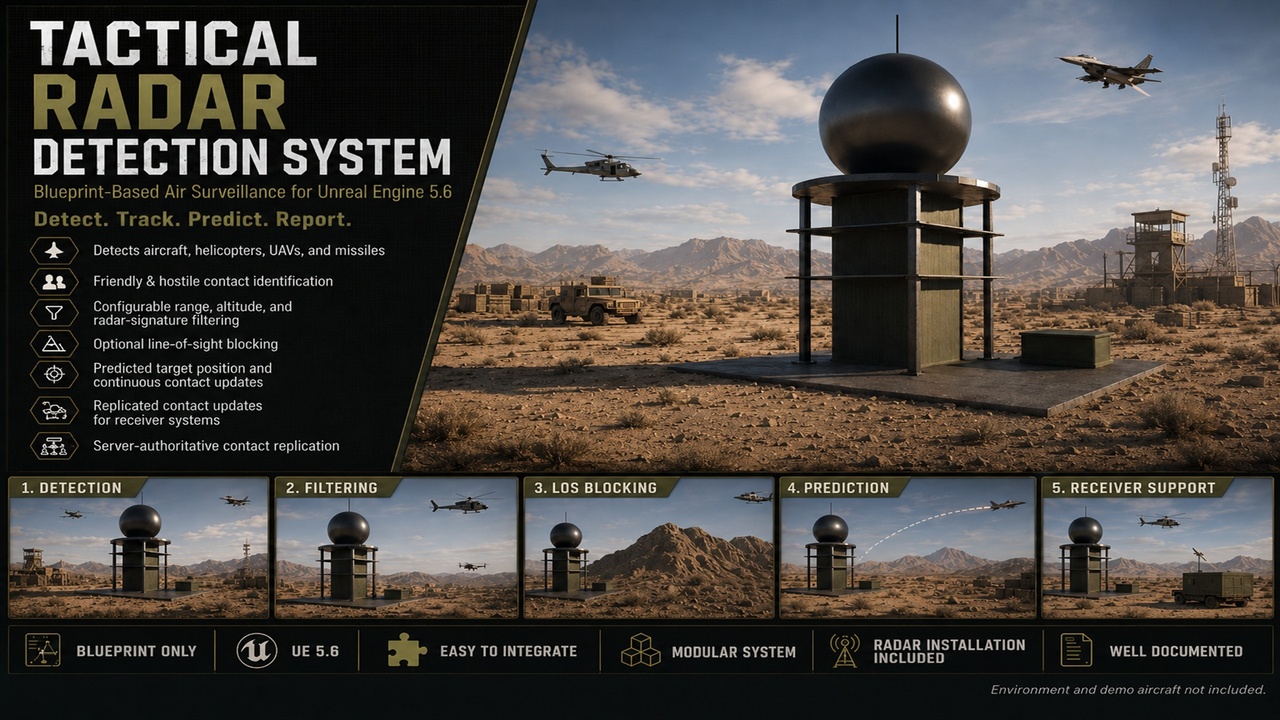
The Tactical Radar Detection System is a Blueprint-based air-surveillance framework designed for military games, flight combat projects, tactical shooters, and defense simulations. It detects, filters, tracks, predicts, and reports airborne contacts while supporting friendly and hostile identification, radar signatures, altitude restrictions, line-of-sight obstruction, multiplayer replication, power controls, and multiple independent radar installations.
Detailed Marketing Description
Build functional radar installations without creating the detection framework from scratch.
The Tactical Radar Detection System provides a modular air-surveillance system that can be connected to aircraft, helicopters, UAVs, missiles, warning systems, user interfaces, anti-air systems, mission objectives, and other gameplay mechanics.
Each airborne target uses a reusable radar-signature component that stores its target classification, team identification, radar visibility, display name, and radar-signature strength. Radar installations scan the surrounding area at a configurable interval and reject contacts that do not meet their detection requirements.
Targets can be filtered by distance, radar signature, target classification, altitude, team, detectability, and physical line of sight. Buildings, terrain, mountains, and other blocking objects can prevent detection when the line-of-sight option is enabled.
The system separates detected contacts into friendly and hostile groups and sends interface-based notifications whenever a contact is first detected, continuously updated, or lost. External systems can receive this information without needing to be directly built into the radar Blueprint.
This makes the system suitable for connecting radar installations to warning sirens, tactical displays, mission systems, AI defenses, anti-air weapons, command centers, objective logic, and custom user interfaces.
The radar also calculates target movement information and predicts a hostile contact’s future position based on its current velocity and a configurable prediction time. This information can be used by other gameplay systems for interception, visualization, threat warnings, or weapon-control logic.
The package uses timer-based scanning rather than Event Tick, helping avoid unnecessary frame-by-frame detection checks. Radar installations can be powered on, powered off, or permanently destroyed. When disabled or destroyed, active contacts are properly removed and receiver systems are notified.
Multiplayer functionality is server authoritative. The server performs the radar scans and distributes contact information to connected clients. Replicated contact arrays and RepNotify logic also support players joining an active multiplayer session after contacts have already been detected.
Multiple radar installations can operate independently in the same level, each with its own range, team, target filters, detection settings, receivers, and tracked contacts.
Key Features
Airborne Target Detection
Detect supported airborne target categories:
Fixed-wing aircraft
Rotary-wing aircraft
Unmanned aerial vehicles
Missiles
Unknown or custom airborne contacts
Target classifications are controlled through an included Blueprint enumeration.
Reusable Radar Signature Component
Add the included radar-signature Actor Component to compatible targets.
Each target can define:
Target type
Team ID
Radar-signature strength
Radar detectability
Contact display name
This allows different aircraft and objects to have different detection characteristics.
Friendly and Hostile Identification
The radar compares its team ID against the detected target’s team ID.
Contacts are automatically separated into:
Friendly contacts
Hostile contacts
Friendly and hostile contacts use separate tracked arrays and notification events.
Configurable Detection Range
Each radar installation has its own adjustable range.
Range is measured using Unreal Engine units and can be changed per placed radar instance.
Radar-Signature Filtering
Targets must meet the radar’s minimum signature requirement before they can be detected.
Example uses include:
Large aircraft having strong signatures
Small UAVs having weaker signatures
Stealth aircraft having reduced signatures
Missiles using specialized signature values
Damaged or powered-down targets becoming harder to detect
Target-Type Filtering
Each radar contains an allowed-target-types array.
Developers can configure individual radar installations to detect only certain contact classes.
For example:
Long-range radar detecting aircraft and missiles
Short-range radar detecting helicopters and UAVs
Missile-warning radar detecting only missiles
Early-warning radar detecting all supported airborne targets
Altitude Filtering
Optional minimum and maximum detection-altitude settings allow each radar to ignore targets flying outside its operational altitude range.
Altitude is calculated relative to the radar’s trace-origin component.
This allows the creation of systems such as:
Low-altitude search radar
High-altitude early-warning radar
Terrain-following detection zones
Radar installations limited by surrounding geography
Line-of-Sight Detection
Optional line-of-sight tracing allows physical objects to block radar detection.
Possible obstructions include:
Mountains
Terrain
Buildings
Hangars
Cliffs
Large structures
Custom collision objects
The trace channel is configurable, allowing developers to control which object types block radar detection.
Contact Tracking
The system maintains separate arrays for:
Currently scanned hostile targets
Currently scanned friendly targets
Persistently detected hostile targets
Persistently detected friendly targets
Locally known hostile contacts
Locally known friendly contacts
This prevents the system from repeatedly treating an already tracked aircraft as a new contact.
Contact Detection Events
Receiver systems are notified when a new contact is detected.
Included interface events support:
Hostile contact detected
Friendly contact detected
These events provide both the detected target and the radar installation that detected it.
Continuous Hostile Contact Updates
Tracked hostile contacts can continuously provide:
Current world location
Current velocity
Predicted future location
Configured prediction time
Target Actor reference
Radar source reference
These updates can be connected to tactical displays, warning systems, interception logic, or custom anti-air systems.
Predicted Target Position
The system calculates a projected hostile-contact position using the target’s current velocity and the radar’s prediction-time setting.
This allows external systems to receive more than a basic Actor reference.
Possible uses include:
Intercept markers
Lead indicators
Future-position map icons
AI threat evaluation
Anti-air aiming systems
Missile guidance preparation
Command-and-control displays
The package does not include weapon aiming or firing logic. It provides the detection and tracking information required for another system to use.
Lost Contact Detection
When a target leaves radar range, becomes blocked, drops below the required signature, changes detectability, exceeds altitude limits, or is destroyed, the radar removes it from its tracked contacts.
Receiver systems are then notified through separate friendly and hostile lost-contact events.
Interface-Based Receiver System
The included Blueprint Interface allows other actors to receive radar information without being permanently tied to the radar Blueprint.
Possible receiver systems include:
Radar-screen widgets
Tactical maps
Anti-air weapon systems
Alarm systems
Mission managers
AI commanders
Command centers
Objective actors
Audio warning systems
Aircraft warning receivers
Developers can create their own receiver actors by implementing the included interface.
PLAYABLE DEMO https://drive.google.com/file/d/18qlvcpkPMpmOD_j77K_J9qzbyCqoD8MP/view?usp=drive_link
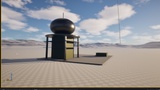
it should note it does not come with any specialized environments or radar models if you are unsure if you like it then i would suggest playing the demo if you want to reach out me on discord I will show what it can do or you can email me as far as documentation everything that relates to the radar system is commented.
[Documentation] ( https://drive.google.com/file/d/1mAGvWsjfBGL6g1vei5gYA2LZjuNcFN5s/view?usp=sharing )