Descripción
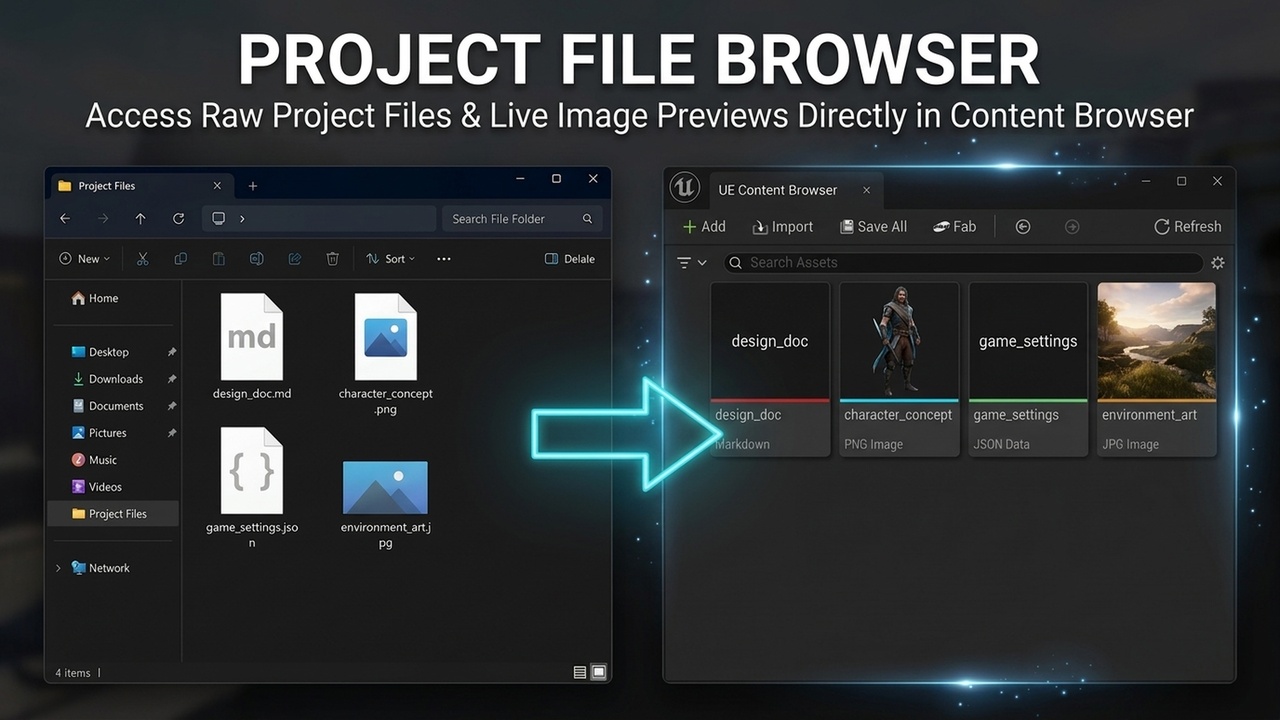
Project File Browser seamlessly bridges external project documents with Unreal Engine's Content Browser. It discovers and displays raw disk files (such as PNG, JPG, JPEG, JSON, Markdown, and TXT) directly within your /Game and plugin folders alongside standard .uasset assets—without requiring imports or converting them into engine assets.
Key Highlights:
- Real Image Thumbnails: Automatically generates clean, aspect-ratio-preserved 256x256 thumbnails for image files.
- Live Hot Reloading: Automatically invalidates and refreshes preview thumbnails whenever disk files are edited externally (e.g. in Photoshop or Aseprite).
- Native OS Integration: Double-click any file or right-click to launch it in its default registered operating system application (VS Code, Photoshop, Notepad, etc.).
- Fully Configurable: Add, remove, or customize monitored extensions, display labels, accent colors, and thumbnail generation per extension in Project Settings.
- Bulletproof Stability: Built strictly on Unreal Engine's modern Content Browser Data Subsystem with real-time extension deduplication and crash-resistant lifecycles.
Documentation: Project File Browser - User Guide & Documentation
Features List
- Displays non-Unreal files inside Content Browser folders
- Generates live 256x256 aspect-ratio-preserved thumbnails for PNG, JPG, and JPEG images
- Real-time disk modification watch with automatic thumbnail hot-reloading
- Double-click to launch files in default external OS applications
- Right-click context menus: "Open in Default Program" & "Show in Explorer"
- Project Settings integration with customizable extension labels and tile accent colors
- Non-destructive: Does not convert or alter disk files
- Crash-resistant lifecycle handling and duplicate-safe settings validation