
描述
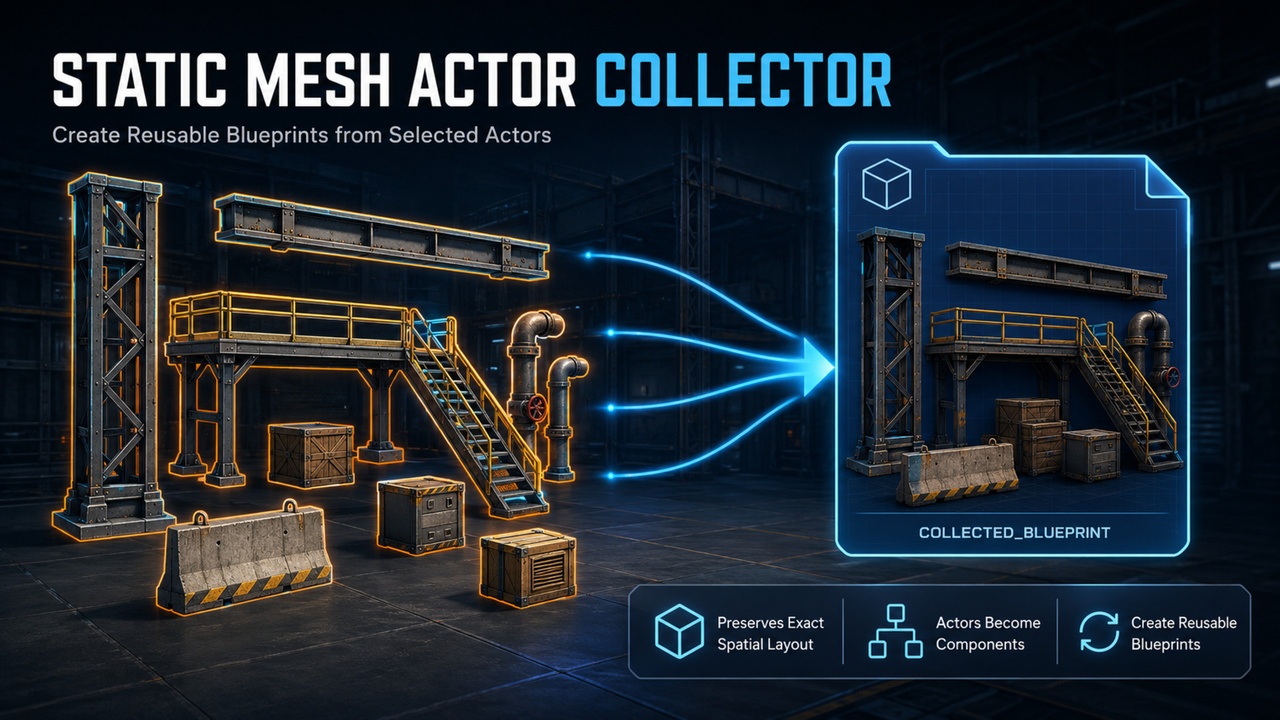
Static Mesh Actor Collector helps you turn actors already arranged in a level into a reusable Actor Blueprint—without changing the original actors.
Select the actors you want to collect, choose where the new Blueprint should be saved, select a pivot mode, and click Create. The plugin preserves the original position, rotation, and scale of the collected objects, then saves the Blueprint and places a new instance in the current level.
## Documentation and Support
Product Demo Video:
https://youtu.be/PAtVBmN1ui8?si=vP1T9V8nDuoSgHQ8
Documentation:
https://github.com/givecode/StaticMeshActorCollector
Bug Reports and Feature Requests:
https://github.com/givecode/StaticMeshActorCollector/issues
If you encounter a problem or would like to request a new feature, please create a GitHub Issue. For bug reports, please include your Unreal Engine version, reproduction steps, screenshots, and relevant Output Log messages.
How Actors Are Collected
Static Mesh Components from regular actors are added as components to the new Blueprint.
Selected Blueprint Actors are preserved as Child Actor Components.
Unsupported actors are ignored.
Original actors remain unchanged.
Key Features
Creates a reusable Actor Blueprint from selected level actors
Preserves the original spatial layout
Supports three pivot modes:
Bounds Center: Uses the center of the complete selection
Nearest to World Origin: Uses the selected actor closest to (0, 0, 0)
Farthest from World Origin: Uses the selected actor farthest from (0, 0, 0)
Supports custom /Game save directories and asset names
Copies commonly used mesh, material, collision, visibility, mobility, navigation, shadow, and component tag settings
Automatically saves and selects the new Blueprint in the Content Browser
Automatically places an instance in the current level
Generated Blueprints do not require this plugin at runtime
Quick Workflow
Select the actors in the Level Editor.
Open Tools > Create Actor Blueprint from Selection, or use the Actor context menu.
Choose a pivot mode.
Enter the save directory and asset name.
Click Create.
Important Information
This tool creates an Actor Blueprint containing components. It does not merge geometry or generate a new Static Mesh asset.
The plugin is editor-only and currently supports Unreal Engine 5.8 on Windows 64-bit.
Static Mesh Component settings are copied selectively; specialized settings may require manual adjustment.
ISM and HISM per-instance transforms and custom data are not converted.
Dynamic Material Instances and unsafe references to objects in the source level are not saved.
Existing attachment hierarchies are not rebuilt, but the initial world-space layout is preserved.
Large selections are processed synchronously and may briefly make the editor unresponsive.