


Descripción
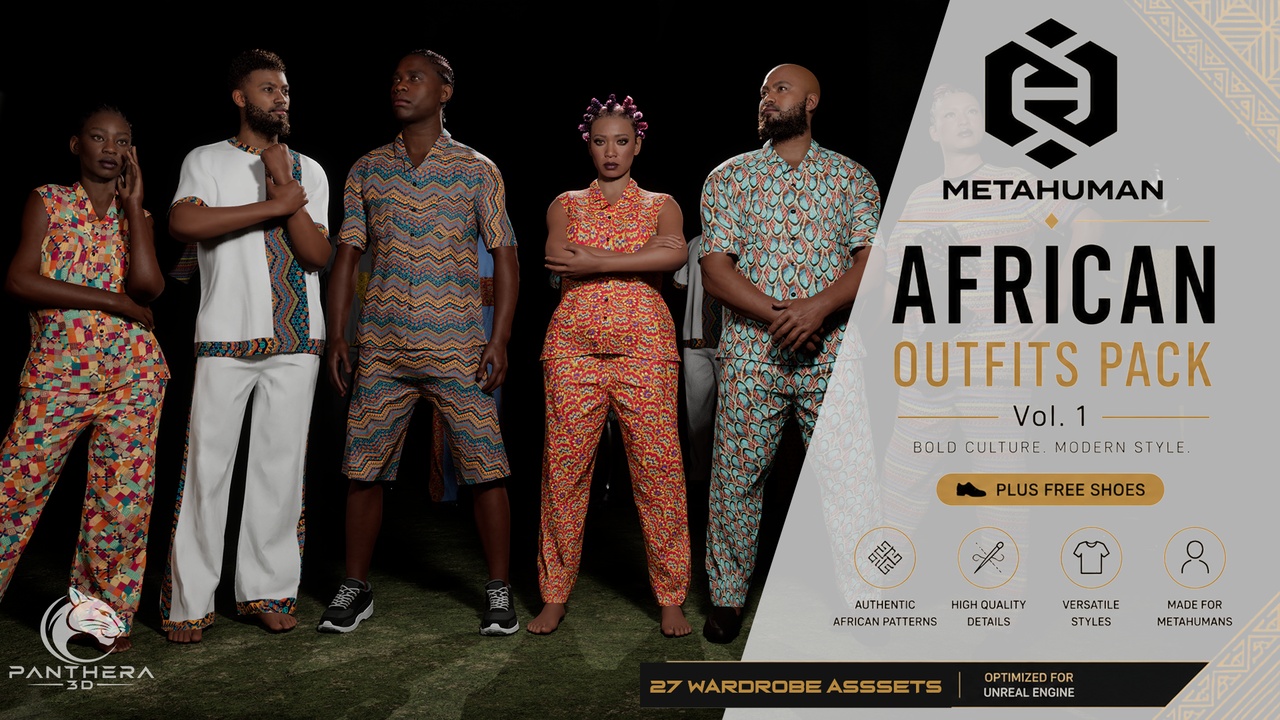
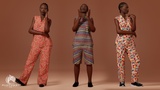
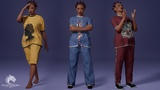
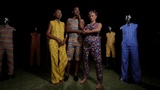
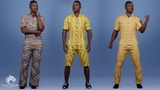
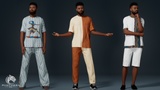
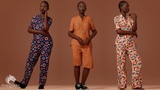
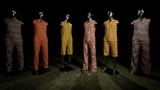
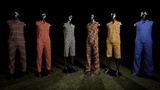
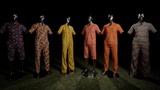
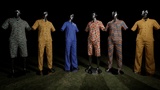
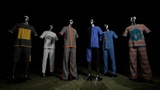
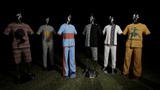
A collection of 27 African-inspired Parametric MetaHuman outfits designed for MetaHuman characters in Unreal Engine. This pack provides a versatile wardrobe of customizable clothing and footwear for creating distinctive African characters, digital humans, cinematics, games, VR experiences, and visualizations.
Video links..
PROMO VIDEO || DEMO 1 | Demo 2 | Demo 3
The MHPKG file contains just One African-inspired Parametric wardrobe asset
The UNREAL ASSET PACKAGE contains 27 African-inspired Parametric wardrobe assets for MetaHuman Creator.
A Collection of African Outfit 01, African Outfits 02 and African Outfits 03.
Parametric Metahuman Outfit Assets ready to use.
22 free Character Poses for shots.
2 studio maps.
13 African pattern textures ready to use
Free Legacy Metahuman shoes with with customizable materials.
Skeletal meshes bound to MetaHuman skeleton
27 Total Parametric Metahuman African Cloth Assets
3 different shirt options: Sleeveless-Collared, Short-Sleeve and Round-Neck
3 different Pant options: Short, Long and Wide leg
3 different shoe options: No shoes, Loafers and Casual Sneakers
Technical Details
4K PBR Textures
4 LODs per cloth assets.
Body masks to remove hidden parts of the Metahuman base mesh beneath clothing
Clean topology, optimized for real-time use
Customizable material setup
Resizable Outfit Assets
No Cloth Simulation
Perfect For
Game development
Cinematic scenes
Cutscenes and trailers
Character visualization and concept art
Real-time Unreal Engine projects
Developers, 3D artists, and virtual production studios seeking Authentic African clothing designs for characters.
Compatibility
Unreal Engine 5.6, 5.7, 5.8+ (parametric MetaHuman system)
Compatible with all MetaHuman body proportions.
Designed specifically for MetaHuman characters.
Documentation / Usage Instructions
Setup:
1. Ensure all required MetaHuman plugins are installed and enabled in Unreal Engine.
2. Create or open a MetaHuman character using MetaHuman Creator within Unreal Engine.Usage:
1. Navigate to the Content Browser:
Content/African_Outfits/Clothing/Wardrobe_Assets
2. Locate the desired Wardrobe Asset.
3. Open your MetaHuman character and go to the Hair and Clothing tab.
4. Drag the Wardrobe Asset into the Outfit Clothing section.
5. Double-click the Wardrobe Asset to apply it to the MetaHuman.
6. Double-click the asset again to remove it.
NOTES:
- All outfits are designed for compatibility with the standard MetaHuman skeleton, Animation works properly.- M_shirts materials works for sleeveless|sleeved shirts and Pants While M_Top materials works for round neck tops and Pants.
- No additional setup is required beyond assigning the wardrobe asset and assembling.
- For best deformation results, refer to Skin Weight Adjustment After MetaHuman Assembly.
For product support, Inquiries and collaboration requests: [email protected]