説明
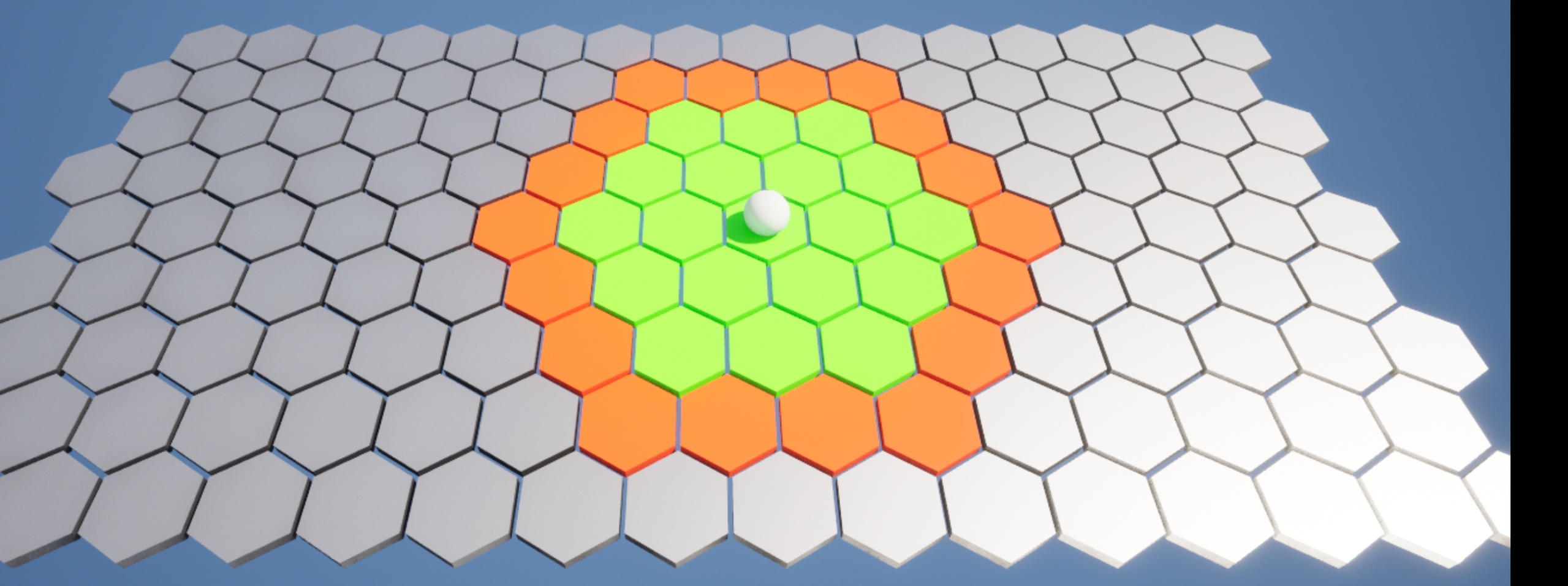
Grid Manager is a powerful, lightweight Unreal Engine plugin designed to simplify the creation and control of both hexagon and rectangular tile grids. Whether you're building tactical maps, puzzle boards, or simulation layers, Grid Manager gives you the flexibility to generate dynamic, interactive grids without the usual complexity.
Built with developers in mind, this plugin delivers out-of-the-box functionality that “just works.” You can spawn fully customizable tile grids at runtime or in the editor, control every detail of how tiles look and behave, and hook into clean, centralized event systems that respond to mouse, touch, and overlap interactions — all with minimal setup.
Whether you're using Blueprints or C++, Grid Manager keeps your workflow smooth and extensible. Tiles are easy to access and reference through an intuitive coordinate system, and the plugin's clean separation of logic makes it ideal for integration with custom gameplay systems.
No bloated features. No clunky tools. Just a fast, scalable solution for developers who want full control over their grid systems — and more time to focus on building the game.
Supported by detailed documentation and responsive, U.S.-based developer support, Grid Manager is ready to drop into your project today.
Ready-to-Use Blueprints and C++ ClassesIncludes HexGrid and HexTile base classes, plus Blueprint versions for drag-and-drop use.
Support for Both Hexagon and Rectangle GridsQuickly switch between grid shapes to suit your gameplay or prototyping needs.
Out-of-the-Box Functional AssetsComes with a static mesh, basic material, and a sample level to get you started immediately.
28 Purpose-Built FunctionsHandle everything from grid generation to tile interaction with clean, well-documented Blueprint-accessible functions.
Event-Driven Tile InteractionsTen customizable events and one delegate let you hook into gameplay quickly and cleanly.
Modular Data StructuresFour built-in structures for grid data handling, designed for scalability and flexibility.
Documentation That Actually HelpsFull written docs with diagrams and usage examples, plus a growing library of tutorials.
Community & Support AccessConnect via Discord for help, feedback, or showcasing your work — YouTube tutorials coming soon.