설명
[Click Here to Watch Video]
🚂Blender 3DT Train & Rail Generator🚂
Build film-ready railways and fully animated trains in minutes—with one flexible, production-ready Geometry Nodes system that adapts to any scene.
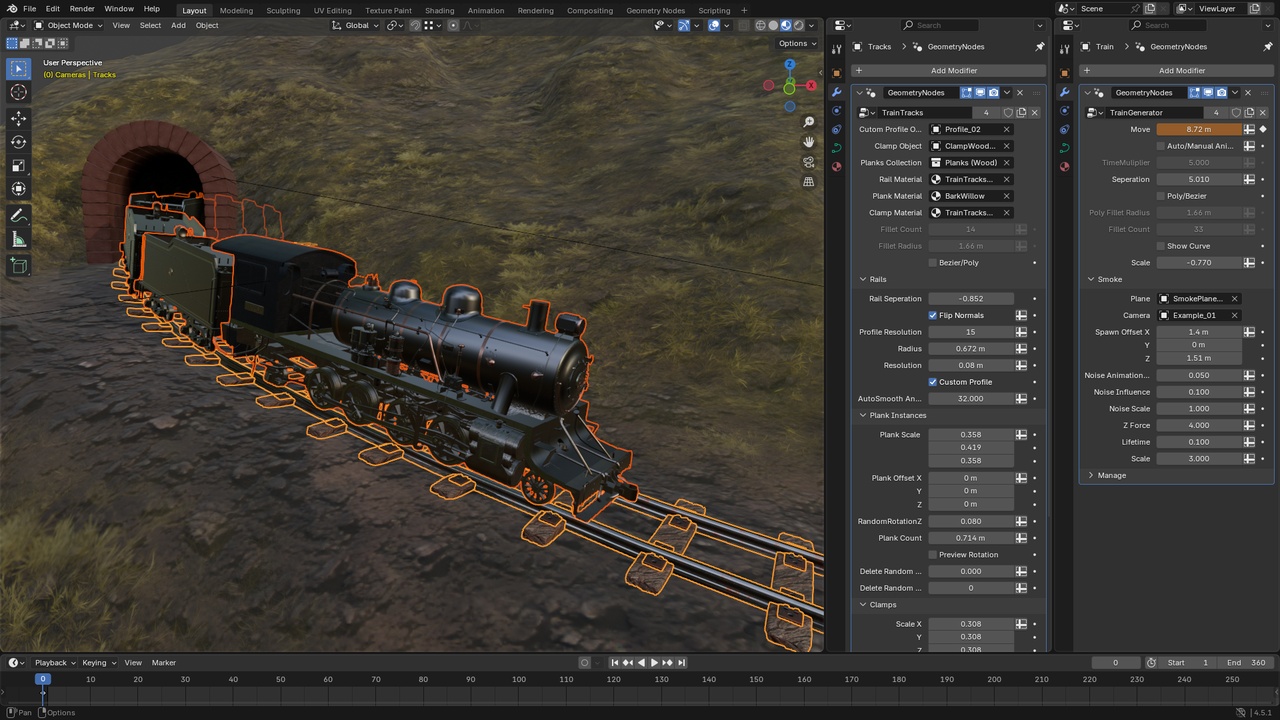
Create curve-driven tracks and a multi-wagon train that perfectly follows them, complete with swappable sleepers, clamps, rail profiles, and an optional smoke system.
The 3DT Train & Rail Generator is built for Blender 4, designed for speed, clean topology, and creative control—ideal for cinematics, environment kits, previs, and stylised worlds.Key Benefits
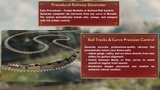
✔️ One Curve, Total Sync – Generate rails and a train that reads the exact same path for zero hand-alignment.
✔️ Non-Destructive Workflow – Swap profiles, sleepers, clamps, and materials at any time without re-building.
✔️ Production-Ready – Triplanar-friendly mapping, clean material slots, and sensible defaults for fast look-dev.
✔️ Artist-Friendly Controls – Global and per-wagon spacing, direction flips, and auto or keyframed animation.
✔️ Massive Time Savings – Layout kilometres of track, iterate styles, and duplicate wagon blocks in seconds.
Quick Start (≈ 2 minutes)
Lay a curve for your route. Loops are supported.
Add “Rail Tracks” to the provided track object and shape the path in Edit Mode.
Duplicate the track object → swap its modifier to “Train Generator.” Now the train uses the identical curve—no alignment guesswork.
Important: Curve type must match on both systems. If Poly is used, mirror Fillet Count and Fillet Radius.
Key Features
Tracks & Profiles
Gauge (Rail Separation), Rail Radius, lengthwise Resolution, Auto Smooth Angle
Profile Object slot with 2 included rail heads + custom profile support
Flip Normals and Profile Resolution for crisp highlights on tight bends
Sleepers (Planks)
Scale/Offset per axis, density via Plank Count
Random Rotation Z and Delete Random + Seed for lived-in variation
Preview Rotation overlay to debug tangents and orientation
Clamps/Bearings
Scale, Rotation, Offset controls with symmetric Separation
Wood and Concrete variants to match era and style
Subtle randomisation with per-seed variation
Materials & Mapping
Triplanar-friendly mapping blocks and Object Coordinates to reduce stretching
Clean material slots for rails, sleepers, and clamps—swap your own shaders anytime
Train Controls
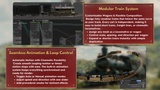
Auto / Manual Animation (keyframe stations and stops when manual)
Time Multiplier for global speed (negative reverses direction)
Global Separation plus per-wagon Translation and Scale
Switch Direction per block, Scale for gauge adjustments
Optional Smoke: camera billboard, spawn offset, lifetime, noise, Z-force
Workflow Tips
Tight corners love more lengthwise Resolution and Profile Resolution for crisp cross-sections.
If sleepers twist, toggle Preview Rotation and nudge Bezier handles or the random seed.
Need a new era or gauge? Swap Profile Object, sleeper type, and clamp variant—no curve edits.
Keep viewports fast with simplified profiles during layout; restore high-fidelity profiles for final renders.
Matching & Troubleshooting
Drifting on corners: Match curve type (Bezier vs Poly) and, for Poly, the Fillet Count/Radius on both Track and Train.
Wagons overlap: Increase Global Separation, then fine-tune with per-wagon Translation or Separation Adjustment.
Clamp misalignment after gauge change: Raise Clamp Separation to mirror Rail Separation.
Shading artifacts: Increase Profile Resolution and adjust Auto Smooth Angle; flip normals if needed.
What You Get
Rail Tracks Geometry Nodes group
Train Generator Geometry Nodes group with locomotive and wagon blocks ready to duplicate
2 Rail Profiles, Wood/Concrete Sleepers, and Wood/Concrete Clamps
Example materials with triplanar-friendly mapping
Demo file with a ready-to-render scene
In-Depth Documentation covering setup, parameters, and proven workflows
Why Choose the 3DT Train & Rail Generator?
This is more than a static asset; it is a complete rail-building and train-animation toolkit!
It turns fiddly track alignment and wagon spacing into a fast, fun, fully procedural workflow—perfect from blockout to final render.
Until next time, happy modelling everyone!
Neil – 3D Tudor
For support, inspiration, and updates, join the 3D Tudor community and unlock the full potential of your artistic journey.
💬 Click here to join our Discord: https://discord.gg/vdbUGJbAfY
Join our Facebook community:https://www.facebook.com/groups/1152218958467185
If you have any questions or need support, feel free to reach out via email: [email protected]