
説明
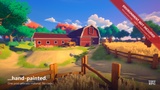
Turn any scene into a living painting.
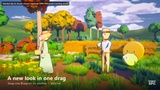
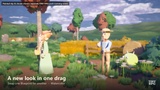
NEW in v3: drag one Blueprint into your level and you're done. Full list in the Changelog below.
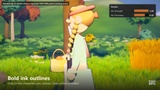
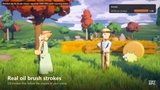
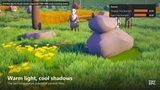
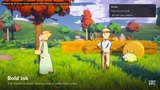
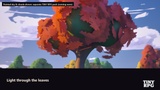
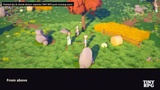
Stylized Arcane Process is a painterly post-process for Unreal Engine 5. Drag one Blueprint into your level and your 3D scene becomes a hand-painted image: flat light planes, warm light against cool colored shadows, oil brush strokes that follow the shapes of your scene, a painted haze in the distance, and bold hand-drawn ink outlines around the characters you choose.
VIDEO: https://youtu.be/iNPlsyUa5kQ
DOCUMENTATION (PDF, 7 languages): https://drive.google.com/drive/folders/11XsdT476_ClWibW_YoASsNf26jErRgaX?usp=sharing
HOW TO USE (10 seconds)
Step 1 — In the Content Browser, open PostProcess/Blueprints.
Step 2 — Drag BP_SAP_Style_Default into your level. Its position does not matter: it covers the whole level.
Step 3 — For ink outlines, tick Render CustomDepth Pass on your character meshes.
Step 4 — Want another look? Delete the style Blueprint and drag in another one: BoldInk, Watercolor, MoonlitNight or IndustrialUndercity. Keep one per level.
Prefer your own Post Process Volume? Tick Infinite Extent (Unbound), then Rendering Features → Post Process Materials → + → MI_SAP_Default (or any preset). Both methods are in the PDF guide.
FEATURES
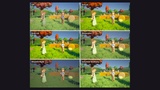
✔ Drag-and-drop style Blueprints: one per preset (Default, Bold Ink, Watercolor, Moonlit Night, Industrial Undercity). Swap the look in one drag.
✔ One master material, 5 ready-made presets, 70 live settings.
✔ Hand-drawn ink outline on characters only (Custom Depth), with optional team colors by stencil value.
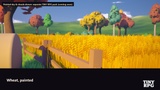
✔ Oil brush strokes that follow the shapes of your scene, with optional impasto and canvas weave.
✔ Warm light, cool shadows: the two-temperature palette of painted films, fully tintable.
✔ Painted atmosphere: distance haze in your colors, with only a light touch on the sky.
✔ Rim light, inner lines, optional charcoal sketch lines on the environment.
✔ Runs before TSR/TAA: outlines are anti-aliased with the rest of the image and don't shimmer in motion.
✔ Style Zones: a drag-and-drop box that gives one area its own look (cave, dream, boss arena) on top of the level's style, blended softly at its border.
✔ 70 parameters in numbered groups, from the essential (1 - Ink Outline) to the advanced, each with a tooltip, slider range and live preview.
✔ Debug View to see the character mask, the ink alone or the depth used.
✔ PDF user guide in 7 languages: English, Français, Español, Deutsch, 中文, 日本語, Русский.
✔ Demo level with a free camera: fly around, then swap the style Blueprint to compare the looks.
TECHNICAL DETAILS
• Unreal Engine 5.4, 5.5, 5.6, 5.7, 5.8 (separate project for each version).
• Content only: no code, no plugin, works in Blueprint and C++ projects.
• Desktop deferred renderer (Windows, DX11/DX12, SM5/SM6). Forward shading and mobile are not supported.
• 1 post-process master material, 5 material instances, 6 Blueprints (5 style Blueprints + 1 Style Zone), 1 texture (2048×2048 brush).
• Demo content (meshes, materials, level, lighting) lives in the Demo folder and is not part of the effect. The demo uses standard Unreal lighting with a clear sky, tuned for the presentation.
• All demo assets were made by the author. No third-party content apart from files from Epic's Third Person template.
PLEASE NOTE
The painted sky and clouds seen in the video and in some gallery images are not included in this pack. They belong to a separate TINY RPG pack, coming soon. Environments marked "environment not included" are shown for illustration only.
SUPPORT
Questions, bugs, ideas: contact TINY RPG through the Fab seller page. Please include your engine version and a screenshot with Debug View set to 1.