الوصف
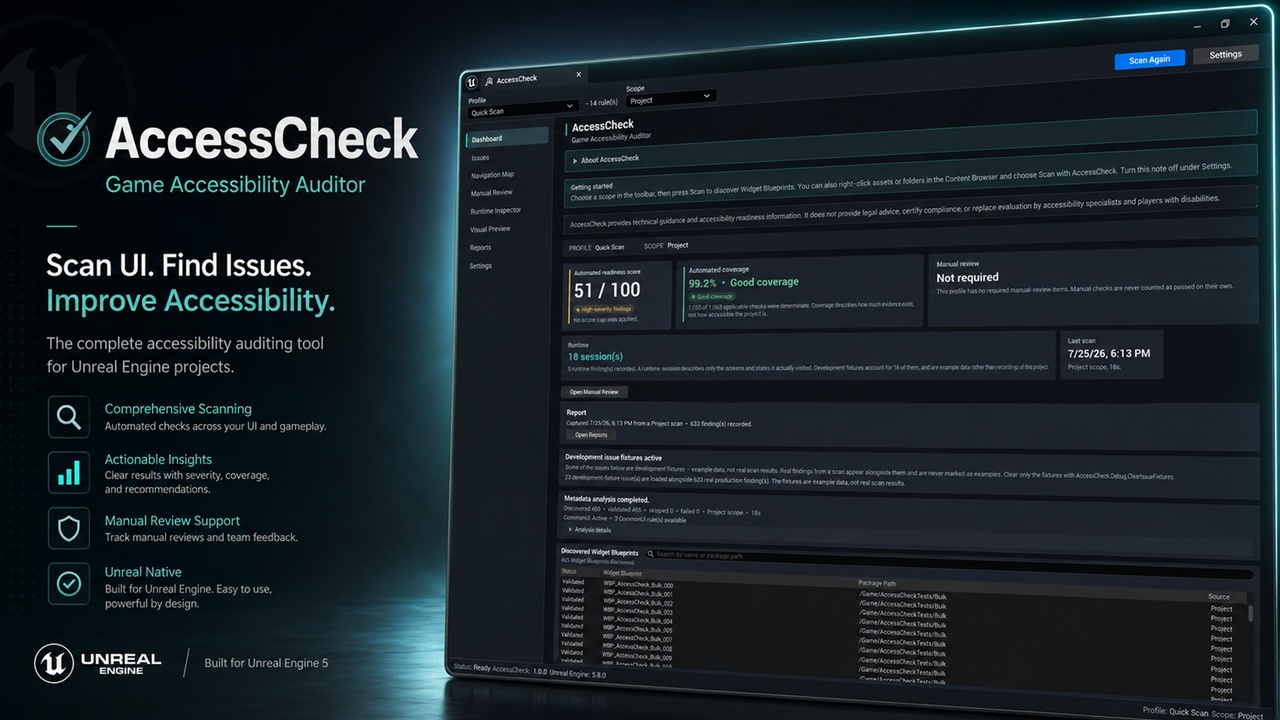
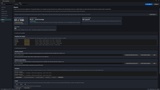
Accessibility work is easy to postpone when the checks are spread across Widget Blueprints, focus settings, Play-In-Editor testing, spreadsheets, and release notes. AccessCheck brings that work into one clear Unreal Editor workflow.
AccessCheck is an editor-only accessibility auditing and readiness tool for Unreal Engine projects. It scans UMG Widget Blueprints for common risks, helps you inspect focus and navigation, records runtime evidence, organises manual review, and creates reports that can be compared as the project changes.
Scan your UI before problems spreadAccessCheck includes 21 built-in static analysis rules, with 3 additional CommonUI checks available when CommonUI is active.
The automated analysis covers areas such as:
Missing or weak accessible names
Accessible behaviour and widget hierarchy
Focusability and initial-focus problems
Unreachable controls and navigation dead ends
Explicit and predicted navigation paths
Text and non-text contrast risks
Text sizing and clipping risks
Colour-only information
Opacity and visibility concerns
CommonUI focus and input-readiness checks
Choose from six focused profiles:
Quick Scan
Full Accessibility Audit
Controller & Keyboard
Screen Reader Readiness
Visual Accessibility
Shipping Gate
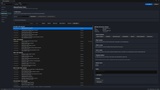
The Issue Explorer turns scan results into practical work instead of a wall of warnings.
Each finding can include:
Severity, confidence, category, status, and rule information
The affected asset and widget
A plain-language explanation of why the issue matters
Evidence and technical context
A recommended next step
Source navigation where available
Review states for open, resolved, reopened, suppressed, or accepted-risk findings
AccessCheck does not simply show a score. It helps you understand what produced that score and what should be reviewed next.
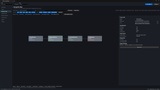
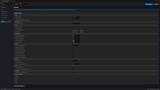
Inspect focus and navigation visuallyThe Navigation Map builds a focus graph from Widget Blueprint structure and known navigation data.
Use it to review:
Reachable and unreachable controls
Initial focus
Incoming and outgoing navigation
Explicit and predicted edges
Invalid or ambiguous paths
Directional navigation behaviour
Related findings for the selected widget
Static navigation is an informed approximation, so AccessCheck clearly separates predicted behaviour from runtime evidence.
Record what really happens in Play-In-EditorThe Runtime Inspector passively observes a Play-In-Editor session and records evidence about the UI states you visit.
It can capture information such as:
The accessible widget tree
Focus movement
Widget geometry
Input-source context
Named screen states
Runtime findings and evidence relationships
AccessCheck does not start or stop gameplay for you, send input, activate controls, or take over the session.
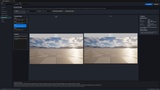
Review captured UI evidenceVisual Preview lets you inspect captured runtime frames alongside review transformations and measured elements.
It can support review of:
Rendered contrast
Focus-indicator evidence
Selected UI regions
Original and transformed previews
Side-by-side comparisons
Saved evidence connected to reports
Preview modes are review aids. They do not simulate every person's vision and do not prove that a screen is accessible.
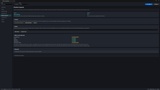
Cover the checks automation cannot judgeAccessibility is larger than metadata and focus paths. AccessCheck includes a 31-item Manual Review Centre for checks that need human judgement.
The checklist covers areas such as:
Gameplay and difficulty options
Timing pressure and pause support
Colour, motion, flashing, and readability
Subtitles and audio alternatives
Input remapping, hold actions, and repeated inputs
Communication features
Accessibility settings and onboarding
Testing with disabled players and accessibility specialists
Reviewers can record status, notes, evidence, risks, and completion details. Manual review remains separate from the automated score so an unchecked human decision is never silently counted as an automated pass.
Improve issues without hiding riskAccessCheck provides guided remediation that explains what to change and opens the relevant source when possible.
It also includes one deliberately narrow Safe Fix for assigning an accessible name from text that already exists in the widget. The change is previewed, applied through an Unreal transaction, supports Undo/Redo, and is verified with a targeted rescan.
Other findings remain developer-controlled. AccessCheck does not broadly rewrite your UI or pretend that accessibility can be solved with one click.
Create reports your team can useReports are frozen snapshots of a completed scan and can include:
Automated readiness score
Automated coverage
Findings by severity and category
Manual-review completion
Runtime and visual evidence
Baseline information
Before-and-after comparisons
Project and profile details
Export reports to:
HTML
JSON
CSV
Saved baselines make it easier to compare later scans and identify regressions.
Add accessibility checks to CIAccessCheck includes a headless Shipping Gate commandlet for automated pipelines.
The gate supports:
Configurable pass/fail policy
Stable documented exit codes
Baseline comparison
Machine-readable accesscheck_result.json
PowerShell and batch helper scripts
Report output for build artifacts
This gives teams a repeatable release check without requiring the AccessCheck window to be open.
Private by designAccessCheck runs locally inside your Unreal project.
No accounts
No telemetry
No analytics
No cloud processing
No uploads
No network access
AccessCheck provides technical guidance and accessibility-readiness information.
It does not:
Certify WCAG compliance
Provide legal advice
Guarantee that a game is accessible
Test every disability, device, platform, screen, or gameplay situation
Replace evaluation by accessibility specialists
Replace testing with disabled players
Automatically make a project accessible
A high score or high coverage value means that AccessCheck completed more of its configured analysis. It is not a certification.
Documentation and supportDocumentation: https://www.ecalstudios.com/accesscheck/
Support: [email protected]
Publisher: ECal Studios